Ever wondered how you can get that beautiful, painted look for your favorite photos? It's all thanks to special apps that use advanced artificial intelligence to analyze your picture and essentially repaint it in a whole new style. Think of it as having a personal artist in your pocket, ready to turn any snapshot into an oil painting or a vibrant anime scene with just a few taps.
The New Way to Create Art from Your Photos
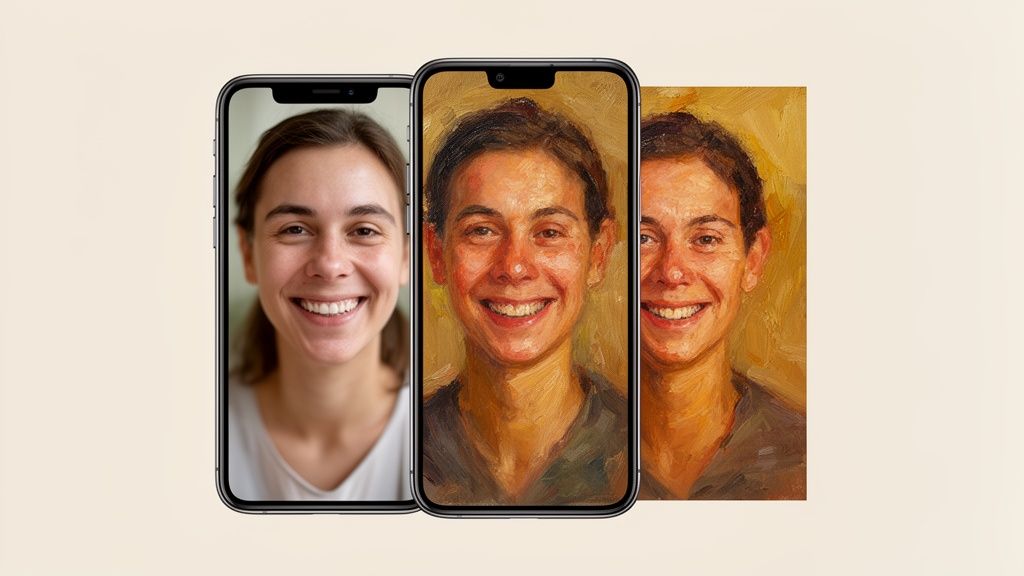
We've all been there. You have a photo you absolutely love, but you wish you could give it a more artistic, painterly vibe without spending hours in complicated software. That’s precisely why apps that turn photos into digital paintings have become so popular—they make creating incredible, personal art something anyone can do.
Forget about just slapping a filter over your image. These modern tools are more like a crew of digital artists, each one a specialist in a different style. One might master the rich, thick texture of oil paint, while another understands the soft, delicate flow of watercolor or the sharp, dynamic lines of anime.
How Does It Work?
So, what’s happening behind the scenes? When you upload your photo, the AI does more than just add a new layer. It actually studies the core components of your picture—the people, the background, the colors, and the lighting. It breaks it all down and then rebuilds the image from scratch, applying the unique rules and feel of the artistic style you selected.
This is a really important distinction. The app knows the difference between a person’s face and the sky behind them, so it applies brushstrokes and colors in a way that makes sense. The final piece isn't just your photo with a new texture; it’s a completely fresh artistic interpretation.
A great photo is the foundation for a great painting. The AI can do incredible work, but starting with a clear, well-lit image gives it the best possible canvas to build upon.
Who Uses These Apps?
Honestly, this technology is for anyone who wants to add a creative touch to their photos. Social media users are using it to create stunning, one-of-a-kind avatars. People are making beautiful, personalized anniversary gifts. The possibilities are truly endless.
Content creators, especially, are finding these tools incredibly useful for producing eye-catching visuals. You can actually see how they fit into a larger creative strategy in this roundup of the best AI tools for content creators.
At the end of the day, an app that turns pictures into paintings closes the gap between your photos and your artistic vision. It lets you be the art director, guiding the AI to create something beautiful that truly captures the feeling of your favorite memories. Let’s dive into how you can get started.
How AI Actually Transforms Photos into Art
Ever wonder what’s really happening behind the screen when an app turns your photo into a painting? It’s far more than a simple filter. Think of it less like a photo effect and more like commissioning a piece from an incredibly fast artist who has studied every great art movement in history.
This AI artist has been trained on a massive library of images, learning to tell the difference between a person's face, a sprawling landscape, and the objects in the background. It doesn't just slap a texture over your picture; it genuinely reinterprets your photo from the ground up, using the new style as its guide.
The Secret is Neural Style Transfer
The core technology making this all possible is called neural style transfer. It sounds like something out of a sci-fi movie, but the idea is actually quite elegant. The AI essentially juggles two tasks at once: it looks at the "content" of your photo—the people, shapes, and overall composition—and simultaneously analyzes the "style" of a reference painting, like its colors, textures, and brushstrokes.
Then, the magic happens. The AI merges the two, asking itself, "How would I paint the scene in this photo if I were Van Gogh?" It carefully applies the unique artistic DNA of a style like Starry Night to the structure of your image, creating a new piece of art that honors both the original photo and the chosen aesthetic.
This technology has absolutely exploded. Since 2022, we've seen over 15 billion AI-generated images created worldwide, with 34 million more popping up every single day. A huge chunk of these are people turning their photos into paintings for social media avatars, profile pictures, and unique gifts. You can see the incredible numbers for yourself in the full AI-powered image generation tool market report.
Generalists vs. Specialists
Not all AI artists are created equal, though. Some are generalists, able to mimic a broad range of styles from oil painting to pop art. But the most impressive results often come from specialized tools that have been trained to master one specific aesthetic.
This is where a service like AnimePhoto.ai really stands out. Its AI isn't just a jack-of-all-trades; it’s a master of one, trained exclusively on a massive dataset of anime and manga art. This focused training gives it a much deeper understanding of what makes that style so unique.
- Facial Recognition: The AI doesn't just smooth over skin. It intelligently identifies your eyes, hair, and mouth, then redraws them with the expressive and distinct proportions that define anime.
- Background Interpretation: It reimagines your background, transforming a simple room or a scenic view with the flat colors, bold lines, and atmospheric feel of a classic anime scene.
- Object Re-creation: Everyday objects in your photo are translated into their anime-style counterparts, making the entire image feel cohesive and authentic.
Because of this specialization, the output is far more convincing than what you'd get from a generic "cartoon" filter. For anyone wanting to take their creations even further, exploring different editing tools is a great next step. If that's you, check out our guide to the best AI photo editors on the market.
The real breakthrough is the AI's ability to separate what is in your photo from how it looks. This allows it to preserve the identity of your subject while completely changing the artistic medium.
This entire reinterpretation happens with incredible speed, delivering a professional-quality piece of art in just a few seconds. Once you understand how the AI "thinks," you can start choosing the perfect photos and styles to create something truly special. It’s not just applying an effect; it's a genuine collaboration between you and an AI artist.
Choosing the Right Artistic Style for Your Image
Picking the right artistic style for your photo is a lot like choosing the perfect frame for a masterpiece. It has to complement the subject, not overpower it. The right style can elevate a simple snapshot into something truly special, setting the mood and telling a story all on its own.
An app that turns pictures into paintings puts a whole gallery of artistic choices right at your fingertips. But it's not just about picking a style you like; it’s about finding the one that best fits the photo you’re working with. A dramatic, high-contrast portrait might beg for the rich texture of an oil painting, while a peaceful landscape could come to life with the soft, dreamy touch of watercolor.
So, how does the magic actually happen? It's a surprisingly straightforward three-step process for the AI.
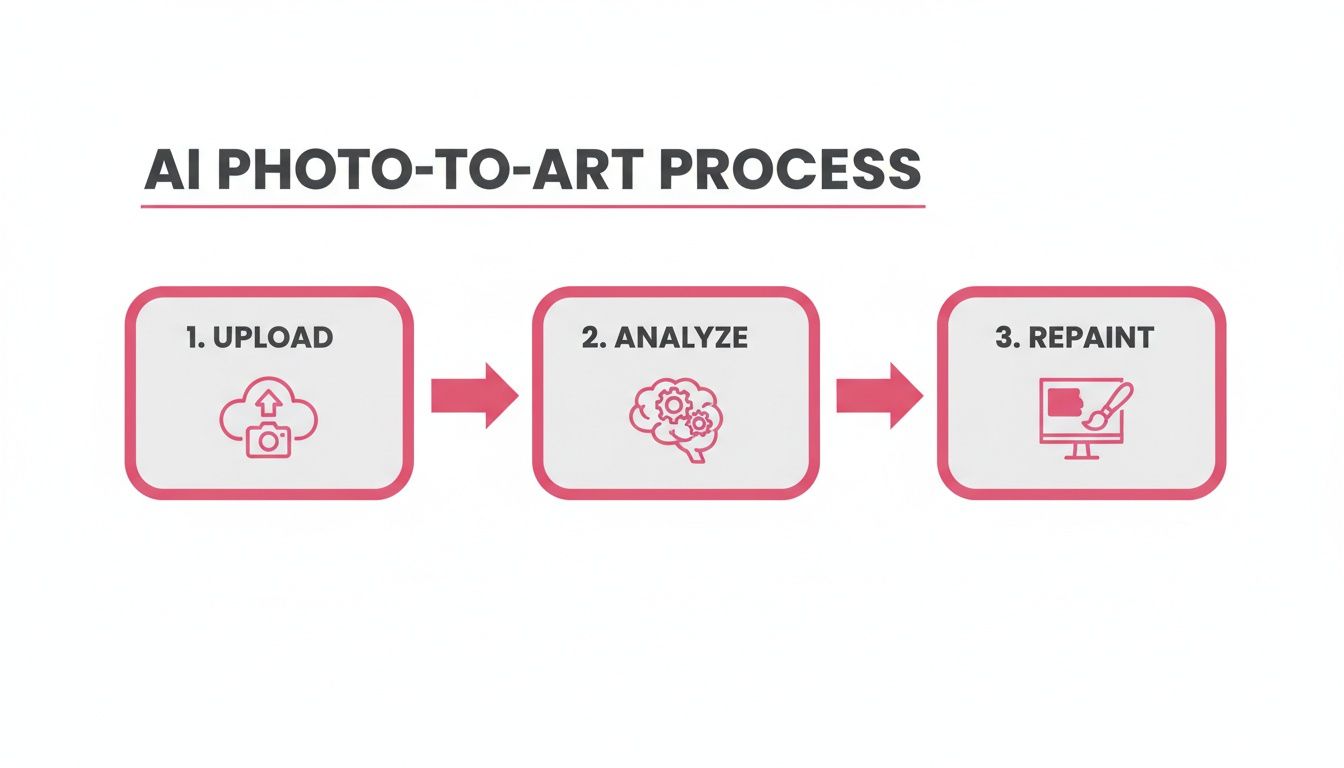
This simple Upload, Analyze, and Repaint workflow is what makes it possible to get stunning results in seconds, no art school degree required.
Exploring Classic and Timeless Styles
Most apps start with the classics—styles that mimic traditional art mediums we all know and love. These are perfect for creating elegant, timeless pieces that have a sense of history and texture.
Here are two of the most popular choices:
- Oil Painting: Famous for its thick textures, deep colors, and dramatic flair. The visible brushstrokes give images a real sense of weight and substance, making this style a fantastic choice for formal portraits or grand, sweeping landscapes.
- Watercolor: Known for its light, translucent layers and soft, blended colors. Watercolor gives photos an ethereal, dreamy quality. It’s absolutely perfect for scenic views, delicate flower close-ups, or portraits where you want a gentle, romantic feel.
Think of the style as a lens. A bold, modern photo of a city skyline might look incredible reimagined as a cyberpunk scene, but that same style would probably feel out of place for a sweet family portrait.
Diving into Modern and Niche Aesthetics
But why stop at the classics? This is where specialized tools like AnimePhoto.ai really shine. They go beyond generic filters to offer curated, niche styles that bring a completely different kind of energy to your photos. These aesthetics are often tied to specific genres and pop culture, letting you transform your images into something that reflects your passions.
This is your chance to really play and create something that stands out—perfect for social media avatars, unique gifts, or just having fun. The focus shifts from simply "painting" a photo to building a character and telling a new story.
Matching Your Photo to the Perfect Painting Style
To help you decide, think about the subject and mood of your original photo. A style that works wonders for a selfie might not be the best fit for a landscape. This table breaks down some popular styles and what kinds of photos they work best with.
| Artistic Style | Key Characteristics | Best For These Photos |
|---|---|---|
| Oil Painting | Rich textures, deep colors, visible brushstrokes. | Formal portraits, dramatic landscapes, still life. |
| Watercolor | Soft, translucent layers, gentle color blends. | Scenic views, floral shots, romantic portraits. |
| Cel-Shaded Anime | Bold outlines, flat colors, expressive features. | Selfies and portraits you want to turn into heroes. |
| Chibi | Oversized heads, big eyes, cute and simple bodies. | Fun avatars of people, friends, and pets. |
| Cyberpunk | Neon highlights, futuristic gear, dark techy vibes. | Edgy profile pictures, urban or night-time shots. |
| Fantasy | Ethereal glows, magical elements, epic feel. | Portraits where you want a magical or heroic look. |
Ultimately, the best way to find the perfect match is to experiment. Try a few different styles and see which one captures the feeling you're going for.
Anime and Pop Culture Styles
Platforms like AnimePhoto.ai have a real advantage because they focus deeply on one artistic world. Instead of offering a superficial "anime filter," they provide styles that capture the specific nuances fans love.
Here are a few standout examples you can explore:
- Cel-Shaded Anime: This is that classic anime look—sharp black outlines, vibrant blocks of color, and incredibly expressive faces. It's the go-to for turning yourself into the protagonist of your own show.
- Chibi: All about maximum cuteness. This style gives subjects huge heads, sparkling eyes, and tiny bodies. It's a fun, lighthearted way to create adorable avatars of yourself, your friends, or even your pets.
- Cyberpunk: Drop your photo right into a neon-soaked, futuristic city. This style adds glowing tech, cool outfits, and a moody color palette, perfect for a high-impact profile picture.
- Fantasy: Want to add a little magic? The fantasy style brings in glowing effects, ethereal lighting, and enchanted elements to transform a standard portrait into a character from an epic saga.
By exploring these different styles, you become the art director. You're no longer just applying a filter; you're guiding the AI to create something entirely new. The right app gives you the palette, but you provide the vision.
How to Get Professional Results from Your Photos
Getting a stunning result from an app that turns your pictures into paintings isn't just about clicking "generate." The real secret lies in what you do before that. Think of your photo as the brief you'd give a human artist. A clear, high-quality brief leads to a masterpiece; a blurry, confusing one results in a muddled mess.
The AI is incredibly powerful, but it's not a mind reader. It can only work with the visual data you feed it. If your photo is dark, fuzzy, or has a chaotic background, the AI has to make a lot of guesses. Those guesses often lead to strange artifacts or a disappointing final image. The single best thing you can do is start with a clean, detailed photo.
Start with a High-Quality Canvas
The foundation of any great painting is a great canvas. In the digital world, that canvas is your original photo, and high resolution is non-negotiable. An image with more pixels simply contains more information for the AI to analyze, which translates directly into sharper details, richer textures, and more accurate colors in your final artwork.
Think of it this way: handing the AI a low-resolution photo is like giving an artist a tiny, pixelated sketch and asking them to paint a mural. They have to invent most of the details. A high-resolution photo, on the other hand, is a detailed blueprint, allowing the AI to make precise and intentional "brushstrokes."
The AI can only be as good as the information it’s given. A sharp, high-resolution photo gives it the visual data it needs to accurately interpret your subject and transform it into a work of art.
Good Lighting Is Your Best Friend
Lighting is everything in both photography and painting. It carves out shapes, sets the mood, and tells the viewer where to look. For an AI, good lighting is even more crucial because it relies on shadows and highlights to understand the three-dimensional form of your subject.
Poorly lit photos are probably the number one cause of lackluster AI art. Here are a few common lighting problems to watch out for:
- Too Dark: Photos shot in low light often look grainy. This visual "noise" can confuse the AI, leading to a muddy or blotchy painting where details are lost.
- Harsh Shadows: Strong, direct sunlight can cast deep, dark shadows that hide important features, especially on a person's face. The AI might misinterpret these shadows as part of the subject itself, creating bizarre artifacts.
- Blown-Out Highlights: Those overly bright spots where all detail is lost (like a white shirt in the bright sun) create blank voids for the AI. It has no data to work with, resulting in flat, uninteresting patches in your artwork.
For the best results, try to find soft, even lighting. An overcast day is perfect for outdoor shots. If you're indoors, just facing a window can provide beautiful, natural light for a portrait. These conditions give the AI clear, easy-to-read information, ensuring your subject is rendered beautifully. If you want to dive deeper, you can find some excellent photo editing techniques to fix lighting issues before you even upload.
Compose for Clarity
Finally, give some thought to your composition. The best photos for AI transformation almost always have a clear, obvious focal point. Whether it's a person, a pet, or a landmark, the main subject should be easy for the AI to identify.
An uncluttered background helps a ton. It prevents the AI from getting distracted by random objects and trying to blend them into your artwork. A simple background keeps the focus squarely on your subject, which is especially important for portrait-focused tools like AnimePhoto.ai.
The cleaner the composition, the more accurately the AI can separate the foreground from the background and apply the artistic style in a way that feels intentional and professional. It's no wonder these tools are exploding in popularity. In the US, the media and entertainment sector already has a 39.5% regional share in the AI art market, with people creating everything from slick cyberpunk avatars to manga-style group photos. You can learn more about the growth of AI in the creativity market.
Creative Ways to Use Your New Digital Art
Alright, so you’ve turned a photo into a fantastic piece of digital art. The real fun is just getting started. An app that turns pictures into paintings isn't just a cool gimmick; it's a launchpad for all sorts of creative projects. That file sitting on your phone has the potential to become something tangible and meaningful.
Let's explore how you can bring that digital masterpiece into the real world. From spicing up your online profiles to creating one-of-a-kind gifts, the possibilities are pretty much endless.
Elevate Your Social Media Presence
One of the quickest and most impactful ways to use your new art is as a social media avatar. Think about it: in a feed full of standard headshots, an artistic portrait just pops. It grabs attention and shows off your personality on Instagram, TikTok, or Discord before anyone even reads your bio.
This isn't just a trick for personal accounts. Businesses are jumping on this too, using AI to generate marketing visuals and product mockups in specific artistic styles, which saves a ton of time and money. According to Fortune Business Insights, the market for this tech is exploding for this very reason.
Design Heartfelt Personalized Gifts
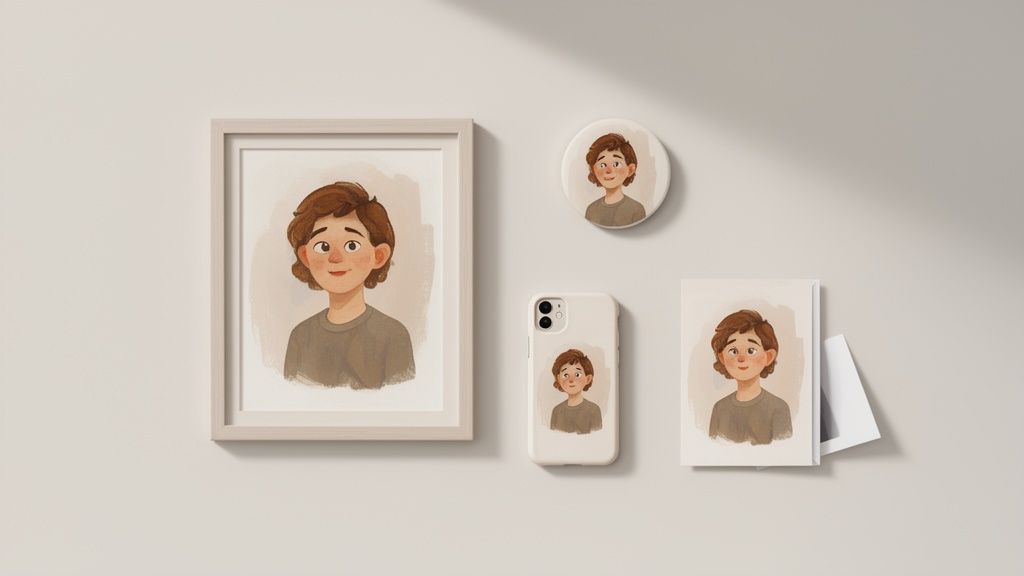
Your digital painting is the perfect starting point for gifts that are genuinely personal and thoughtful. Since you have the high-resolution file, you can use print-on-demand services to create custom items you simply can’t buy off a shelf.
Here are a few ideas to get your gears turning:
- Custom Phone Cases: Imagine a portrait of a beloved pet on a phone case they’ll see a dozen times a day.
- Framed Prints and Canvases: Turn your best work into beautiful wall art for your home or a friend’s.
- Greeting Cards: Design birthday, anniversary, or holiday cards that are truly unique and come from the heart.
- Stickers and Magnets: Create fun little pieces of art to decorate laptops, fridges, or anything else.
A personalized gift just hits different. It shows you put real thought into it, and turning a shared memory into art is a powerful way to celebrate a relationship.
Create Meaningful Couple and Pet Portraits
Want to capture a special bond? Turn a favorite photo of you and your partner into a romantic watercolor or a playful chibi artwork. It’s a modern, creative spin on the classic couple's portrait and makes for an unforgettable anniversary or Valentine's Day gift.
And let's be honest, this works just as well for our furry friends. That perfect shot of your dog or cat can be transformed into a charming anime illustration that captures their unique personality. These portraits are amazing on everything from coffee mugs to cozy blankets.
Unify Your Team or Group
Whether it's for a gaming guild, a book club, or your small business team, a unified look can foster a real sense of community. You can use a consistent style, like the cel-shaded anime look from AnimePhoto.ai, to create matching profile pictures for everyone. It's a simple touch that makes the group feel more connected and look instantly more professional.
If you find you have a real talent for this and start thinking about making some money from it, there are plenty of resources out there. You can learn some great strategies on how to sell art online. At the end of the day, these creations are yours to enjoy and share however you see fit.
Meet Your Personal AI Artist: AnimePhoto.ai
While a lot of apps out there can slap a filter on your photo and call it a day, sometimes you need a specialist. If you're a fan of the vibrant, expressive world of anime, you don’t want a generic “cartoon” effect—you want an app that turns pictures into paintings that truly captures that unique aesthetic. That’s exactly where a dedicated tool like AnimePhoto.ai shines.
Think of it this way: AnimePhoto.ai isn't a jack-of-all-trades. It's a master of one. Its entire purpose is to transform your photos into high-quality, authentic-looking anime art. This focused approach means the AI doesn't just apply a surface-level filter; it genuinely understands the visual language of anime and applies it intelligently to your photos.
Zero Artistic Skill Required
Honestly, the best part is how simple it is. You don't need any artistic background or experience with complicated software to get amazing results. The whole process is designed to be quick and painless, giving you a beautiful new image in just a few seconds.
Getting started is as easy as it sounds:
- Upload Your Photo: Just pick a clear, well-lit picture of yourself, a friend, or even your pet.
- Choose Your Style: Look through the library of over a dozen distinct anime aesthetics and pick your favorite.
- Generate Your Art: Hit the button and let the AI work its magic.
That's it. It’s a straight shot from your favorite photo to a piece of art that’s ready to share, print, or use as a truly unique avatar. The whole system is built for speed without sacrificing quality.
A Library of Curated Anime Styles
As any fan knows, "anime" isn't a single look. It’s a huge universe of different visual styles, each with its own mood and energy. AnimePhoto.ai gets this, offering a hand-picked selection that captures that incredible diversity. The app's specialized AI can replicate all sorts of artistic directions, including the popular and expressive anime style.
Whether you’re after the classic look of cel-shaded heroes, the super-cute proportions of chibi characters, or the moody, neon-drenched vibe of cyberpunk, there’s a style waiting for you. This curated library means you can always find the perfect look to match your photo and your personality.
Your privacy is our priority. Your uploaded photos are protected and are only ever visible to you. We do not use your images for training our AI, ensuring your data remains secure.
Straightforward Pricing and Unwavering Privacy
Nothing kills the creative buzz faster than confusing subscription plans or sketchy data policies. AnimePhoto.ai keeps it simple with a pay-as-you-go credit system. There are no monthly fees. You just buy a pack of credits and use them whenever inspiration strikes, giving you total control over what you spend.
On top of that, privacy is built into its core. Your photos are processed securely, and your personal data is never used to train the AI models. This commitment means you can create with total peace of mind, knowing your memories are safe. It’s the perfect tool for all the creative projects we’ve talked about, from making standout avatars to designing heartfelt gifts.
Frequently Asked Questions
Even with the best tools, it's natural to have a few questions before diving into a new creative project. We've pulled together some of the most common things people ask about using an app that turns pictures into paintings to give you clear, straightforward answers.
This should give you all the confidence you need to start turning your favorite photos into incredible art.
Can I Use Any Photo for Transformation?
Technically, you can upload almost any picture, but the best results always start with high-quality photos. A clear, well-lit image with a distinct subject gives the AI the best information to work with, which translates into a much more detailed and polished final piece.
Think of it like cooking: the better your ingredients, the better the final dish. Blurry or very dark photos can sometimes confuse the AI, leading to a painting that looks muddled or unclear. For portraits, it’s best if the face is clearly visible and not hidden by heavy shadows.
Pro Tip: If you're stuck with a darker photo, try leaning into it. Pick a style that thrives on shadows and high contrast, like a dramatic oil painting or a moody cyberpunk look. You can turn a potential weakness into a real artistic strength.
Is It Safe to Upload My Personal Photos?
That's a really important question, and the answer comes down to the service you choose. Reputable platforms like AnimePhoto.ai make user privacy a top priority. Your photos should always be processed securely and never be used to train AI models without you explicitly saying it's okay.
Before using any app, take a quick look at its privacy policy. A trustworthy service will make it clear that:
- Your images are protected and only you can see them.
- Your data isn't being sold or shared with other companies.
- They don’t claim ownership of your original photos or the art you create.
Do I Own the Art I Create?
Yes, for the most part, you own the rights to the artwork you generate from your own photos. This means you’re free to use your creations for all kinds of personal projects—think social media avatars, unique gifts, or custom prints. You can share it online, put it on a T-shirt, or hang it on your wall.
However, if you're thinking about using the art for commercial purposes, like selling merchandise, it's always smart to double-check the app's terms of service. Most platforms are pretty flexible, but a quick review ensures you’re in the clear as you start making money from your amazing new creations.
Ready to see your photos in a stunning new anime style? Give AnimePhoto.ai a try today and watch your favorite memories transform. You can get started on AnimePhoto.ai right now.

See yourself in anime style in under a minute
Pick a style, upload a photo, and get a high-quality anime portrait ready for profiles, prints and gifts.
Create your anime photo

