An effective anime character creator full body tool can take a regular photo and, in just a few seconds, turn it into a complete, head-to-toe anime persona. These AI-powered platforms are perfect if you want to generate a unique avatar, a cool gaming profile, or just some personalized art without having to pick up a digital pen yourself.
Bringing Your Full Anime Persona to Life
Ever wondered what you'd look like as the hero of your own anime series? I’m not just talking about a facial portrait, but a complete character with a distinct style and presence. That’s really the magic of creating a full-body anime avatar. It goes way beyond a simple profile picture, capturing a whole identity you can use across social media, gaming platforms, or even as a one-of-a-kind gift.
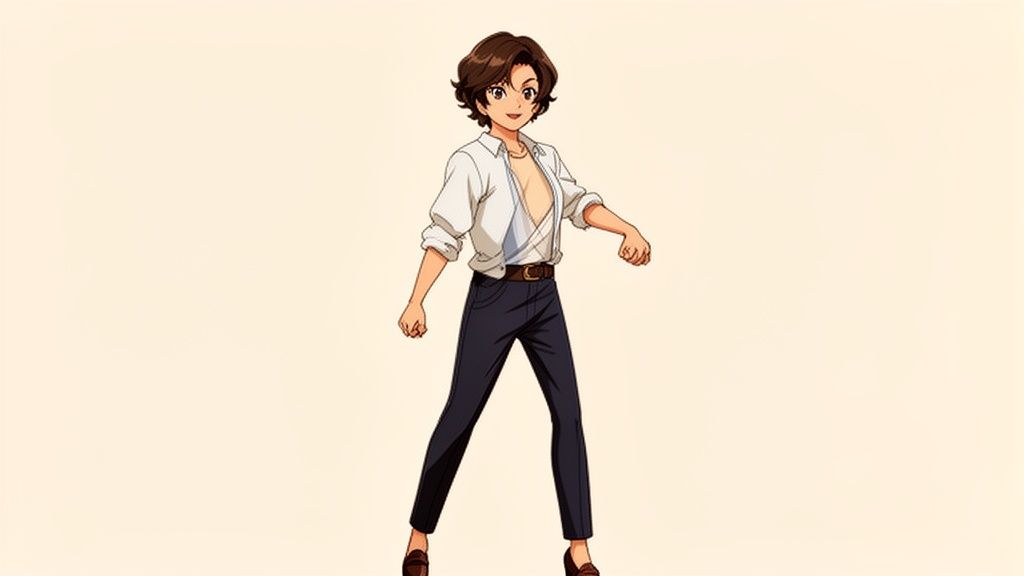
This kind of transformation, from a simple photo into a vibrant, full-body illustration, used to be the exclusive domain of professional artists. Not anymore. With tools like AnimePhoto.ai, anyone can bring their vision to life. The process is surprisingly straightforward: you provide the photo, and the AI handles all the artistic heavy lifting.
More Than Just a Portrait
A full-body avatar tells a much richer story than a headshot ever could. It has the power to showcase personality through a pose, individual style through clothing, and a general sense of action or mood. This makes it a fantastic tool for a few different groups:
- Gamers: You could create a unified look for your entire team or a dynamic persona for your streaming channel.
- Social Media Users: This is a great way to stand out with a unique and expressive profile that actually grabs attention.
- Creative Gifting: Imagine turning a favorite photo of a friend or even a pet into a truly memorable piece of art.
This desire for personalized digital expression is part of a much bigger picture. The global anime market is absolutely exploding, and it's projected to hit USD 77.3 billion by 2033. This surge shows just how massive the demand is for anime-related content and, more importantly, tools that let fans engage with the art form directly.
Unlocking Your Creative Potential
The best part is you don't need to understand complex design software to get started. The whole idea behind these tools is accessibility—making creative expression available to everyone. To really bring your vision to life, exploring an advanced AI avatar generator can give you the powerful tools needed for crafting detailed, full-body anime characters.
The real power of an AI anime creator is its ability to translate the essence of a photo into a completely new artistic medium. It sees your pose, your outfit, and your vibe, then reimagines it within the boundless world of anime.
In the end, this guide will walk you through turning your favorite photos into amazing full-body creations, making sure your final result is something you're genuinely excited to share.
Choosing the Right Photo for a Flawless Transformation
The secret to a stunning full-body anime character doesn't start with a complicated menu or a secret prompt—it begins with the photo you choose. Seriously. Think of your original picture as the blueprint for the AI. A great blueprint leads to a masterpiece; a bad one... well, you know the old saying: garbage in, garbage out. It absolutely applies here.
A high-quality photo gives the AI all the crucial information it needs to understand your pose, your outfit, and the little details that make you, you. This is exactly why a blurry, dark picture almost always turns into a muddy, undefined anime character. Your job is to give the AI a crystal-clear starting point.
The Power of Good Lighting
If there's one thing to get right, it's the lighting. I can't stress this enough. Harsh, direct sunlight creates deep, dark shadows and blown-out highlights that completely throw the AI for a loop. It often misinterprets these shadows as part of your outfit or even your body, leading to some very strange results.
What you want is soft, diffused light. An overcast day is your best friend for outdoor shots because the clouds act like a massive natural softbox, giving you beautiful, even light. If you’re shooting indoors, find a large window and use that indirect natural light. It will define your features and form without creating those harsh, distracting shadows. For a deeper dive, check out our guide on the best lighting for portrait photography.
Frame Your Shot for Success
How you frame yourself in the photo is just as important as the lighting. Since you're going for a full-body anime look, the AI needs to see your entire body—from the top of your head right down to your toes. If you crop out your feet or hands, you're going to get an awkwardly chopped-off anime character.
Make sure you leave a little bit of breathing room around yourself in the frame. Another huge plus is a clean, simple background. A busy, cluttered space can confuse the AI, which might start blending background objects into your clothes. A plain wall or an open field works wonders because it puts the focus squarely on you.
Pro Tip: Don't forget that your pose sets the entire mood. A powerful, dynamic stance can give you that classic Shonen hero vibe, while a more relaxed, casual pose is perfect for a slice-of-life aesthetic. Play around with it and see how different poses transform the final character's personality.
Lastly, let’s talk resolution. Always, always use the highest-quality photo you have. A sharp, clear image provides all the fine details the anime character creator full body needs to draw clean lines and accurate features. A pixelated, blurry source photo is a one-way ticket to a fuzzy, disappointing result.
To help you nail this on your first try, I've put together a quick cheat sheet with the most common pitfalls and best practices I've seen.
Photo Selection Do's and Don'ts
This quick-reference table breaks down the essentials for picking the perfect source image.
| Guideline | Do (Best Practice) | Don't (Common Mistake) |
|---|---|---|
| Lighting | Use soft, natural light (e.g., overcast day or near a window). | Use harsh, direct sunlight or flash, creating deep shadows. |
| Framing | Capture your entire body from head to toe with space around you. | Crop the photo at the feet, hands, or top of the head. |
| Background | Choose a simple, uncluttered background that contrasts with you. | Stand in front of a busy or messy background with many objects. |
| Quality | Upload a high-resolution, clear, and in-focus photograph. | Use a blurry, low-resolution, or out-of-focus image. |
| Pose | Strike a clear pose where your limbs are distinct and visible. | Choose a pose where your arms or legs are hidden or obscured. |
Stick to the "Do" column, and you'll be giving the AI the best possible material to work with, dramatically increasing your chances of getting that perfect anime transformation.
Bringing Your Character to Life: From Photo to Final Art
Alright, you've nailed down the perfect photo. Now for the really fun part: the creative transformation. This is where you get to guide the AI, taking your real-world picture and turning it into a genuinely cool piece of anime art.
The first step is always the simplest: uploading your full-body shot. A clear, high-quality image gives the AI more detail to work with, which almost always leads to a sharper, more impressive final character. This process is becoming incredibly streamlined; modern tools can transform your photos into cartoons with powerful AI with just a few clicks.
Choosing Your Anime Vibe in the Style Library
Once your photo is loaded, you’ll typically be greeted by a gallery of different anime styles. This isn't a step to rush through! Think about the mood and personality you're aiming for. Each style offers a completely different aesthetic.
Here are a few popular styles you’ll likely run into and what they're best for:
- Shonen Style: Think classic action and adventure. This style uses bold lines, bright colors, and an energetic feel. It’s a great choice if you want to create a heroic, powerful version of yourself.
- Chibi Style: Looking for something cute and playful? Chibi is your go-to. With its oversized heads, big expressive eyes, and tiny bodies, it’s perfect for fun avatars or even custom stickers.
- Cyberpunk Vibe: For a more futuristic, edgy look, this style is fantastic. Expect neon accents, high-tech clothing, and a darker, moodier color palette. Your character will look like they belong in a slick, sci-fi world.
- Fantasy Aesthetic: This one can turn a normal photo into something straight out of an RPG. It often adds fantastical armor, flowing robes, or magical elements to your outfit and the background.
Remember, a great output starts with a great input. The infographic below recaps those key principles of photo selection—lighting, framing, and pose—that lay the groundwork for a successful transformation.
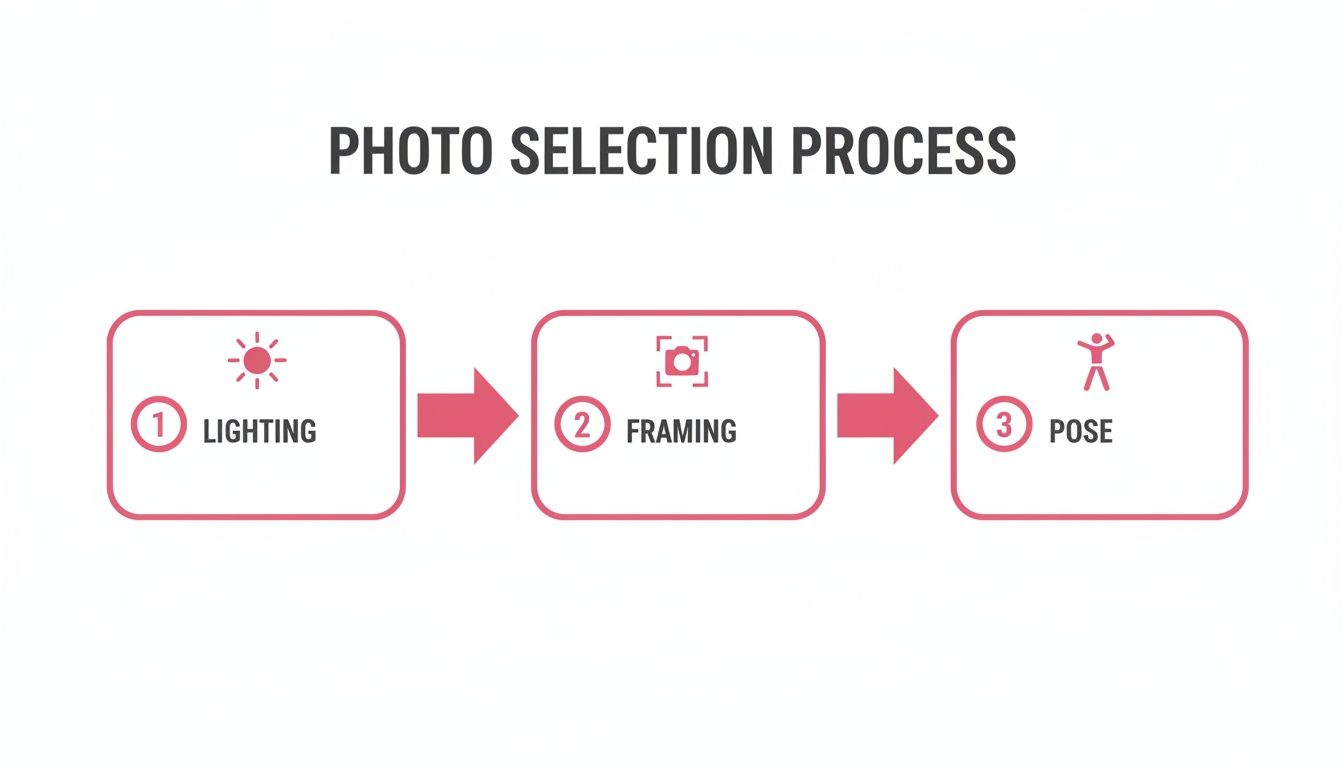
This just goes to show that the magic really begins before you even click "generate."
How the Credit System Works
Many of the newer AI art tools, including platforms like AnimePhoto.ai, have moved away from traditional subscriptions. Instead, they use a credit-based system, which is a game-changer for flexibility. You only pay for what you actually create.
Think of credits like arcade tokens for creativity. You can grab a small pack for a one-off project, like a unique birthday gift, or buy a bigger bundle if you're outfitting your whole gaming squad with custom anime avatars.
This user-focused model is part of a much bigger picture. The anime market is absolutely exploding, with some forecasts predicting it will be worth USD 220.38 billion by 2035. This growth is fueled by accessible tools that let fans and creators jump in and make their own content, from detailed characters to custom art.
By taking a moment to pick a style that really fits your vision and getting a handle on the credit system, you can create some seriously impressive art without any waste. It's a fun, interactive process that puts you in the director's chair.
Fine-Tuning Your Anime Character with Advanced Techniques

So, you’ve nailed the basics of picking the right photo and style. Now it's time to dig into the more advanced methods that can really make your character art pop. Let's be real—even with a perfect photo, the AI can sometimes get tripped up on a specific detail, like a tricky pattern on your shirt or a unique piece of jewelry. Don’t sweat it. This is where a little creative problem-solving makes all the difference.
If a certain style just isn't getting a detail right, the easiest fix is often to just try a different one. For example, a style with bold, simple lines might turn delicate jewelry into a blob, but a more semi-realistic style could capture it beautifully. Your original photo choice still plays a huge role here, too. An image with a crisp, clear silhouette helps the AI see exactly where you end and the background begins, which can cut down on a lot of weird visual glitches.
Using Style as Your Creative Prompt
This is where you get to step into the role of an art director. Instead of just trying to make an anime copy of your photo, think about the vibe you're going for. The style you pick is your most powerful tool for setting that mood. Think of it as a visual prompt that tells the AI not just what to draw, but how to draw it.
Let's say you have a decent, well-lit photo of yourself in a local park. It's a nice shot, but nothing spectacular. Now, watch what happens when you apply different styles:
- Shonen Style: Suddenly, you’re not just in a park—you’re a determined hero at the start of an epic quest.
- Cyberpunk Style: Those ordinary trees might get a neon glow, and your everyday clothes could morph into something with a futuristic, high-tech edge.
- Fantasy Style: That same park can become an enchanted forest, turning you into an elf scout or a mage with leather armor or flowing robes.
The key takeaway here is that the style choice does more than just apply a filter; it completely re-imagines the entire scene. You're not just getting an anime version of your photo—you're getting a full thematic overhaul based on your creative direction.
This mindset shifts you from simple photo conversion to actual character design. If you're interested in the professional tools and concepts behind this, you can explore more about traditional anime character design software and see how those principles carry over to AI tools.
Before and After: The Power of Small Tweaks
To see how much these little adjustments matter, here’s a real-world example. A user uploaded a photo of themselves in a hoodie with a very detailed graphic logo on the front. When they tried the "Chibi" style, which is all about simplifying things, the logo just became an unrecognizable smudge.
The Fix: They simply switched over to the "Semi-Realistic" style. Because this style is much better at handling fine details, it rendered the logo almost perfectly. By knowing the strengths of each style, they solved the problem in seconds and got a result they loved. Getting the most out of an anime character creator full body tool is all about this kind of smart, targeted experimentation.
Creative Ways to Use Your Full Body Anime Art
So, you've used an anime character creator full body to nail that perfect avatar. Now what? Honestly, this is where the real fun begins. A full-body character is so much more than a new profile picture—it’s a key that unlocks a ton of creative and practical uses.
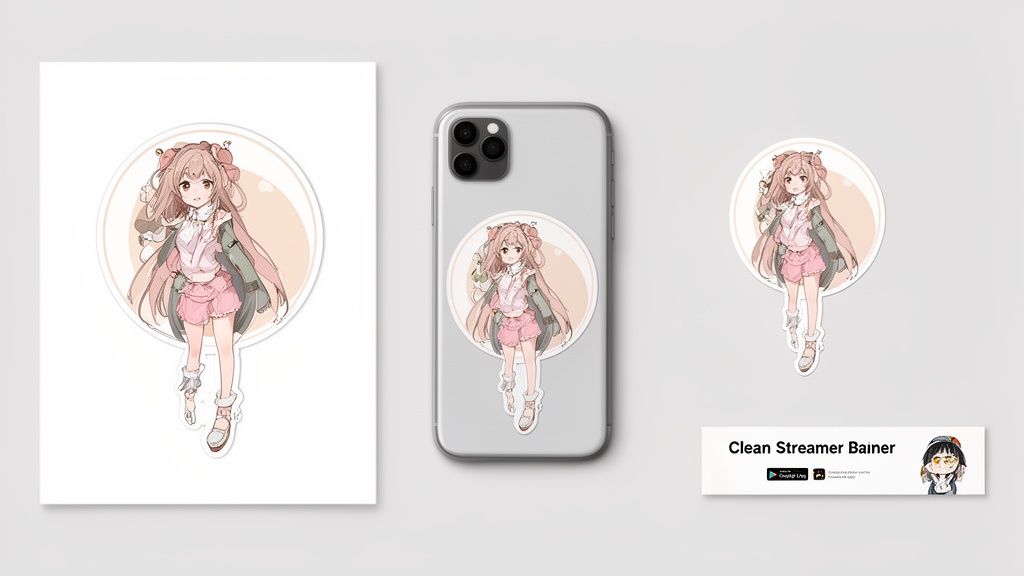
If you're a streamer or content creator, these detailed images are gold for building a consistent personal brand. Imagine having a recognizable anime persona splashed across all your platforms—from your Twitch overlay to your YouTube thumbnails. A full-body shot packs a punch, conveying personality through pose and style in a way a simple headshot just can't match.
From Digital Avatars to Physical Gifts
The coolest part is that your character doesn't have to stay on the screen. Since the outputs are high-resolution, you can easily turn your art into physical stuff. This is an awesome way to create truly personal gifts for friends and family that are totally unique.
Here are a few ideas I've seen work really well:
- Custom Merchandise: Slap your character on a phone case, t-shirt, or mug. Instant one-of-a-kind item.
- Sticker Sheets: Create a sheet of custom stickers with different poses or maybe a chibi version of your pet. Everyone loves stickers.
- Team Branding: Get your whole gaming team or friend group on board by designing a unified set of anime avatars for a cohesive look.
This desire for anime-style personalization isn't just a niche hobby; it's exploding globally. The overseas anime market is projected to hit an incredible 3.84 trillion yen ($24.5 billion USD) in 2024, which is a massive 114.8% jump from the year before. This boom, covered by sites like Automaton-media.com, shows just how much people want tools like AnimePhoto.ai to create their own art.
The best use for your anime art is whatever feels personal to you. It could be a custom phone wallpaper that makes you smile or a framed print of your partner as a fantasy hero. The whole point is to bring your digital creation into your everyday life.
By getting a little creative, that single AI-generated image can become the foundation of your online identity, a unique piece of merch, or a gift that really means something. If you're looking for more ways to make an impact online, check out our guide on how to create social media content that gets noticed. Your full-body anime character is a canvas for endless possibilities.
Got Questions? We've Got Answers
Jumping into a new creative tool can bring up a few questions. To help you hit the ground running, I’ve put together some quick answers to the things people ask most often when using a full-body anime character creator.
Can I Use This for Group Photos?
You bet. The AI is more than capable of handling photos with multiple people. This is actually a really cool way to create a matching set of avatars for your D&D party or your friend group.
The key to a great group conversion is to use a photo where everyone is in clear view and not hiding behind each other. Just like with solo shots, clear lighting and a less-cluttered background will give the AI the best chance to work its magic on each person individually.
What Happens to My Photos After I Upload Them?
Your privacy is a huge deal. When you upload a picture, it's processed on secure servers and is only used to generate your anime character. That's it.
Your original photos and the final anime versions are yours alone. They are never shared or used for anything else. We built this platform to be a secure creative space for your personal images.
This means you can experiment and have fun without a single worry about where your photos are going.
Is This a Subscription Service?
Nope, no subscriptions here. We use a straightforward credit system, so you just buy credits as you need them.
This "pay-as-you-go" model works well for everyone. If you just want to make a unique gift for a friend, you can grab a small pack of credits. If you're planning to create an entire cast of characters, a larger bundle will be more cost-effective. You only pay for what you actually create—no monthly fees to track.
How Long Does It Take to Generate an Image?
It's fast. Seriously fast. From the moment you upload your photo to seeing the final result, you’re usually looking at just a few seconds.
This quick turnaround is a game-changer because it encourages experimentation. You can cycle through different photos or try out a dozen styles in just a few minutes, which makes it much easier to land on that perfect full-body anime character you have in mind.
Ready to see yourself as a full-body anime character? With AnimePhoto.ai, you can turn your favorite photos into incredible anime art in seconds. Create your first character today!

See yourself in anime style in under a minute
Pick a style, upload a photo, and get a high-quality anime portrait ready for profiles, prints and gifts.
Create your anime photo

