Learning to take your own headshots is all about capturing a professional, genuine image using the gear you probably already have. It’s a game of finding that perfect soft light, picking a clean background, and using a self-timer to get a relaxed, authentic expression. When you get it right, you're in complete control of how the world sees you.
Your Headshot Is Your Digital First Impression
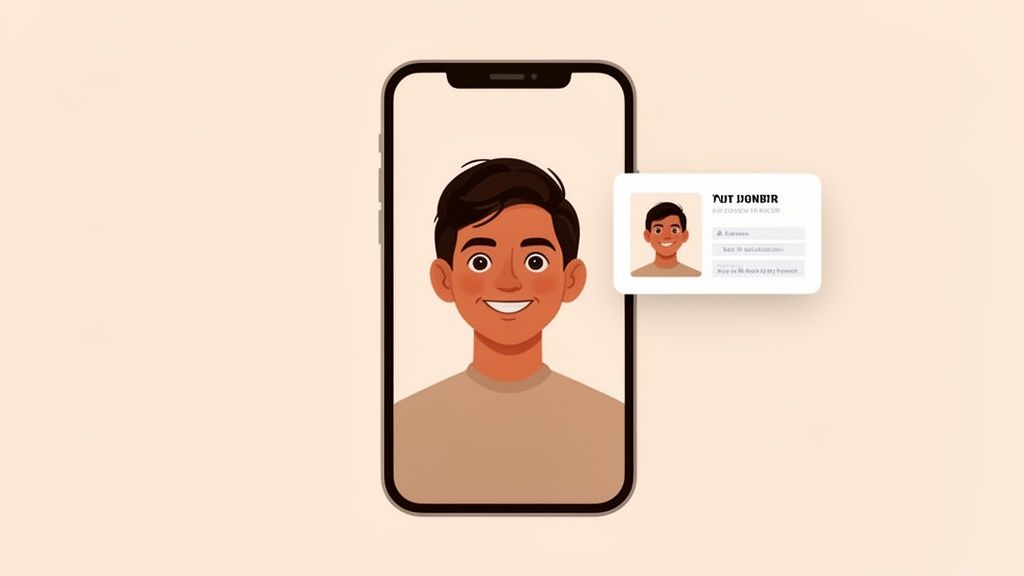
In our highly connected world, your headshot isn’t just a picture—it’s your digital handshake. It’s the very first thing a potential client, employer, or collaborator sees on your LinkedIn profile, company website, or social media. A great headshot instantly builds trust and conveys your personality before you’ve even had a chance to say hello.
My goal with this guide is to prove you don't need a high-end studio or an expensive photographer to get a professional result. With a few key techniques, you can create a fantastic headshot at home that feels 100% you. We'll walk through everything from gear and lighting to posing and editing, putting you squarely in the driver's seat of your personal brand.
Why Your Profile Picture Is So Powerful
A strong headshot does more than just show what you look like; it’s a strategic tool. It communicates professionalism, confidence, and approachability all in a single glance. Think of it as the book cover for your career—it needs to be compelling enough to make people want to open it and learn more.
This focus on personal branding has ignited a massive industry. The market for self-portrait studios has surged to **$1.2 billion** and is expected to climb to $2.5 billion by 2034, largely thanks to social media's hunger for polished, authentic visuals. In fact, a staggering 70% of millennials and Gen Z want high-quality photos that express their personal style, whether for a corporate profile or for fun AI-powered services like those found at AnimePhoto.ai.
The real goal? Capture an image that feels like you on your very best day—confident, authentic, and ready for whatever comes next. This is about real representation, not flawless perfection.
To set the stage, let's quickly break down what makes a headshot truly effective.
Key Elements of a Standout Headshot
| Element | Why It Matters | Quick Tip |
|---|---|---|
| Lighting | Shapes your face and sets the mood. Good light is flattering and professional. | Face a large window during the day for soft, beautiful, and free lighting. |
| Composition | Guides the viewer's eye and creates a balanced, visually appealing image. | Use the rule of thirds, placing your eyes along the top horizontal line. |
| Background | Keeps the focus on you. A busy background is a major distraction. | A solid, neutral-colored wall or a slightly blurred outdoor scene works best. |
| Expression | This is the heart of the photo. It conveys your personality and approachability. | Think of something genuinely funny or a person you love right before the shutter clicks. |
| Wardrobe | Your clothing should complement you, not compete with you for attention. | Choose solid colors that flatter your skin tone and avoid busy patterns or logos. |
These are the core principles we'll be diving into throughout this guide, ensuring your final shot is polished and professional.
Taking Full Control of Your Image
Knowing how to take your own headshots gives you incredible freedom. Got a new haircut? Switching careers and need to reflect a different vibe? You can update your image on the fly without booking appointments or paying hefty session fees. This guide will give you the skills to do it all yourself.
Before we jump into the "how," it's worth understanding the "what." For a deeper look at what separates a good headshot from a simple snapshot, check out our companion guide: What Is a Headshot Photo?
Choosing the Right Gear for Your Headshot
Let’s get one thing straight: you don't need a professional studio to get a fantastic headshot. Most of us already have a surprisingly powerful camera sitting right in our pocket or on a shelf. The secret isn't about having the most expensive gear, but knowing how to get the most out of what you’ve got.
This guide will walk you through the essentials, whether you're working with a smartphone or a dedicated camera. We’ll cover the important stuff—lenses, settings, and the absolute must-haves for keeping your shot steady and sharp.
Your Smartphone: A Powerful Headshot Tool
Modern smartphones have incredible cameras, and honestly, they're often the best and easiest tool for the job. The trick is to stop using it like you're just snapping a quick selfie.
First, do the simple thing everyone forgets: wipe the lens with a soft cloth. You'd be amazed how many "blurry" photos are just smudges. Always use the rear-facing camera, not the front-facing "selfie" cam—the quality difference is huge.
The real game-changer is Portrait Mode. This feature digitally creates that soft, blurry background you see in professional photos. It instantly makes you pop from the background, giving your headshot a polished, intentional look. Play around with it; it’s the single best way to elevate a phone photo.
Using a DSLR or Mirrorless Camera
If you have a DSLR or mirrorless camera, you’ve got a lot more creative horsepower at your fingertips. The most impactful piece of gear here is your lens. Sure, the kit lens that came with your camera will work in a pinch, but a proper portrait lens is what creates that "wow" factor.
For portraits, photographers almost always reach for two classic focal lengths:
- 50mm Lens: Often called the "nifty fifty," this lens is a fantastic all-rounder. It sees the world much like the human eye does, producing natural-looking shots without weird distortion. It's also great for creating that lovely background blur.
- 85mm Lens: This is the quintessential portrait lens. It has a magical way of compressing the background, making it feel even softer and more distant. It also lets you stand a bit further back, which creates incredibly flattering facial proportions.
To get that creamy, out-of-focus background (the pros call it bokeh), you need to shoot with a wide aperture. Just switch your camera to Aperture Priority mode (look for the "A" or "Av" on the dial) and dial the f-stop number down as low as it will go—something like f/1.8 or f/2.8 is perfect.
A key takeaway for any camera user is this: the gear helps, but your technique with lighting and posing is what truly makes or breaks the shot. A well-lit iPhone photo in Portrait Mode will always look better than a poorly lit photo from a high-end camera.
The Importance of Stability and Remote Control
Whether you’re using a phone or a camera, a steady device is non-negotiable. The slightest wobble will ruin a sharp photo, and holding your camera at arm's length is practically a guarantee for blur. You need a way to keep it perfectly still.
A tripod is your best friend here, and you can find solid, inexpensive options for both phones and cameras. No tripod? No problem. Get creative! A stack of books on a table or a shelf at eye level can work just as well. The goal is a solid, motionless platform. For those looking for a simple, desk-based setup, some of the best budget webcams can also be a surprisingly effective and stable option.
Once your camera is stable, how do you actually take the picture without touching it and causing a shake?
- Use the Self-Timer: This is the easiest method. Set a 5 or 10-second timer, press the button, and give yourself plenty of time to get into a relaxed, natural pose.
- Get a Bluetooth Remote: These little gadgets cost next to nothing and are an absolute game-changer. You can fire off shots from a distance without being rushed by a timer, letting you quickly capture different expressions.
- Try Voice Commands: Many phones let you snap a picture just by talking to them. "Hey Siri, take a picture" is a fantastic hands-free option.
Using one of these methods frees you up to concentrate on what really matters—your expression and your pose. This is how you get a shot that feels genuine and engaging.
Finding Flattering Light in Any Room
If there’s one secret that will make or break your headshot, it’s lighting. Seriously. Forget the fancy camera for a second; great light is what separates an okay photo from a fantastic one. And the best part? You don't need a pro studio to get it. You just have to know where to look.
Once you learn how to spot and shape the light in your own home, taking your own headshots stops being a frustrating guessing game and becomes a much more creative, intentional process.
Your Best Friend: A Big Window
The single most powerful lighting tool you have is a large window. But not all window light is created equal. What you're looking for is soft, diffused light. You'll find this on a slightly overcast day or from any window that isn't getting blasted by direct, harsh sunlight. This kind of light wraps gently around your face, smoothing out skin and minimizing harsh shadows.
Think of an overcast sky as nature's softbox—a giant light diffuser that photographers spend hundreds of dollars on. Your job is just to position yourself to take advantage of it.
The setup couldn't be simpler: face the window. Let that soft light fall straight onto your face. This is often called "flat lighting," and it's incredibly flattering because it fills in lines and gives you a bright, clean, professional look. It also creates that little sparkle in your eyes, called a catchlight, which instantly makes a portrait feel more alive.
Adding a Pro Touch with a Simple Reflector
Okay, so you're facing the window and the light is looking good. You might still notice some soft shadows under your chin or on the side of your face. This is where a dirt-cheap trick can make a huge difference. All you need is a piece of white poster board or foam core.
Hold the board just out of the camera's view, angling it up toward your face from about chest level. This simple reflector will catch the light from the window and bounce it back up, gently filling in those shadows. The change is subtle but gives your photo a polished, professional quality that's tough to get otherwise.
Pro Tip: No poster board? No problem. A white t-shirt thrown over a chair, a white pillow, or even a big book with white pages held open can work in a pinch to bounce that light exactly where you need it.
What to Do When Natural Light Isn't an Option
Sometimes you're stuck shooting at night or on a dark, rainy day. Don't sweat it. You can still create great light, as long as you avoid the number one enemy of good portraits: direct overhead lighting. Those ceiling lights cast nasty, deep shadows under your eyes and nose. Just turn them off.
Instead, you're going to make your own soft light source.
- Find a Lamp: Grab a regular lamp you can move around easily. A desk or floor lamp is perfect.
- Soften the Light: A bare bulb pointed at your face is a terrible idea. You have to diffuse it. Drape a thin, plain white bedsheet over the lamp to soften the glow. Safety first here: Make sure the sheet isn't actually touching the hot bulb, and don't walk away and leave it on.
- Position Your Light: Place your new DIY softbox slightly to one side and just a bit above your eye level. This placement mimics a classic portrait lighting setup and will create some nice, gentle dimension on your face without being harsh.
This simple diagram shows the core gear you'll need, whether you're using a fancy camera or a simple lamp setup you just built.
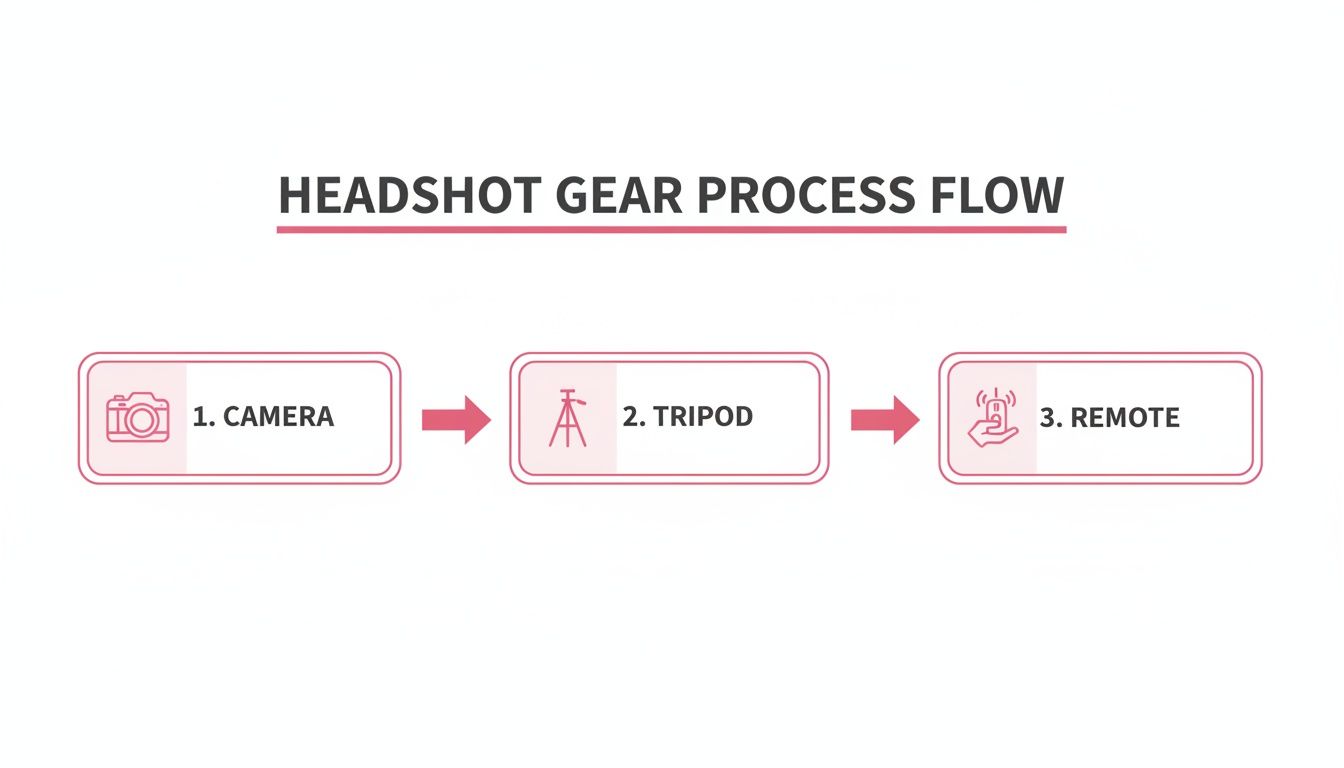
As you can see, a stable camera (on a tripod or a stack of books) and a remote are just as important as the light itself. It's all about control. Interestingly, while people love outdoor photos, shooting at home is a close second, with 18.89% of people preferring it—and that number jumps to 21.8% for women. This shows that using a controlled home environment is a popular and really effective strategy. You can explore more on American photo habits and trends here. By getting your at-home lighting right, you're already halfway to a professional-looking headshot.
Making Your Pose and Composition Look Natural
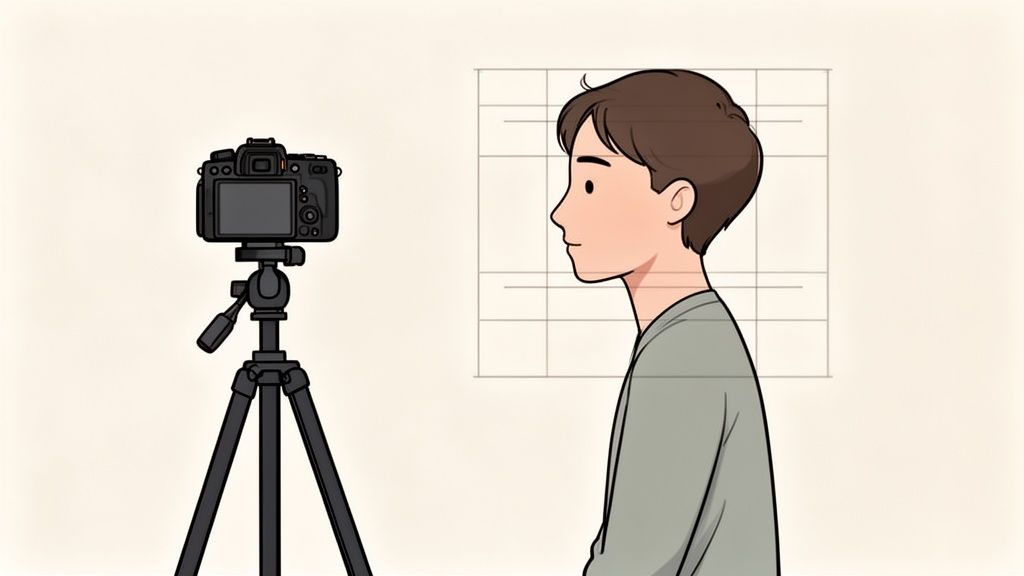
You’ve nailed the technical stuff—your gear is ready and the lighting looks fantastic. Now for the part that trips most people up when shooting their own photos: how to stand, where to look, and what on earth to do with your hands.
The goal here is to dodge that stiff, "deer in the headlights" look. We're aiming for a photo that feels confident, approachable, and genuinely you.
It all begins with where you place the camera. A classic, universally flattering trick is to position your camera so the lens is slightly above your eye level. This angle subtly slims the face and naturally encourages you to look up, making your eyes seem more open and engaging. It’s a tiny adjustment that pays off big time.
How to Strike a Confident Pose
Body language says so much in a portrait. Facing the camera head-on can feel a little confrontational, almost like a passport photo. For a more dynamic and relaxed vibe, try angling your body about 45 degrees away from the camera, then just turn your head back to face the lens.
This simple twist creates a much more flattering and interesting silhouette. From there, you can fine-tune your pose with a few small tweaks that make a huge difference:
- The "Turtle" Trick: This is a pro favorite. Gently push your chin forward and then slightly down, as if you’re a turtle peeking out of its shell. It feels completely bizarre, I know, but on camera, it works wonders to define your jawline and get rid of any hint of a double chin.
- Create Some Space: Avoid pressing your arms tightly against your sides. This can make them appear larger than they are. Just creating a small gap between your arms and your torso will instantly make your pose feel more open and relaxed.
- Check Your Shoulders: Relax your shoulders and let them drop. A slight roll backward can help straighten your posture. Tense, hunched-up shoulders are a dead giveaway that you're feeling uncomfortable.
Getting a Genuine Expression
This is often the hardest part. Trying to "smile for the camera" usually results in a strained, unnatural look. The secret is to stop trying to smile and instead trigger a real emotion. A remote or a long self-timer gives you the space to do this without feeling rushed.
Before the shutter clicks, close your eyes. Think of a genuinely happy memory, a funny inside joke, or someone you absolutely adore. When you open your eyes and look at the lens, the expression that follows will be real.
This simple mind trick brings an authentic spark to your eyes that you just can't fake. Try it with a few different thoughts to get a variety of expressions, from a warm, gentle smile to a big, confident laugh. You're capturing a feeling, not just holding a pose.
The Power of Good Composition
Finally, let's talk about framing. Where you place yourself within the image has a massive impact on how professional it looks. The single most important guideline to follow is the Rule of Thirds.
Imagine your screen has a tic-tac-toe grid on it. Instead of plopping yourself right in the middle square, try positioning your face so one of your eyes lines up with one of the top intersection points. This asymmetrical composition is far more visually interesting and is a hallmark of great photography.
Most cameras and smartphones have an option to display a grid overlay to make this super easy. Getting a handle on fundamentals like this is what separates a snapshot from a portrait. You can dive deeper in our guide on essential composition photography techniques.
These are truly valuable skills. The global photography market hit $105.2 billion** in 2023, and portrait photography made up a **$20.6 billion chunk of that. By mastering these basics, you're learning a high-value skill for your personal brand.
Editing and Exporting for Professional Results

Taking the photo is only half the battle. The real magic, the part that turns a good snapshot into a great headshot, happens in the edit. Don’t worry—you don’t need to be a Photoshop wizard to get a polished, professional look. The tools built right into your phone or available in free apps are more than enough.
The goal here is refinement, not total reconstruction. We’re going to focus on enhancing the great photo you already captured with subtle tweaks that add a clean, professional sheen. Think "less is more."
The Foundational Edits for Impact
Before you do anything else, nail the basics. These simple adjustments form the bedrock of a good edit and can dramatically improve your photo in just a few minutes. You'll find these tools front and center in most phone apps, like Google Photos or Apple Photos, and free desktop software like GIMP or Canva.
First up, cropping and composition. Did you follow the rule of thirds while shooting? Now’s your chance to perfect it. Try cropping the image to place your eyes along the top third of the frame. It's a small change that makes the composition feel much more intentional and dynamic.
Next, let's dial in the light and color. Even with fantastic lighting, your camera doesn't always capture a scene exactly how your eyes see it.
- Exposure: Is the photo just a touch too dark or maybe a little too bright? A slight nudge on the exposure slider can bring it back into balance.
- Contrast: Adding a little contrast gives your photo some "pop," making the brights a bit brighter and the darks a bit darker. A little goes a long way; too much can look unnatural.
- White Balance: If your photo has a funky yellow or blue color cast, your white balance is off. Use the "temperature" or "tint" sliders to bring the colors back to neutral so the whites look genuinely white.
Retouching With a Light Touch
Retouching is where it's incredibly easy to go overboard. The secret is to only remove temporary distractions, not permanent features. You’re just cleaning up the photo, not changing who you are.
Scan the image for things like temporary blemishes, a piece of lint on your jacket, or a single distracting hair that’s flying rogue. Most editing apps have a "healing" or "spot removal" tool for exactly this. Just tap the imperfection, and the app will intelligently blend it into the background.
Your headshot should look like you on a great day, not like a completely different person. The best retouching is the kind no one ever notices. It enhances your natural look without erasing what makes you unique.
If you're interested in digging deeper, you can explore a whole world of powerful photo editing techniques to really level up your skills.
Exporting for Maximum Quality
You've done the work, and your headshot looks fantastic. The final hurdle is exporting it correctly so it stays sharp and professional no matter where you post it. Using the wrong settings can sabotage all your effort, leaving you with a blurry, pixelated image.
When you hit "Save" or "Export," you'll almost always see two main file type options:
- JPEG (or .jpg): This is the gold standard for photos online. It balances quality with a smaller file size, which is exactly what you need for fast-loading profile pictures on sites like LinkedIn, Instagram, or X. Always choose the highest quality setting (often labeled 100 or 12) to keep it looking crisp.
- PNG (or .png): This format is your go-to if you need a transparent background. For a standard headshot with a background, JPEG is almost always the better choice.
The core principles of creating a sharp, well-lit final photo are universal. For a deeper dive into professional photography, including advanced lighting and styling, check out these expert tips on how to photograph clothes for crisp, pro-level shots.
Finally, always be mindful of the specific size requirements for each platform. Uploading a perfectly sized image prevents the site from squashing or stretching it, which is a common cause of quality loss.
Platform-Specific Image Sizing Guide
Here’s a quick-reference table to help you get the dimensions right for some of the most popular platforms and use cases.
| Platform / Use Case | Recommended Dimensions (Pixels) | Recommended File Type |
|---|---|---|
| LinkedIn Profile | 400 x 400 | JPEG |
| Instagram Profile | 320 x 320 | JPEG |
| Twitter / X Profile | 400 x 400 | JPEG |
| General Website Avatar | 500 x 500 | JPEG |
| AI Transformation (AnimePhoto.ai) | 1024 x 1024 or higher | JPEG |
Following these editing and exporting steps ensures the headshot you worked so hard to create looks its absolute best, making a powerful and professional first impression wherever it’s seen.
A Few Common Questions (and Expert Answers)
Even with a solid plan, you're bound to run into a few snags when shooting your own headshots. It’s totally normal. This is where we troubleshoot the little things that can make a huge difference, turning a good photo into a great one.
Let's walk through some of the most common questions I get asked. A few quick fixes here will help you sidestep the usual hurdles and feel way more confident about the final result.
What’s the Best Background for a DIY Headshot?
Honestly, the best background is one nobody even notices. Its only job is to make you the star of the show. That’s why something simple and clean almost always wins.
Try to find a solid-colored wall in a neutral tone—light gray, off-white, or even a soft, muted blue works beautifully. If you want a little more character, a clean brick wall or a tidy, organized bookshelf can look great, but only if you can get that background nice and blurry (hello, Portrait Mode!).
No perfect spot at home? No problem. Get creative.
- A freshly ironed bedsheet in a neutral color can be hung up for an instant, seamless backdrop.
- Another great trick is to grab a large piece of white or gray poster board from any craft store. It's cheap, portable, and creates a perfectly clean surface.
What Should I Wear for My Headshot?
Your outfit is a huge part of the story your headshot tells. You want something that screams "confident" and aligns with your professional brand, whatever that may be. Above all, make sure you're comfortable—if you're pulling at your shirt or feel awkward, it will show on your face.
Solid colors are your safest bet. Busy patterns can be distracting, pulling the viewer's eye away from your face. Jewel tones, like emerald green, sapphire blue, or a deep burgundy, are fantastic on almost every skin tone and really pop on camera.
My best advice? Pick an outfit you already own and love. This isn't the time to experiment with something brand new. Just make sure it's clean, completely wrinkle-free, and fits you well.
Also, think about the neckline. Classic styles like V-necks, crew necks, or a collared shirt are almost always flattering because they frame the face nicely. Steer clear of anything with big logos, loud text, or super trendy elements that will make your photo look dated in a year.
How Can I Make My Smartphone Photos Look More Professional?
Your phone's camera is a powerhouse, but you have to know how to drive it. A few intentional tweaks can take your shot from a basic selfie to a polished, professional headshot.
- Clean Your Lens: Seriously, do it. It's the simplest and most overlooked step. Fingerprint smudges are the #1 cause of blurry, hazy photos. A quick wipe with a microfiber cloth makes a world of difference.
- Use the Back Camera: Always, always use the main camera on the back of your phone. It's light-years ahead of the front-facing selfie camera in terms of quality, resolution, and performance in lower light.
- Embrace Portrait Mode: This feature is your secret weapon. It intelligently blurs the background, creating that soft, out-of-focus look (called "bokeh") you see in professional photos. This makes you stand out instantly.
- Turn on the Gridlines: Dig into your camera settings and enable the grid. This simple overlay makes it incredibly easy to use composition guides like the Rule of Thirds for better framing.
- Never Use Digital Zoom: Just don't. Digital zoom isn't real zoom—it just crops the image and blows it up, destroying the quality. If you need to be closer, physically move the camera closer.
What Are the Most Common Mistakes to Avoid?
Sometimes, knowing what not to do is just as important. Sidestepping these common mistakes will instantly elevate your DIY headshots.
The three biggest culprits are almost always bad lighting, a cluttered background, and an awkward pose. We’ve talked about how to nail these, but it’s worth one final reminder.
- Lighting: Avoid those harsh overhead lights in your ceiling at all costs. They create deep, unflattering shadows under your eyes and nose. The built-in flash on your camera is just as bad—it creates a flat, deer-in-the-headlights look. Stick with soft, diffused window light.
- Background: Before you start snapping, do a quick scan of what's behind you. A random coffee mug, a pile of mail, or a crooked picture on the wall can completely ruin an otherwise perfect shot. Clear the clutter first.
- Posing: Don't stand facing the camera straight-on like you're in a lineup. Angling your body slightly while turning your head toward the camera creates a much more dynamic and engaging photo. Drop your shoulders, relax, and let your smile reach your eyes.
Keep these tips in your back pocket, and you'll be able to troubleshoot your way to a headshot that looks polished, professional, and genuinely you.
Ready to give your new headshot a creative twist? You can transform it into a unique and charming anime-style portrait with AnimePhoto.ai. It’s a fun way to create a standout avatar for social media, gaming profiles, or just to see yourself in a new light. Upload your picture and see the magic happen in seconds.

See yourself in anime style in under a minute
Pick a style, upload a photo, and get a high-quality anime portrait ready for profiles, prints and gifts.
Create your anime photo

