Here's a little secret I've learned over years of shooting: making your pictures look professional has almost nothing to do with how expensive your camera is. It really boils down to three things: light, composition, and editing.
This guide is your practical workflow for turning those everyday snapshots into images that truly stand out, whether you're using a top-of-the-line DSLR or just the phone in your back pocket.
The Blueprint for a Professional Photo
Ever look at a photo and just think, "Wow"? That feeling doesn't come from luck. The gap between a quick snap and a professional-grade image is all about having a deliberate process.
So many people get hung up on the gear, assuming they need a $2,000 camera to get results. But the truth is, the fundamental principles are universal. A good photo is a good photo, and your technique will always matter more than your tech.
This guide cuts through the noise and technical jargon to give you a solid foundation you can start using right away.
What Makes a Photo Look Polished
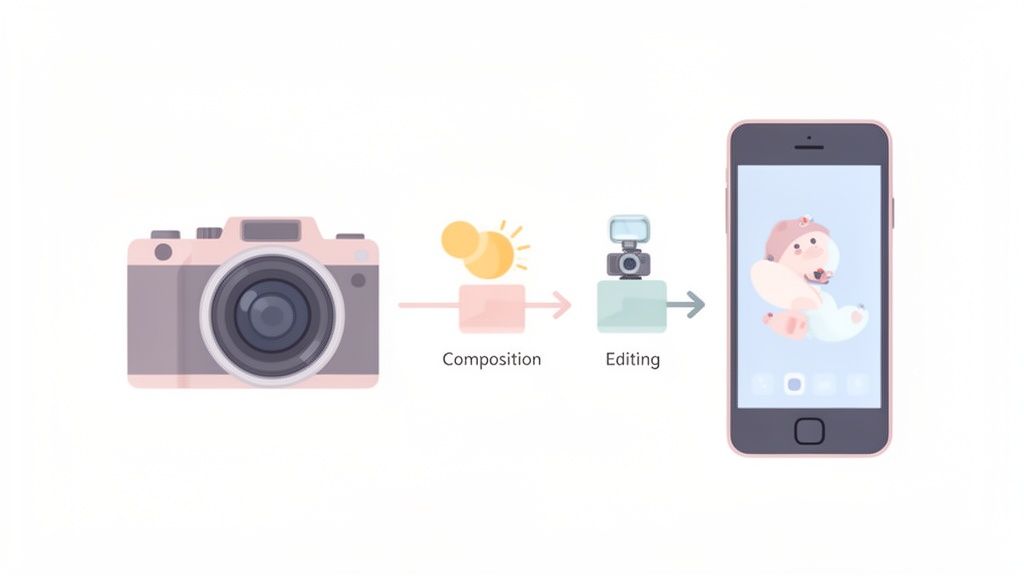
To get from a basic picture to a refined, professional image, you just need to think in three distinct stages. Once you get this blueprint down, you'll approach every shot with more intention and get much more consistent results.
- Pre-Production (The Plan): This is all the thinking you do before taking the picture. It's about finding good light, scouting a clean background, and knowing what story you want your photo to tell.
- Production (The Shot): This is the actual moment of capture. Here, you'll apply composition rules, like the rule of thirds, to frame your subject in a way that’s naturally pleasing to the eye.
- Post-Production (The Polish): This is where the magic happens. In the editing phase, you'll make small, tasteful adjustments to color, contrast, and sharpness to elevate the image and fully realize your creative vision.
Mastering these three areas gives you a repeatable workflow that seriously levels up your photography.
To give you a quick reference, here's a breakdown of the core components that elevate an image from ordinary to professional.
Key Elements of a Professional Photo At a Glance
| Element | What It Is | Why It Matters |
|---|---|---|
| Lighting | How the scene or subject is illuminated, whether by natural or artificial sources. | Defines mood, creates depth, and draws attention to the subject. Good light is non-negotiable. |
| Composition | The arrangement of visual elements within the frame. | Guides the viewer's eye, creates balance, and tells a more compelling story. |
| Clarity & Sharpness | The fine detail and crispness of the subject. | A sharp, clear subject looks intentional and high-quality; blurriness often looks accidental. |
| Color & Tone | The overall color palette, contrast, and brightness of the image. | Evokes emotion, establishes a mood, and ensures the photo looks balanced and realistic (or intentionally stylized). |
| Clean Background | A non-distracting environment behind the main subject. | Keeps the focus squarely on your subject without any visual clutter pulling the viewer's attention away. |
Thinking about these elements every time you shoot will become second nature and dramatically improve your results.
A well-executed photo doesn't just look good—it communicates a feeling or an idea. This is true even when you're the one in front of the camera. If you're looking for specific tips on that, this guide on how to take better photos of yourself has some great pointers.
Key Takeaway: Professional photography is less about the camera and more about your ability to control light, arrange elements within the frame, and apply a thoughtful editing process.
Once you have a strong, professional-looking photo, it becomes the perfect starting point for more creative projects. For example, a high-quality portrait can be transformed into something totally unique using a tool like AnimePhoto.ai. The better your original image is, the more incredible the final output will be. This guide will give you the skills to nail that source image every single time.
Learning to See and Shape Light
Before you even think about camera settings or fancy lenses, let's talk about the single most important element in photography: light. Learning to see and understand light is what separates a decent snapshot from a stunning photograph. It’s the lifeblood of every image, sculpting the mood, defining texture, and delivering impact.
Once you train your eye to recognize what good light looks like, you’ll instinctively know where to place your subject before you even raise the camera. This shift in mindset is a total game-changer and often makes a bigger difference than the gear you’re using.
Understanding Hard Light vs. Soft Light
The first big concept to wrap your head around is the difference between hard and soft light. It’s a simple idea, but it has a massive effect on your final image.
- Hard Light: Think of the direct midday sun or a bare lightbulb. It comes from a small, intense source and casts sharp, clearly defined shadows. While it can be great for creating high-drama, edgy looks, it's usually unflattering for people because it emphasizes skin texture and creates harsh shadows under the eyes and nose.
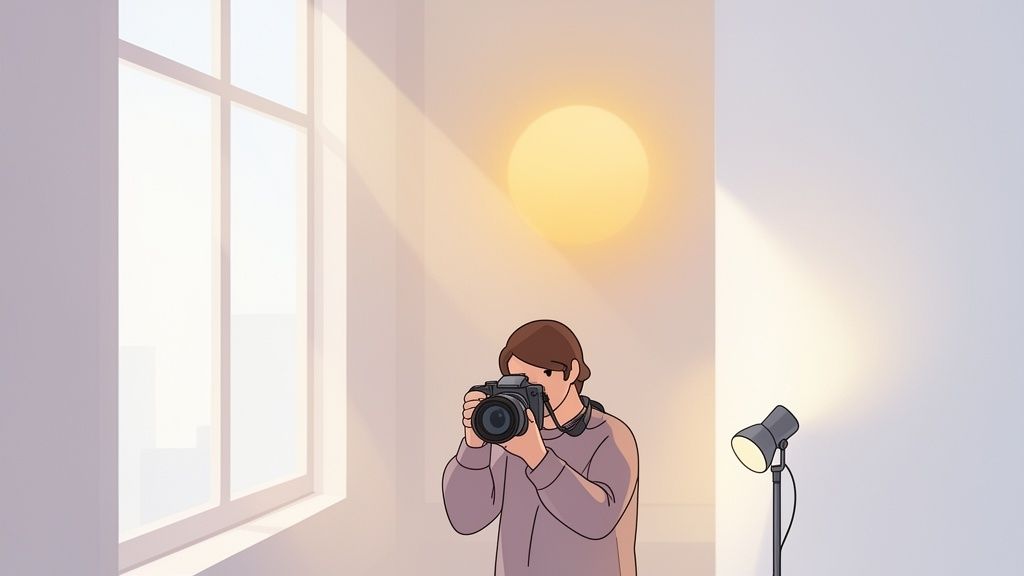
- Soft Light: This is the good stuff. It comes from a large, diffused source, like the light on an overcast day (the clouds act like a giant softbox) or light streaming through a big window. It wraps gently around your subject, creating soft shadows with smooth, gradual transitions. This is the secret sauce for flattering portraits and clean, professional-looking product photos.
Pro Tip: Not sure what kind of light you're dealing with? Just look at the shadows. If the edges are crisp and distinct, it’s hard light. If they’re fuzzy and barely there, it’s soft light. This one observation tells you everything you need to know.
Finding and Creating Flattering Light
The best part is that you don't need an expensive studio to find incredible light. It’s literally everywhere once you know what to look for. Getting this right means your photos will look amazing straight out of the camera, saving you a ton of time in editing.
It's no secret that pros are obsessed with light. After all, with 92.5% of all photos today being taken on smartphones, great lighting is what makes an image stand out from the noise. Soft, diffused light can slash harsh shadows by up to 70%, and beautifully lit images are known to boost engagement by 40% on platforms like Instagram.
The Magic of Golden Hour
You’ve heard photographers talk about the "golden hour," and for good reason. It’s that magical time shortly after sunrise and just before sunset when the light is warm, soft, and absolutely beautiful. The sun is low in the sky, creating long, flattering shadows and bathing everything in a gorgeous glow.
If you’re shooting portraits outside, just scheduling your session for this time of day is one of the easiest wins you can get for professional-looking results.
Your Window is Your Best Friend
When you're shooting indoors, a large window is your most powerful tool. The light it provides is naturally soft and directional. Try placing your subject near the window, turned at a slight angle towards it, for a classic, flattering look.
Want to take it up a notch? Grab a simple piece of white foam board or a reflector and hold it on the opposite side of your subject. This will bounce some of that lovely window light back into the shadows, brightening them up for a perfectly balanced, polished feel. For a more detailed look at setups like this, check out our complete guide on the best lighting for portrait photography.
Practical Indoor Lighting Tricks
No big, beautiful window available? No problem. You can still create amazing light indoors with a little creativity.
- Turn Off Overhead Lights. Seriously. Ceiling lights are the enemy of good portraits, casting ugly, harsh shadows straight down. Turn them off and use other sources instead.
- Use a Simple Lamp. A regular table or floor lamp can work wonders. Place it to the side of your subject. To soften the light, you can either aim it at a white wall to bounce it back or even hang a thin white sheet over it to act as a DIY diffuser.
- Find Open Shade. If you’re forced to shoot outside in the middle of a sunny day, don't put your subject in direct sunlight. Instead, find the "open shade" cast by a building or a large tree. You get all the brightness of the day without the harsh, direct rays, resulting in soft, even light.
Crafting Compelling Compositions
Once you've got your lighting sorted, the next big piece of the puzzle is arranging everything inside the frame. This is composition. It's less about following rigid rules and more about telling a clear, compelling story with your image.
Think of it this way: a strong composition is like a visual roadmap. It guides the viewer's eye exactly where you want it to go, turning a simple snapshot into a photograph that feels intentional and dynamic. Getting this right is a huge leap toward making your photos look professional.
The Power of the Rule of Thirds
One of the first and most useful principles you'll ever learn is the Rule of Thirds. It sounds technical, but it's dead simple. Just imagine your screen is divided into a 3x3 grid by two horizontal and two vertical lines.
The whole idea is to place your main subject off-center, positioning them along those lines or where they cross. A centered subject can feel a bit static and predictable. Shifting it off-center immediately creates a more balanced, energetic, and visually interesting photo. It just feels more natural to our eyes.
Most modern cameras and phones have a grid overlay you can turn on. Use it! When shooting a portrait, try lining up your subject's dominant eye with one of the top intersection points. For landscapes, put the horizon on either the top or bottom horizontal line, not smack in the middle.
Using Lines to Guide the Viewer
Our eyes love to follow lines—it's just how we're wired. As a photographer, you can use this to your advantage by finding leading lines in your surroundings. These are any lines that start near the edge of the frame and draw the viewer's eye inward, usually toward your main subject.
You can find leading lines absolutely everywhere once you start looking for them:
- A winding road or a garden path
- The parallel lines of a fence or bridge railing
- The architecture of a building or a long hallway
- The edge of a shoreline stretching out to the horizon
When you incorporate these into your shot, you create a powerful sense of depth. It pulls the viewer right into the scene instead of leaving them as a passive observer.
A great composition doesn't just show a subject; it presents it. It uses the surrounding environment to add context, depth, and a clear focal point, making the image feel deliberate and polished.
This flowchart breaks down how these fundamental composition techniques work together.
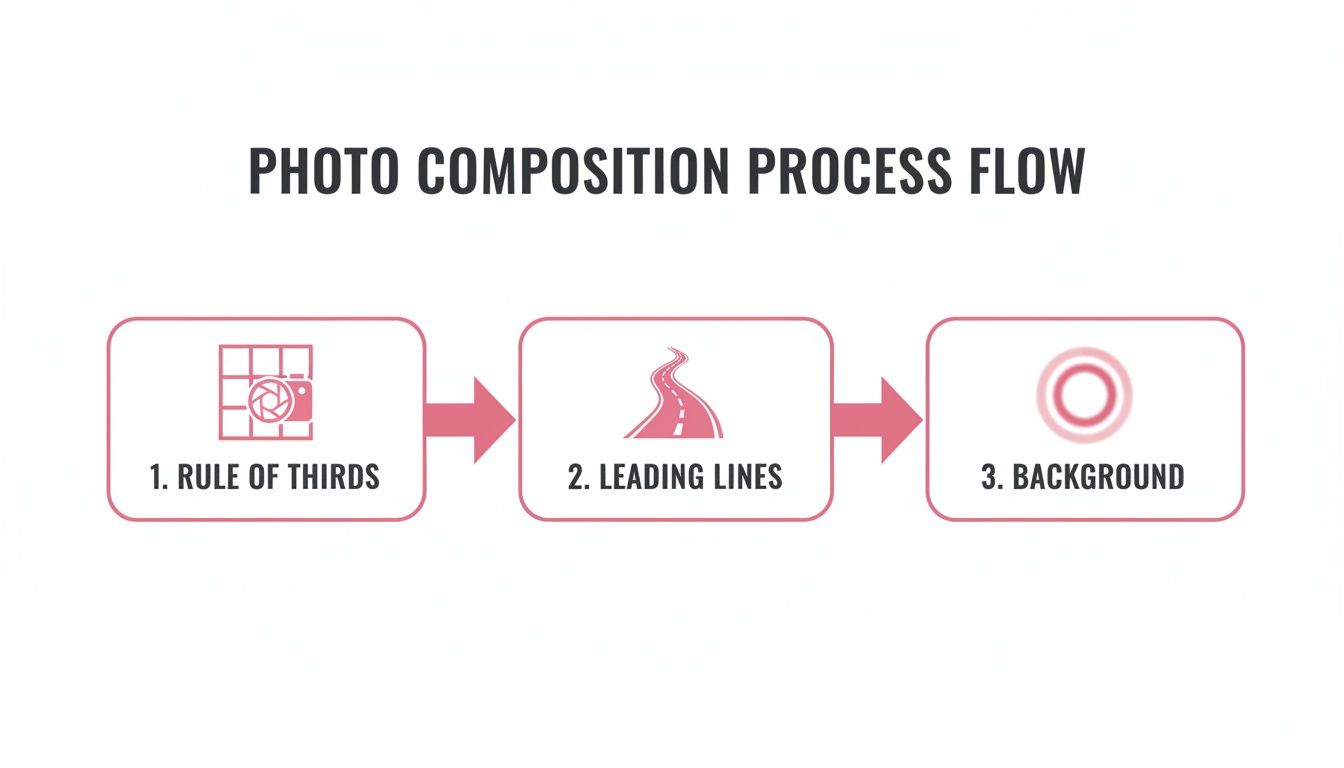
It’s a simple workflow: use the Rule of Thirds for balanced placement, find leading lines to create direction, and then clean up your background to eliminate any distractions.
Declutter Your Background
Nothing screams "amateur photo" faster than a busy, distracting background. A random street sign, a messy room, or brightly colored objects can completely pull focus away from what you actually want people to see. Your goal should be to make the background as simple and unobtrusive as possible.
Luckily, this is often an easy fix.
- Change Your Angle: Don't just stand there! Move a few feet to the left or right, or try crouching down low. This simple shift can replace a cluttered background with a clean wall, an open patch of sky, or some simple greenery.
- Get Closer: Fill the frame with your subject. By physically moving closer, you naturally crop out a lot of the distracting environment, which immediately simplifies the shot and adds impact.
- Use Portrait Mode: If you're shooting on a modern smartphone, Portrait Mode is your best friend. It artificially blurs the background, mimicking the shallow depth of field you'd get from a high-end camera. It’s an incredibly effective tool for making your subject pop.
Getting a handle on these core ideas will fundamentally change how you see and capture the world. If you're ready to go deeper, our article on essential composition photography techniques covers more advanced concepts like framing and symmetry.
Combine good light with thoughtful composition, and you're already 90% of the way to a truly professional-looking photograph.
A Simple and Effective Editing Workflow
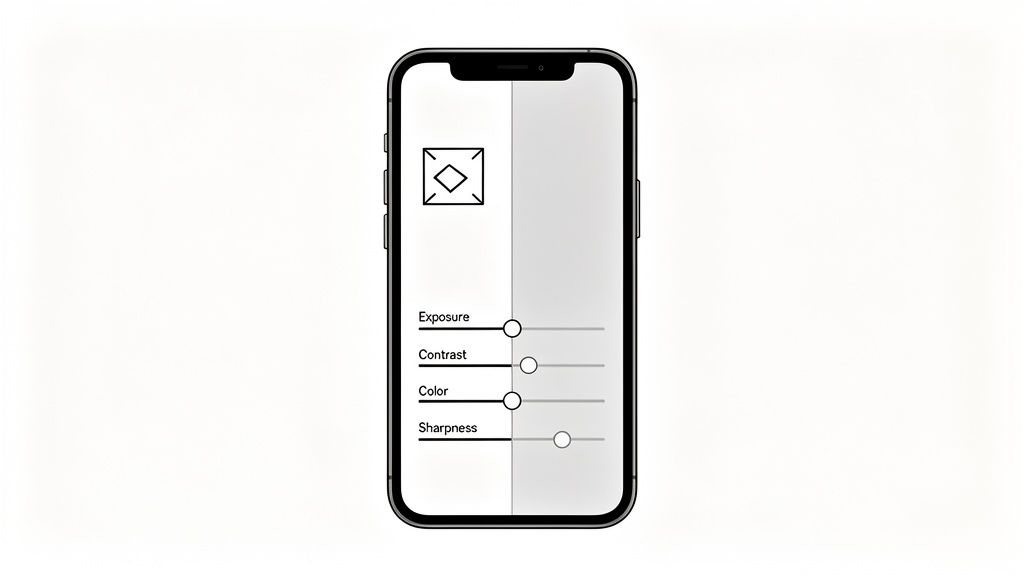
Shooting with great light and a strong composition gets you most of the way there, but the editing suite is where you truly refine your vision. This is the final polish that elevates a great shot into a professional one. It’s not about faking a photo into something it isn't; it's about enhancing what’s already there.
You don't need complicated or expensive software to get amazing results. The workflow I'm about to walk you through works on just about any platform, from professional tools like Adobe Lightroom to the free editors built right into your phone. The real secret is having a consistent, logical process you can rely on every time.
Start with the Foundation: Crop and Straighten
Before you even think about touching those color or brightness sliders, your very first move should be to lock in your composition. This is your chance to perfect the framing you started in-camera.
- Straighten Your Horizons: A crooked horizon is one of the fastest ways to make a photo look amateurish. Use the straighten tool and its grid overlay to make sure your landscapes or architectural shots feel stable and intentional. For interior shots, getting those vertical lines perfectly straight is a hallmark of pro work.
- Crop for Impact: Take another look at your framing. Can you get tighter on your subject to remove distracting elements at the edges? Cropping is a powerful tool for strengthening your composition and forcing the viewer’s eye exactly where you want it to go.
Getting this right sets a solid foundation, ensuring the bone structure of your image is as strong as possible before you dive into the finer details.
Balance Exposure and Contrast
With your composition set, it's time to manage the light. The goal here is a balanced image where no important details are lost in areas that are too bright (blown-out highlights) or too dark (crushed blacks).
Start by adjusting the overall exposure, or brightness. You're aiming for a level that looks natural—not overly bright or artificially moody. I've always found it helpful to slightly underexpose my shots in the camera; it's much easier to recover detail from shadows than from highlights that have been completely blown out.
Next up is contrast. This slider controls the difference between the brightest and darkest parts of your image. A little bump in contrast can make your photo "pop," but it's easy to overdo it. Too much can make the whole thing look harsh and unnatural.
Finally, you can fine-tune with these sliders if your app has them:
- Highlights: Pulling these down is your secret weapon for bringing back detail in bright areas, like the texture of clouds in the sky or the folds in a white shirt.
- Shadows: Lifting these up can reveal details hiding in the darker parts of your photo without affecting the overall brightness too much.
These basic adjustments form the core of good editing and are often all a well-lit photo needs to look truly polished.
Correcting Color for a Natural Feel
Color is incredibly emotive and can make or break the entire mood of your photo. The main goal, at least to start, is to get a natural, believable look. That process begins with white balance.
White balance, sometimes labeled as "temperature" or "tint," is what ensures the white objects in your photo actually look white. If your image has an odd blue or orange color cast, this is the tool you need to fix it. Most apps have an "auto" setting that does a decent job, but you can always adjust it manually until the colors feel right to your eye.
Once the white balance is sorted, you can play with saturation or vibrance.
Pro Tip: I almost always reach for vibrance over saturation. Saturation boosts every single color equally, which can quickly make skin tones look orange and fake. Vibrance is smarter—it primarily targets the more muted colors while leaving the already-saturated tones alone. The result is a much more subtle and pleasing effect.
A gentle touch is all you need to make your colors rich without looking overdone.
Apply the Final Polish: Sharpening
The very last step in my workflow is always sharpening. This adds that final layer of crispness and detail that gives a photo a distinctly professional edge. But be warned: this is also where a lot of people go wrong.
Over-sharpening creates a "crunchy" look with ugly, artificial halos around edges. The key is subtlety. Zoom in to 100% on your main subject, then slowly increase the sharpening until you see a clear improvement in detail. Then, just for good measure, pull it back a tiny bit.
For more advanced adjustments and a truly flawless finish, you might explore professional product photo retouching services to elevate your image quality.
Post-processing is what polishes raw captures into professional gems. The global photography market, valued at $105.2 billion in 2023**, is projected to hit **$161.8 billion by 2030, a boom driven in part by the accessibility of powerful editing tools. Basic adjustments like curves and levels can fix exposure issues in about 80% of amateur photos, while selective sharpening helps achieve that crisp, professional look.
Mastering a simple workflow like this one gives you a repeatable process for creating excellent images. For a deeper dive, check out our guide on other powerful photo editing techniques you can use to further refine your work.
Time for the Fun Part: Getting Creative with Stylization

Alright, you've done the hard work. You've nailed the lighting, composed a killer shot, and edited it to perfection. Now you have the perfect foundation to just have some fun and get creative. This is where the technical side of professional photography meets pure artistic play.
Think of your polished photo as a blank canvas. You can now take that high-quality image and transform it into something completely different, something uniquely you. The best part? Modern tools have made this super accessible, so you don't need to be a graphic designer to create a custom avatar or a one-of-a-kind social media profile pic.
Why Your Great Photo is the Secret Ingredient
It might sound strange, but the better your original photo is, the more incredible the final stylized version will be. This is especially true for AI-powered tools that literally "read" the light, shadows, and structure of your image to generate something new. The old saying "garbage in, garbage out" has never been more relevant.
Here’s what I mean:
- Great Light Creates Great Art: Remember that soft, flattering light you spent time setting up? An AI tool sees that and translates it into beautiful, defined highlights on the hair and face of an anime portrait. It's what gives the final piece that professional, polished feel.
- Strong Composition Carries Through: Your balanced framing, maybe using the rule of thirds, directly informs the final image. The AI uses your composition as a guide, ensuring the stylized version is just as compelling to look at.
- A Clean Background Prevents AI Confusion: All that effort to find a simple, non-distracting background? It pays off big time here. It allows the AI to clearly separate you from your surroundings, which means a much cleaner and more accurate transformation.
A high-quality source photo gives any creative tool—especially AI—the best possible data to work with. It's the difference between a muddy, generic result and a sharp, personalized piece of art.
Turning Your Portrait into a Custom Anime Avatar
One of the most popular ways to get creative with a portrait right now is to turn it into an anime-style character. A tool like AnimePhoto.ai makes this incredibly easy and is a perfect example of why putting in the initial photography work matters so much.
The process is really straightforward. You just take your polished photo and give it a whole new life.
- Upload Your Best Shot: Grab that photo you carefully lit, composed, and edited. A clear, well-lit headshot is going to give you the most predictable and impressive results.
- Pick Your Aesthetic: This is the fun part. You can try out tons of different styles. Do you want a classic, crisp anime look? A dreamy fantasy vibe? Or maybe something more like a moody cyberpunk character? Each one will interpret the light and color in your photo differently.
- Generate and See the Magic: The AI gets to work, analyzing your photo and creating a brand-new image in the style you picked. You'll instantly see how the clean lines and good lighting from your original shot translate into a seriously cool anime portrait.
This is a fantastic way to create a custom gaming avatar, a profile picture that actually stands out from the crowd, or even a really thoughtful, personalized gift. By starting with a pro-quality image, you're making sure the final piece of art is something you’ll actually be excited to share. This is the ultimate payoff for all your hard work.
Common Questions on Professional Photography
As you get more serious about your photography, you'll inevitably run into a few common questions. We all do. Let's tackle some of the biggest ones that I see pop up time and again, whether you're just starting out or looking to sharpen your skills.
Think of this as your go-to guide for busting a few myths and getting your fundamentals locked in. Getting these right is what builds confidence and consistency behind the lens.
Do I Really Need an Expensive Camera?
Honestly? No. This is probably the biggest misconception in photography, and it holds so many creative people back. The things that truly make a photo look professional—like great light, strong composition, and a thoughtful edit—have nothing to do with how much your gear cost.
Today's smartphone cameras are incredibly powerful. Their sensors and software can produce absolutely stunning, high-quality images. If you focus on finding soft, flattering light, arranging the elements in your frame with purpose, and applying a solid editing workflow, you can create breathtaking photos with the phone you already have in your pocket.
Key Takeaway: It's always the eye and the skill behind the camera that matter most. Mastering the fundamentals will always, always beat just buying expensive gear you don't know how to use.
What Is the Biggest Mistake Amateurs Make When Editing?
Hands down, the most common mistake is over-editing. It's so tempting to get into an app and just crank all the sliders to the max to see what they do. The result? Photos with glowing, oversaturated colors, weird-looking skin tones, or a "crunchy," overly sharpened texture that screams artificial.
Professional editing is often about subtlety. The real goal is to enhance the photo you captured, not to completely smother it with effects. Here’s a great rule of thumb I live by: adjust a slider until it looks good, and then pull it back by about 20-30%. Your aim should be to guide the viewer’s eye and clean up minor flaws, creating a polished final image that still feels completely real.
How Can I Make My Backgrounds Look Less Distracting?
A cluttered, busy background is one of the quickest ways to kill a great photo. It just pulls all the attention away from your subject and creates a ton of visual noise. The good news is, managing this is pretty straightforward.
- Change Your Perspective: Before you even press the shutter, look around. Sometimes moving just a few feet to the side or crouching down low can replace a messy background with a clean wall or a beautiful patch of sky.
- Use a Wide Aperture: If you're using a DSLR or mirrorless camera, shooting with a wide aperture (that's a low f-stop number, like f/1.8 or f/2.8) creates a shallow depth of field. This makes your subject sharp while beautifully blurring the background. It's the classic pro look.
- Lean on Portrait Mode: Modern phones have nailed this. Their Portrait Mode mimics the effect of a wide aperture, using software to identify your subject and blur everything behind them. It's an instant way to make your photos feel more intentional and professional.
What Is the Best Time of Day to Take Photos Outside?
When you’re shooting outdoors, timing is everything. There's a reason photographers are obsessed with the "Golden Hour." This magical window happens twice a day: for a short time right after sunrise and again just before sunset.
During these times, the sun is low in the sky, casting a soft, warm, diffused light that's incredibly flattering for pretty much everything—portraits, landscapes, you name it. It gets rid of harsh shadows, stops people from squinting, and adds a gorgeous, dreamy quality to your shots.
The flip side is the middle of the day. High-noon sun is usually the enemy, creating harsh, ugly shadows directly under a person's eyes and nose. It's a look you almost always want to avoid.
Ready to turn your professional-looking photos into something truly unique? AnimePhoto.ai can transform your best shots into stunning anime-style avatars and portraits in seconds. Use your new photography skills to create the perfect source image and see the incredible results for yourself at https://animephoto.ai.

See yourself in anime style in under a minute
Pick a style, upload a photo, and get a high-quality anime portrait ready for profiles, prints and gifts.
Create your anime photo

