Believe it or not, you can get high-quality free AI generated headshots. Many online generators offer free trials, daily credits, or special promotions to let you test their services. These tools take your everyday photos and transform them into polished, professional-looking profile pictures in just a few minutes, potentially saving you hundreds of dollars.
Why AI Headshots Are Suddenly Everywhere
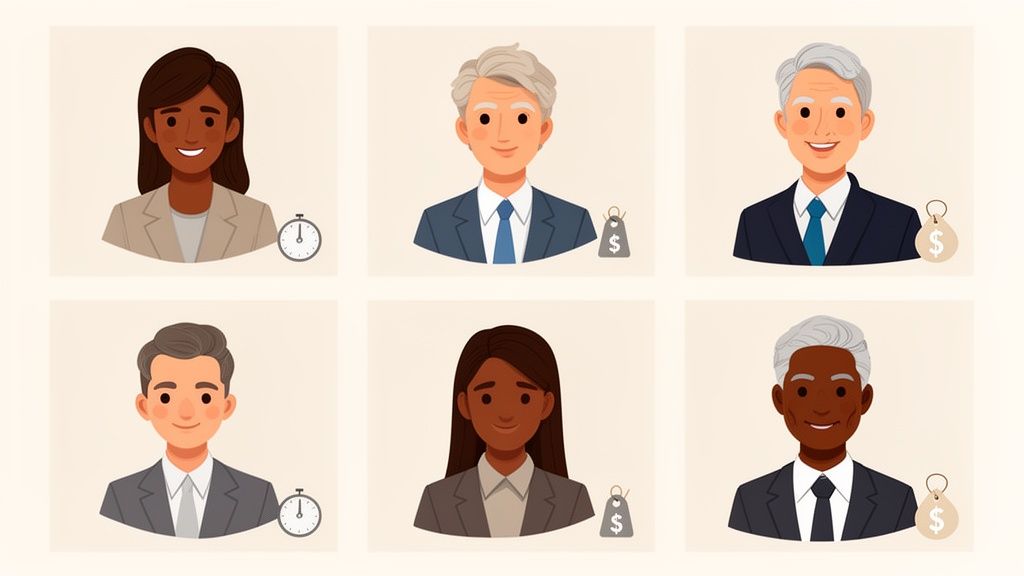
You've probably noticed the shift yourself—more and more professionals are skipping the expensive studio session and opting for stunning AI-generated headshots instead. The trend is exploding for a few very good reasons: it’s fast, affordable, and gives you incredible creative control. For anyone on the job hunt, a sharp LinkedIn profile is a must, and AI delivers that look almost instantly.
The boom in remote work has also played a huge part. Getting consistent, high-quality headshots for a team scattered across the country used to be a logistical nightmare. Now, AI offers a simple, streamlined solution.
Putting Professional Quality Within Reach
At its core, the appeal of AI headshots is that they give everyone access to a professional digital identity. You don’t need a budget of several hundred dollars or an afternoon to spare for a traditional photoshoot anymore. This opens the door for freelancers, students, and new entrepreneurs to put their best foot forward from the very beginning.
But it’s not just about saving money. You also get total creative freedom. You can tweak everything from the background and lighting to your outfit, all without leaving your chair. This means you can craft a headshot that perfectly matches your personal brand or company’s vibe.
The real game-changer is how AI puts professional branding tools directly into the hands of the user. It levels the playing field, making a strong first impression something anyone can achieve, not just those with deep pockets.
More Than Just a Suit and Tie
This technology isn't just for corporate profiles, either. Creative platforms like AnimePhoto.ai use the same underlying principles to help people create unique, fun avatars. Turning a standard photo into a vibrant anime character shows just how versatile these tools are. If you're looking for pointers on getting the right look, our guide on professional headshot advice can help.
As AI headshots become a go-to for online branding, it’s smart to think about the bigger picture of building a solid social media presence. Whether it’s for a polished LinkedIn profile or a creative avatar, the end goal is always the same: creating a digital identity that's both compelling and memorable.
How to Prepare Your Photos for Flawless AI Results
The secret to a stunning AI headshot isn't just about the generator you pick. It's all about the quality of the photos you feed it. Think of it like cooking: the best ingredients yield the best results. Taking a few minutes to select the right images from the start will save you from wasting your free credits on a disappointing batch.
Your main job here is to give the AI a clear, accurate look at your facial features. It needs a solid foundation to learn what makes you, you. If you can do that, you'll sidestep the common mistakes that confuse the algorithm and lead to wonky, distorted results.
Selecting the Best Source Images
First things first: lighting is everything. You absolutely want to use photos with clean, even light where your face is fully lit from the front. Standing in front of a window works wonders. Steer clear of pictures with harsh shadows, strong side lighting, or anything taken in a dim, grainy room. That’s a surefire way to get strange artifacts in your final images.
Variety is also your best friend. Don't upload ten selfies that all look the same. You need to give the AI a complete 360-degree understanding of your face.
- Switch Up Your Angles: Make sure you include shots from straight on, a three-quarter turn, and even a slight side profile.
- Show a Range of Expressions: Give it a mix of smiles (some with teeth, some without), a neutral look, and maybe a more serious one. This variety produces much more dynamic headshots.
- Keep Backgrounds Simple: An uncluttered background is always best. A busy scene can sometimes "bleed" into your final headshot, which is a headache to fix.
Remember, the AI is learning your facial structure from every single pixel. The more clean, well-lit, and varied data you provide, the more lifelike and accurate your free AI generated headshots will turn out.
Technical Details and Common Pitfalls to Avoid
Beyond the creative stuff, a few technical details can make or break your results. Most generators work best with JPEG or PNG files. You’ll also want images where your face is clear and fills a good portion of the frame—a resolution of at least 1024x1024 pixels is a great starting point for clarity.
Getting this right is more important than ever. Demand for AI headshots is exploding, with a recent survey finding that 44% of Americans would consider using AI for professional photos, citing convenience and cost as huge factors. You can discover insights about AI headshot statistics on PhotoPacks.ai to see just how popular this is becoming.
To make sure you get results you’ll actually want to use, stay away from these common photo mistakes:
- Sunglasses and Hats: They hide your eyes and hairline, which are critical for the AI. Just don't use them.
- Heavy Filters: That dramatic Instagram filter might look cool, but it alters your features too much for the AI to learn from.
- Group Photos: Never use group shots. The AI needs to focus exclusively on you.
- Old Photos: Your headshot should look like you now, not you from five years ago. Stick to recent pictures.
Following these simple rules really does set you up for success. For more tips on getting that polished, high-quality look, check out our guide on how to make photos look professional.
Finding the Best Free AI Headshot Generators
Alright, let's get down to it: tracking down the right tools to create free AI generated headshots. With new services popping up all the time, it’s easy to get lost. The trick is to understand what kind of "free" you're actually getting, because they usually fall into a few different buckets.
Many generators have a free tier that gives you a certain number of credits to use, which might refresh daily or weekly. Others offer a one-time free trial so you can generate a small batch of images and see if you like the quality. It's also worth keeping an eye out for special sign-up bonuses or promotions that can give you a nice head start. The goal here is to find a model that works for what you need without locking you into a subscription.
Distinguishing Trials from Tiers
It’s really important to know the difference between a free trial and a permanent free tier. A trial is just a taste—a short-term offer that often asks for a credit card and requires you to cancel so you don't get charged. A free tier, on the other hand, is a genuinely no-strings-attached way to use the basic features. This is perfect if you just need one or two great headshots.
Before you upload anything, do a quick sanity check on the service. A quick Google search for reviews and a skim of their privacy policy can save you a world of headaches. You want to see that they're upfront about how your photos are handled. Reputable services will be clear that your images won't be used to train their AI models without your permission.
This quick guide highlights exactly what you should focus on in your source photos to get the best results.
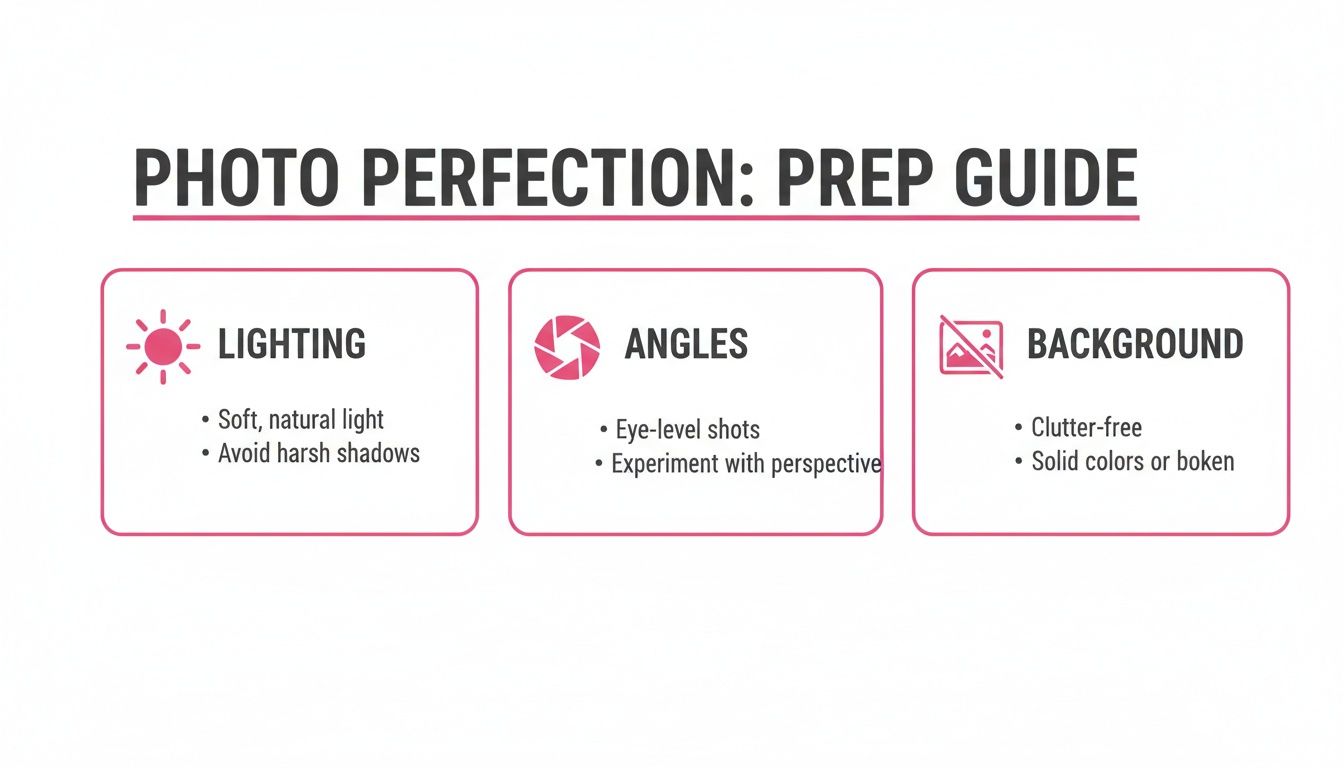
Nailing these three things—good lighting, a variety of angles, and clean backgrounds—gives the AI the quality data it needs to generate a headshot that genuinely looks like you.
What to Expect from Free Services
Managing expectations is key. Free versions are great, but they usually come with some trade-offs compared to their paid counterparts. Here’s a realistic look at what you might run into:
- Lower Resolution: Free images are often a bit smaller. They're perfectly fine for a LinkedIn profile picture, but probably won't be sharp enough for a high-quality print.
- Watermarks: Some generators will place a small logo or watermark on the images created with a free plan.
- Limited Styles: You'll likely get access to the basics like "corporate" or "casual" styles, while the more artistic or unique options are reserved for paying customers.
It’s helpful to see a direct comparison of what you get with free trials versus what a dedicated, one-time paid package offers.
Comparing Free vs Paid AI Headshot Generator Features
| Feature | Free Tiers & Trials | Paid Packages (e.g., AnimePhoto.ai) |
|---|---|---|
| Image Count | Typically 5-10 images per generation | Often 50-200+ images |
| Resolution | Standard definition (e.g., 512x512 pixels) | High-resolution (e.g., 1024x1024 or 2048x2048 pixels) |
| Style Variety | Limited to 2-4 basic styles (e.g., professional, casual) | Access to 20-50+ diverse styles and custom options |
| Watermarks | Often included, sometimes removable for a small fee | No watermarks on any generated images |
| Turnaround Time | Can be slower due to lower-priority processing queues | Usually faster, with priority processing |
| Privacy & Data Use | Varies; important to check the terms of service | Clear policies on data deletion and non-use for training |
| Customization | Very limited; you get what the standard model provides | Advanced options for prompts, clothing, and backgrounds |
As you can see, free options are fantastic for trying out a service or getting a quick profile picture. But if you need more variety, higher quality, or greater control, a one-time paid package delivers a much more comprehensive and professional result.
Ultimately, navigating the world of free generators is about being strategic. By finding services with generous free tiers or daily credits, you can absolutely create a fantastic, professional headshot without spending a dime. If you want to see what else is out there, check out our guide on the best AI portrait generators for a broader look at the possibilities.
Guiding the AI to Create Your Perfect Look

Getting an AI headshot is easy, but getting one that actually looks like you and fits your personal brand takes a bit of finesse. The best way to think about it is like you're a director and the AI is your actor. You need to give clear, specific instructions to get the performance you want.
Thankfully, most free AI headshot generators don't make you wrestle with complex text prompts. They usually offer a menu of preset styles, which simplifies the whole process.
When you're scrolling through that list of styles, don't just click on the first one that looks cool. Think about the message you want to send. Are you trying to land a job in a buttoned-up corporate office or a free-wheeling creative agency? The style you pick is the single biggest factor in the final result.
- For a Corporate Look: Stick to styles with names like "professional," "corporate," or "business." These presets are trained to put you in classic suits and blazers against clean, neutral office backgrounds. The lighting is typically bright and even, which helps convey competence and trust.
- For a Creative or Casual Vibe: You'll want to look for options like "candid," "natural light," or "outdoor." This is where you get more relaxed poses, softer lighting, and less formal clothing. It's a great fit for artists, writers, or anyone in a more laid-back field.
- For a Bolder Statement: If you want something that really pops, try styles labeled "dramatic," "cinematic," or "black and white." These can produce some incredibly striking images, perfect for actors, speakers, or anyone who wants to project a strong, confident personality.
Fine-Tuning Your Selections for Better Results
Beyond the main style, a lot of these tools let you get more granular with things like clothing or background. Don't just gloss over these options—they make a huge difference.
If the generator lets you specify clothing, be specific. "Business attire" can mean very different things. For a tech founder, it might be a nice sweater; for a lawyer, it's probably a sharp suit. The more precise you can be, the better.
The background is just as important. A blurred office setting instantly says "corporate," while a simple gray or white wall is super versatile and clean. An outdoor or café background can make you seem more approachable. The goal is to make sure every element works together to build the professional image you're after.
Your guidance is what separates a generic, computer-generated image from a powerful branding tool. By making deliberate style and background choices, you are actively shaping how the AI interprets and represents your professional persona.
Venturing into Creative Transformations with AnimePhoto.ai
These same principles apply even when you're aiming for something more artistic. A specialized tool like AnimePhoto.ai is a perfect example of this in action. While it's not meant for photorealistic headshots, it really highlights how style selection can completely transform an image for creative uses.
Instead of "corporate" or "casual," you'll find styles like:
- Manga: This gives you that classic black-and-white comic book aesthetic. It's a fantastic choice for a unique, artistic avatar.
- Chibi: Looking for something fun and cute? This style creates an adorable, super-deformed version of you that’s perfect for gaming profiles or casual social media.
- Cyberpunk: For a more futuristic and edgy vibe, this style will deck out your portrait with neon lights and high-tech details.
Whether you're making a professional headshot for LinkedIn or a cool anime avatar for Discord, the core process is the same. Your input—both the photos you start with and the styles you choose—is what drives the final result. Once you get the hang of steering the AI with intentional choices, you can create a huge range of free AI generated headshots and avatars that perfectly match what you're trying to achieve.
Polishing Your AI Headshot: Final Edits and Best Practices
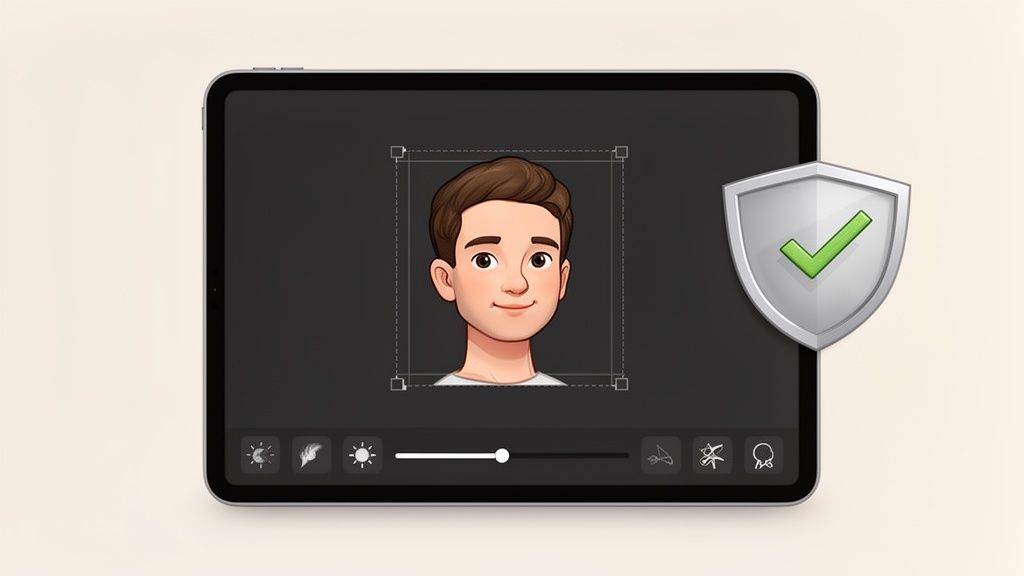
You've got a fantastic-looking AI headshot ready to go, but hold on before you hit that download button. A few simple tweaks can elevate your image from pretty good to absolutely perfect.
Sometimes, the AI trips up on the tiny details—an extra finger, a wonky earring, or a stray strand of hair that looks out of place. These little quirks are often easy to fix with some light post-processing. You don't need to be a Photoshop pro, either.
Most of these adjustments are minor. Free tools like Canva are perfect for this. Cropping your image to fit the specific dimensions of a LinkedIn profile, for instance, is a non-negotiable step. You can also play with the brightness, contrast, or saturation just a touch to make your features stand out. These small refinements are what give your headshot a polished, professional finish no matter where you post it.
Don't Skip the Fine Print: Privacy and Terms of Service
Okay, this is arguably the most crucial step of all. When you're using a platform for free AI generated headshots, you’re trading your personal photos for their service. You absolutely need to know how that data is being handled.
Take a few minutes and actually read the privacy policy and terms of service. I know, it’s a drag, but it's the only way to be certain about what you’re signing up for.
- Data Usage: Look for a clear statement on whether your photos are used to train their AI models. The most trustworthy services will explicitly state they do not use your data for training.
- Data Retention: Check how long the platform stores your uploaded photos and the headshots it creates. A good policy will specify a clear deletion timeline.
- Image Rights: Who actually owns the images you create? Most generators give you full commercial rights, but you should always double-check to be sure.
Key Takeaway: Always opt for a service that is upfront about its data practices. Transparency is everything. Look for platforms, like AnimePhoto.ai, that clearly state a commitment to keeping your uploads private and secure.
Using Your Headshot Ethically and Effectively
Finally, let's talk about how and where you'll use your new headshot. The whole point is to present a professional, authentic version of yourself. It can be tempting to go overboard with editing, but resist the urge to alter the image so much that it no longer resembles you. Recruiters, clients, and colleagues expect your online profile to be a genuine representation.
Context is also key. A slick, highly stylized headshot might look amazing on your creative portfolio or social media, but it could feel out of place on the "About Us" page of a corporate law firm.
Think strategically. Match the style of your headshot to the platform and the professional image you want to project. Your new AI-generated headshot is a fantastic addition to your personal branding toolkit—use it wisely to build credibility and make a strong, positive impression.
Got Questions About Free AI Headshots? We’ve Got Answers.
Jumping into the world of AI-generated headshots can feel a bit like a mystery. You've probably got a few questions buzzing around your head before you start uploading photos. Let's clear the air and tackle the most common concerns so you can get started with confidence.
"Are Free Headshots Actually High-Quality?"
This is the big one. Can something free really be good enough for a professional setting? The answer is a resounding yes.
Modern AI generators, even the ones you can access for free, are surprisingly powerful. They can churn out high-resolution images that are more than ready for your LinkedIn profile, business card, or company website. The secret isn't paying more money—it’s about the quality of the photos you feed the machine in the first place. A great set of source photos will almost always yield a polished, professional result, paid or not.
Just be sure to give your final images a quick once-over to catch any subtle AI artifacts before you hit "publish."
"Will the Headshot Actually Look Like Me?"
Nobody wants an AI headshot that looks like a distant, vaguely familiar cousin. Making sure the final result is a true reflection of you comes down to one thing: giving the AI good data to learn from.
Think of yourself as an art director. Your job is to provide the AI artist with the best possible references.
- Go for variety. Don't just upload one perfect picture. Give it between 8 and 12 different, clear, and recent photos.
- Show your good sides. Literally. Include photos from the front, three-quarter angles, and even a profile shot.
- Mix up your expressions. A few with a smile, a few with a more neutral look. This gives the AI a better sense of your facial dynamics.
And a pro tip: lose the sunglasses and hats. Anything that covers up your face makes it harder for the AI to get a clear read, which is key to getting accurate free AI generated headshots.
The AI is like a sketch artist working from a description. The more detailed and varied your photos are, the more lifelike the final portrait will be. Give it weak references, and you'll get a generic sketch. Give it great ones, and you'll get a masterpiece.
"What About Privacy? And Can I Get Creative?"
Okay, let's talk about the important stuff. Privacy is a totally valid concern. The main thing to watch out for is what a service does with your photos after you upload them. Some free tools might use your images to train their AI models further or have vague policies on how long they keep your data.
Before you upload a single picture, take two minutes to scan the privacy policy. You're looking for platforms that explicitly state they won't use your photos for training and have clear, easy-to-understand data deletion rules.
On a lighter note, what if you don't want a stuffy corporate headshot? Absolutely! While many tools focus on professional looks, others are built purely for fun and creativity. You can find specialized generators that will turn your selfie into a manga character, a cyberpunk avatar, or a cute chibi-style portrait. It’s a fantastic way to create a unique profile picture for social media, gaming forums, or just to see what you'd look like in another universe.
Ready to see yourself in a totally new light? AnimePhoto.ai can transform your photos into incredible anime-style art in just a few seconds. It's perfect for a unique gaming avatar, a creative gift, or just for the fun of it. Try it now and create your anime self!

See yourself in anime style in under a minute
Pick a style, upload a photo, and get a high-quality anime portrait ready for profiles, prints and gifts.
Create your anime photo

