Ever wonder what you'd look like as a character straight out of a manga? The fastest way to see yourself in that iconic art style is with a specialized AI tool like AnimePhoto.ai. These tools are designed to look at the key features of your face and reinterpret them as authentic manga or anime art, delivering a custom portrait in seconds.
Why We Love Turning Our Photos into Manga
The appeal of transforming a selfie into manga art goes way beyond a simple filter trend. It’s a genuinely fun way to engage with an art form we love and see ourselves in a new light. When you turn your face to manga, you're essentially getting a custom illustration that re-imagines your own features with those distinct bold lines, famously expressive eyes, and classic anime aesthetics.
This isn't just a niche hobby, either. It plugs directly into a massive cultural phenomenon. The global anime market is booming, valued at around USD 37.7 billion in 2025 and on track to hit a staggering USD 77.3 billion by 2033. That incredible growth, tracked by firms like Grand View Research, shows just how much anime and manga have become a part of mainstream culture.
A New Way to Express Yourself Online
For a lot of us, a manga-style portrait is the ultimate form of digital self-expression. It lets you craft a unique avatar that really pops on social media, gaming profiles, or Twitch streams. A manga version of you can say a lot more about your personality than a standard headshot ever could.
Think about the different vibes you can create:
- Go for a vibrant, cel-shaded look if you want an online persona that feels bold and full of energy.
- Choose a classic black-and-white manga style for something more dramatic and artistic.
- Opt for an adorable Chibi version to show off your fun, playful side.
This is all about curating your digital identity. It's the modern-day self-portrait, perfectly suited for a world where our online presence is a huge part of who we are.
Finding Your People in a Global Community
Creating manga art of yourself is also an easy way to connect with a huge, worldwide community of fans. When you share your result, you're giving a subtle nod to other people who get it—who appreciate the art, the storytelling, and the culture of anime.
It’s an instant icebreaker. Using a manga-style avatar isn't just a profile picture change; it's a signal that you're part of a passionate and creative community that stretches across the globe.
It immediately creates common ground and can spark conversations with people who love the same iconic series and art styles you do.
Choosing the Perfect Photo for Your Manga Transformation
The secret to getting a jaw-dropping manga portrait isn't just about the AI—it starts with the photo you give it. Think of it like this: the better the ingredients, the better the final dish. A fantastic photo is the key ingredient for fantastic art.
To get the most expressive and detailed results, you need a clear, well-lit portrait where your face is the undeniable star. The AI needs to see your features clearly to translate them into those iconic, stylized manga forms.
Nail the Lighting and Focus
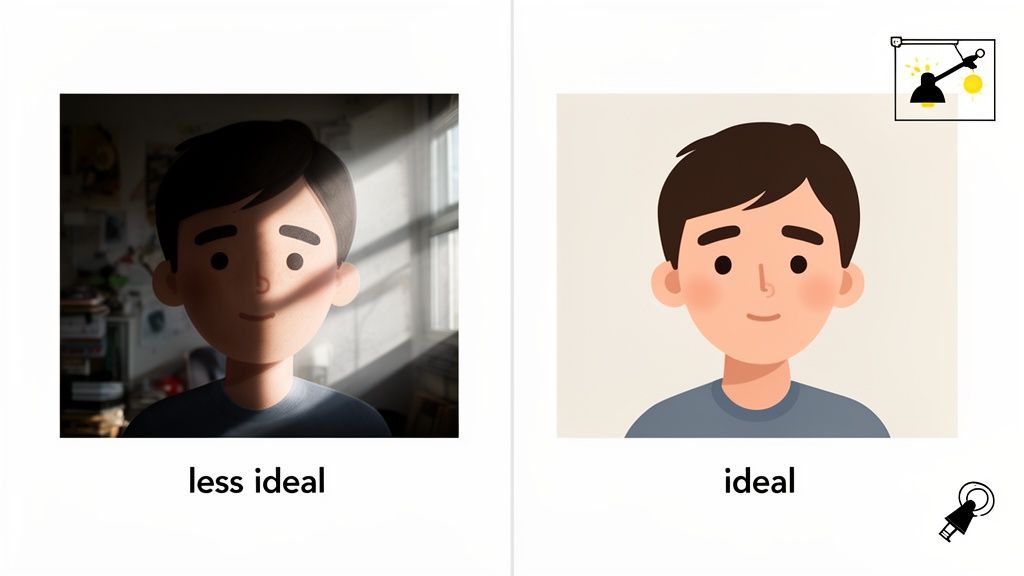
Harsh, direct lighting is the number one enemy of a good face to manga conversion. Things like direct sunlight or a single overhead light create deep, strange shadows. These shadows can completely throw off the AI, leading it to misinterpret the shape of your nose, eyes, or chin.
Instead, you want soft, diffused light. The easiest way to achieve this is to simply stand facing a window during the day. This natural light wraps around your face, smoothing out your features and giving the AI a perfect, clean canvas to work from.
The background also makes a bigger difference than you might think. A cluttered room or busy pattern behind you can distract the AI, pulling its focus away from what really matters—you. A simple, neutral backdrop like a plain wall ensures that 100% of the AI's attention is on capturing your likeness.
Pro Tip: Don't have a plain wall handy? Try hanging a bedsheet or using your phone's portrait mode. That subtle background blur is fantastic for making your face pop, which is exactly what the AI needs.
The Ideal Pose and Composition
How you frame the shot is just as important as how you light it. The AI needs a clear view of your facial structure to work its magic.
Here are a few quick tips that I've found work best:
- Look Right at the Camera: A straight-on gaze is perfect. A slight three-quarter turn can also look great, but avoid extreme angles where parts of your face are hidden.
- Clear Your Face: Hair falling across your eyes might look cool in real life, but it can prevent the AI from capturing your eyes correctly—and the eyes are everything in manga!
- Frame it Like a Headshot: The classic head-and-shoulders crop is the gold standard for a reason. It provides enough context for a natural-looking portrait without being too zoomed out. If you need some visual inspiration, check out these examples of good headshots that are perfect for AI.
Lastly, make sure nothing is covering your face. Sunglasses, hats that cast heavy shadows, or even a hand resting on your chin can block key features. The goal is simple: give the AI a clear, unobstructed view so it can create a stunning piece of manga art that truly looks like you.
Finding Your Signature Anime and Manga Art Style
Once you've got the perfect photo prepped, the real fun begins. Modern AI tools are like a digital art studio, giving you a massive palette of styles that can completely transform the vibe of your portrait. Picking the right one is what takes a simple conversion and turns it into a face to manga image that actually feels like you.
The style you choose does more than just tweak the colors—it tells a story. Are you going for something dramatic and classic, or are you after a look that's vibrant and modern? Each style has its own energy, and knowing the difference is key.
Classic Black-and-White Manga versus Vibrant Cel-Shaded Anime
The first big decision often comes down to this classic rivalry. The traditional black-and-white manga style is iconic for a reason. It leans heavily on sharp, high-contrast linework and classic shading techniques like cross-hatching to build a sense of drama and raw emotion. This is the perfect style if you want an artistic, timeless portrait that looks like it was lifted straight from the pages of your favorite series.
On the flip side, cel-shaded anime brings a burst of color and life to your image. This style mimics the look of modern animation with its smooth gradients, crisp outlines, and saturated color palettes. It’s a fantastic choice for a dynamic social media avatar or a profile picture that needs to pop. It feels energetic and cheerful, making it a go-to for a contemporary look.
The massive popularity of these art forms isn't just a feeling; it's a global phenomenon. The global manga market was valued at an incredible USD 22.52 billion in 2025 and is projected to explode to USD 84.63 billion by 2033. That 18% CAGR growth rate is nearly double that of the anime industry itself, which just goes to show manga's huge and growing cultural footprint. You can read more about this trend and its market impact in this manga market report.
Exploring Niche Styles from Chibi to Cyberpunk
Beyond the two big ones, there's a whole world of more specialized styles to play with. Each offers a completely different aesthetic for different scenarios.
- Chibi Style: You know this one when you see it—oversized heads, huge expressive eyes, and tiny little bodies. This style is all about cuteness and fun, making it perfect for creating adorable stickers, emotes, or just a lighthearted avatar to share with friends.
- Semi-Realistic: This style is a fantastic middle ground. It blends classic anime features with more lifelike proportions and nuanced shading, so the final image is clearly anime but still holds a strong, recognizable resemblance to your original photo.
- Fantasy and Cyberpunk: Want to inject a little more personality? These styles add specific thematic elements to your portrait. The Fantasy style might add ethereal lighting and elegant details, while Cyberpunk could introduce neon highlights and futuristic tech-wear. They’re absolutely perfect for gaming profiles or for anyone who wants to channel a specific character persona.
A great way to start is by running the same photo through a few different styles. You might be surprised to find that a style you hadn't even considered, like Fantasy, captures your features in a way you absolutely love. For a bit more inspiration, check out our guide on the best anime AI art generators.
To help you visualize the differences and nail down your choice, I've put together a quick comparison guide.
Anime and Manga Style Comparison Guide
Here's a simple breakdown of the most popular styles you'll encounter, what makes them unique, and what they're generally best suited for.
| Style Name | Key Characteristics | Best For |
|---|---|---|
| Manga (B&W) | High contrast, dramatic lines, screentones. | Artistic profiles, forum avatars, dramatic portraits. |
| Cel-Shaded | Vibrant colors, clean outlines, smooth gradients. | Social media avatars, streaming profiles, gifts. |
| Chibi | Oversized head, large eyes, simplified body. | Custom stickers, emotes, playful icons. |
| Semi-Realistic | Lifelike proportions, detailed shading. | Professional yet stylized avatars, personal keepsakes. |
| Cyberpunk | Neon accents, futuristic elements, edgy look. | Gaming profiles, themed social media accounts. |
Ultimately, choosing a style is a personal journey. The best approach is simply to experiment, have fun with it, and land on the one that makes you feel like the main character of your own story.
A Practical Walkthrough: From Photo to Manga
Alright, you've got the perfect photo and a style in mind. Now for the fun part: actually making your art. We designed the process to be incredibly simple, so even if you're brand new to AI art generators, you'll feel right at home. Let's walk through what it looks like on a platform like AnimePhoto.ai.
It all starts with a simple upload. Once your headshot is loaded, you'll see a gallery of art styles. This is where you make your choice—will it be the classic black-and-white Manga, the vibrant, full-color Anime, or the super-cute Chibi? Your pick sets the entire creative direction.
This quick visual guide breaks down the three most popular styles you’ll find.
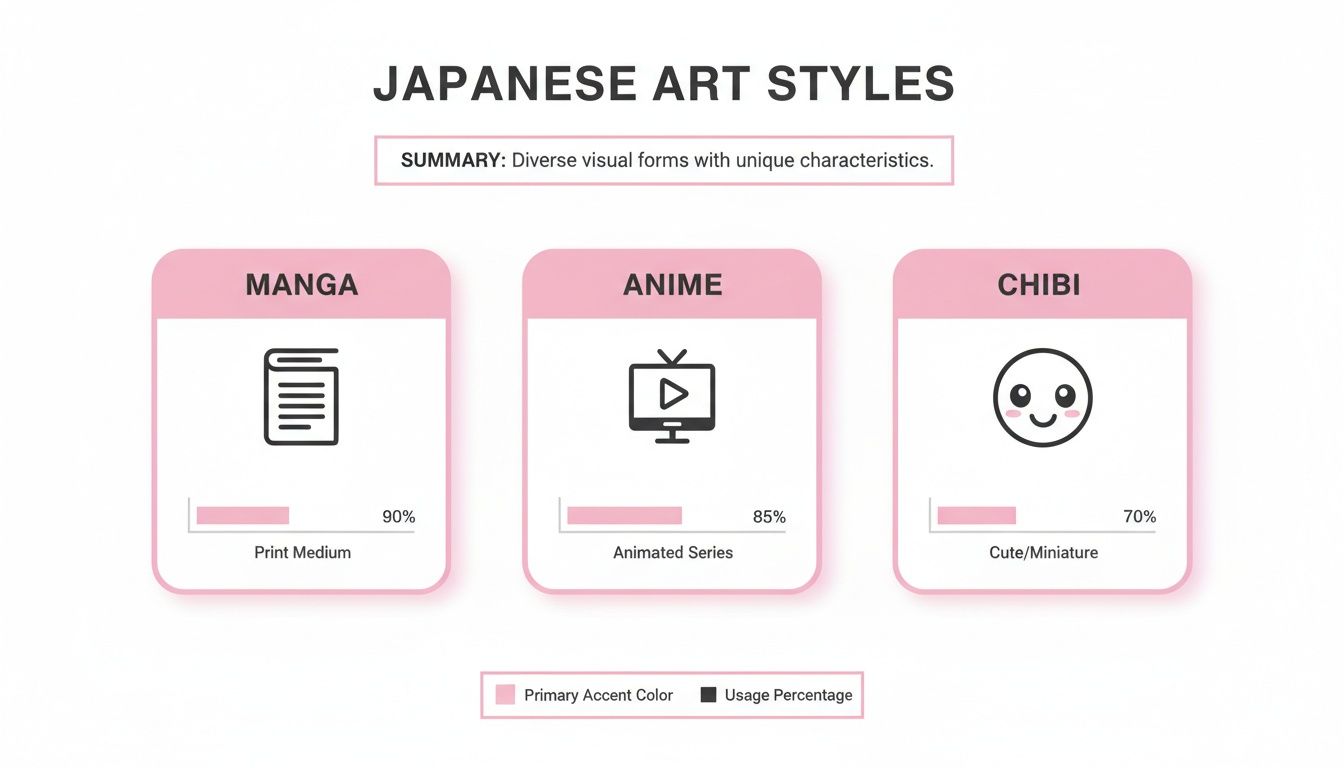
As you can see, each one has a totally different feel, from Manga's dramatic storytelling look to Chibi's playful and lighthearted vibe.
Navigating the Credit System
Instead of locking you into a subscription you might not use, many modern tools (including ours) run on a simple credit system. I personally love this approach because it puts you in complete control. Think of it like a creative arcade—you only pay for what you actually create.
Here’s a quick rundown of how it typically works:
- Single Generations: If you just want to test the waters or need one specific portrait, you can buy a handful of credits. No big commitment.
- Credit Bundles: Planning to experiment with a few different styles or maybe make portraits for your whole friend group? Buying credits in a bundle is the way to go. It almost always comes with a significant discount per image.
This pay-as-you-go model means you’re never spending more than you need to. And since payments are handled by a secure processor like Stripe, you know your info is safe.
A quick note on privacy: Any reputable AI platform will prioritize this. Your uploaded photos are only used to generate the artwork. They aren’t shared, and they aren’t stored long-term. Your personal images stay private, period.
From Generation to Download
After you've picked your style and confirmed the credits, the AI kicks into gear. This is where the magic happens, and it’s surprisingly fast—usually taking less than a minute. The system analyzes your facial features, expression, and lighting, then meticulously redraws them to match the artistic rules of the style you chose.
Before you know it, your finished piece appears on the screen, ready to download. You'll get a high-resolution file that looks great online and is sharp enough for printing. From there, just save it to your device and it’s ready to become your next avatar, a unique gift, or anything else you can dream up. If you want to see this in action, you can play around with a tool like lunabloomai's AI app.
The whole workflow is designed to be a smooth, rewarding creative experience. If you’re hungry for even more pointers, our detailed guide on how to make your photo anime at https://animephoto.ai/blog/make-photo-anime is packed with extra tips to help you nail the perfect result every single time. It's a fantastic way to see yourself in a totally new light.
Alright, you’ve turned your photo into an amazing manga portrait. Now what? Don't just let it sit in your downloads folder! That piece of art is way more versatile than a simple profile picture. Let's dig into some practical (and fun) ways to put it to good use.
You’ll probably notice the image comes with a plain, neutral background. This is actually a huge plus. It’s designed that way to make simple edits a breeze. Using a free tool like Canva or even your phone's built-in photo editor, you can drop in a new background in seconds. Think about placing your character in a bustling Tokyo street scene, a quiet bamboo forest, or just against a cool pattern that fits your vibe.
Making It Your Own with Simple Tweaks
A little post-editing can take your artwork from great to perfect. I'm not talking about a total overhaul, just small adjustments that add that final personal touch. For instance, bumping up the color saturation can make the art really pop, while a little extra contrast can make the linework look sharper and more defined.
Adding text is another easy win. Slap on a friend's name and a "Happy Birthday!" and you’ve just created a one-of-a-kind digital card. If you're a streamer, adding your handle turns it into a branded graphic you can use for overlays or social media posts.
You don’t need to be a graphic design pro. The whole point is to use easy, accessible tools to quickly customize your art for whatever you need, making it truly yours in just a few clicks.
Creative Ideas Beyond the Profile Pic
Your new manga portrait is far too cool to be stuck as just an avatar. Since you get a high-resolution download, you can bring your character into the real world. This is where the fun really begins, whether for a personal project or a truly thoughtful gift.
Here are a few ideas I've seen work really well:
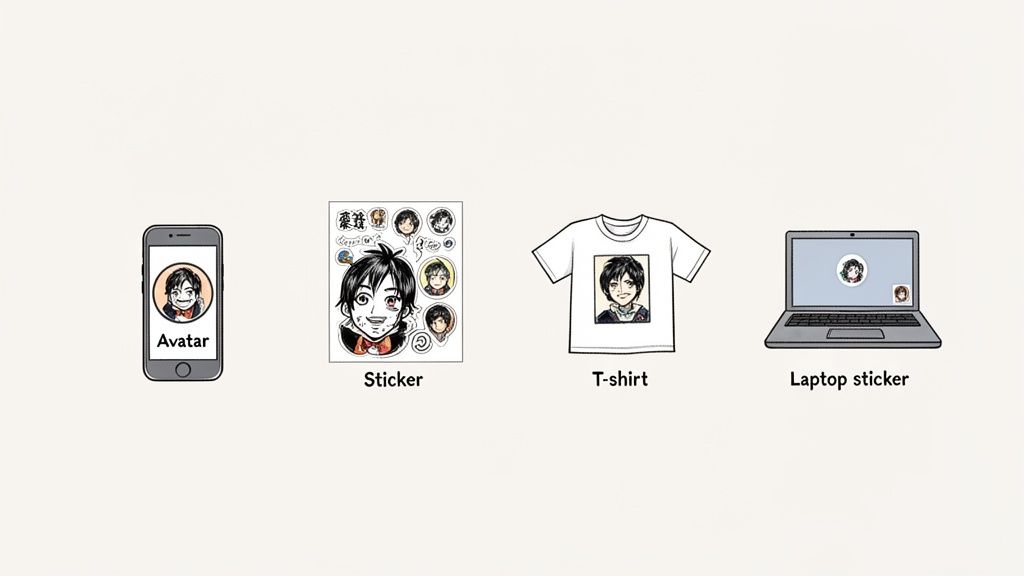
- Custom Merch: Use services like Redbubble or Printful to put your design on pretty much anything. I'm talking t-shirts, coffee mugs, phone cases—you name it.
- Personalized Sticker Sheets: This one's a classic. Turn your portrait into a sheet of custom stickers for your laptop, notebook, or water bottle. It’s a super affordable way to show off your new look.
- Gaming Squad Avatars: Get your whole gaming crew to make manga versions of themselves. It builds a killer team identity and looks awesome on your Discord server.
- Framed Prints and Gifts: A framed print of a manga-style family portrait or a couple's photo is an unbelievably personal gift. It’s perfect for an anniversary, holiday, or just because.
Honestly, these are just starting points. Think of your new manga art as a blank canvas for your own creativity. Get it out there, print it, and have fun with it
Got Questions About Turning Your Face into Manga?
Jumping into AI art is exciting, but it's natural to have a few questions. It’s one thing to see cool AI images online, and another to upload your own photo. Let's walk through some of the common things people wonder about so you can get the best possible results.
What Kind of Photo Works Best?
Think of it like giving the AI the best possible instructions. For a killer manga transformation, you need a clear, well-lit photo where your face is front and center.
High-resolution images are your best friend here. Avoid heavy shadows, motion blur, or anything blocking your face (like a hand or a stray lock of hair). The AI needs to clearly see your eyes, nose, and mouth to work its magic. A clean, simple background also helps it focus entirely on you, not the clutter behind you.
Is My Photo Kept Private?
This is a big one, and the short answer is: yes. Any trustworthy AI art tool puts user privacy first. When you upload a photo, its only job is to be the blueprint for your anime portrait. It isn't shared with anyone else.
Once your image is generated, the original photo isn't kept on the servers long-term. The whole point is to create something new, not to store your personal pictures. It’s always a good idea to glance at a service's privacy policy, but rest assured, the process is designed to be secure.
The technology is all about creating a brand new piece of art from your photo, not storing the original. Your privacy is baked into the process from the start.
Can I Use Photos of My Pet or a Group of Friends?
Absolutely! Modern AI tools are surprisingly flexible. You're not just limited to solo headshots. Go ahead and upload photos of couples, your whole friend group, or even your dog.
For group shots, the same rules apply: try to use a photo where every face is reasonably clear and well-lit. And for pets? A good, clear shot of their face usually results in a seriously adorable anime version. It’s a fantastic way to create matching avatars for your D&D party, your family, or just you and your furry best friend. The underlying technology uses advanced AI Avatars to intelligently interpret and redraw all kinds of subjects, not just human faces.
What if I Don't Like the First Image I Get?
It happens! AI art has an element of creative randomness, so your first try might not be exactly what you envisioned. Don't sweat it.
If you're not thrilled with the result, just try again. Tweak your settings, choose a different art style, or even upload a different photo. Sometimes a tiny change in the original photo’s lighting or pose can produce a dramatically better outcome. Think of it less as a one-shot process and more like a creative experiment.
Ready to see the manga version of yourself? With AnimePhoto.ai, you can generate incredible, high-quality anime art from your photos in just a few clicks. Get started now and bring your photo to life!

See yourself in anime style in under a minute
Pick a style, upload a photo, and get a high-quality anime portrait ready for profiles, prints and gifts.
Create your anime photo

