Have you ever seen a stunning piece of anime art and thought, "I wish I could see myself like that"? What used to require hours of work with complicated software is now something you can do in minutes. Thanks to some incredible AI tools, you can turn any regular photo into a work of art that looks like it was lifted from your favorite anime series.
From Niche Hobby To A Global Phenomenon
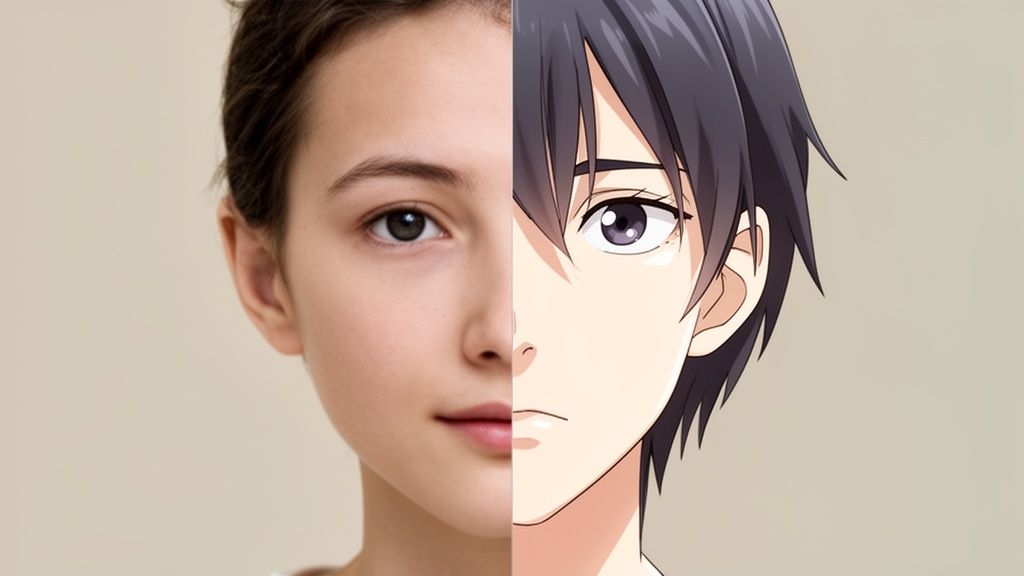
This isn't just about slapping a filter on a picture. It’s a complete artistic reinterpretation. The AI behind these tools has been trained on countless hours of anime, learning to capture the essence of different styles. It analyzes the unique features in your photo—your eyes, your hairstyle, even the subtle way you smile—and reimagines them through that distinct artistic lens.
What started as a fun little project for die-hard anime fans has exploded into a huge creative trend. People everywhere are turning photos of themselves, their loved ones, and even their pets into amazing anime characters.
The Rise Of AI Anime Generators
The demand for these tools is massive. The AI anime generator market was valued at an astonishing USD 91.56 billion in 2024, and it's only getting bigger. The technology that powers the "make photo anime" trend is a huge piece of that pie, all because it delivers incredible results and is super easy for anyone to use.
This guide is your complete walkthrough for creating your own anime portraits. I'll take you through everything from picking the best photo to finding a style that truly fits you. By the time we're done, you'll be making incredible images you'll be excited to share.
We'll focus on making this whole process straightforward and enjoyable, so you can confidently use a high-quality photo to anime converter online.
Here’s a quick look at what we’ll cover:
- Preparing Your Photo: How to choose an image that will give you the best possible result.
- Choosing Your Style: We'll explore different aesthetics to find the perfect one for your portrait.
- Practical Tips: I'll share a few simple tricks I've learned for making your anime creations even better.
- Creative Uses: We'll brainstorm some fun ways to use and share your new anime art.
Picking the Perfect Photo for Your Anime Portrait
The secret to a stunning anime portrait? It all starts with the photo you give the AI. I’ve seen it time and time again: a fantastic result almost always comes from a great starting image. Think of the AI as a skilled artist—the better its reference, the more accurately it can capture what makes you, you.
This is often the first hurdle for people. Grabbing a blurry group shot from a dark restaurant or a selfie with funky shadows just won't cut it. These kinds of photos tend to confuse the AI, leading to wonky, generic results that don't really look like you.
Good Lighting is Everything
Honestly, lighting is the single most critical element. If you get this right, you're halfway there.
Natural light is your best friend. Seriously. Try taking a photo facing a window during the daytime. This gives you soft, even light that highlights your features without creating any weird, distracting shadows.
Here are a few common lighting traps to watch out for:
- Harsh overhead lights: This is a classic mistake that creates unflattering shadows under your eyes and nose.
- Strong backlighting: If you’re standing in front of a bright window or the sun, you’ll likely turn into a silhouette. The AI needs to see your face!
- Direct camera flash: Flash often washes out your features and creates a flat, unnatural look that doesn't translate well into anime.
A well-lit photo gives the AI all the details it needs—the shape of your face, the exact color of your eyes, and the flow of your hair. This rich information is what allows it to create a stylized character that’s still unmistakably you.
Keep Your Composition Clean and Clear
After lighting, think about how you frame the shot. A simple headshot or a portrait from the chest up works best. You want your face to be the star of the show, clearly visible and looking more or less toward the camera.
Here’s a quick mental checklist for a solid photo:
- Sharp Focus: Your photo absolutely must be in focus. Blurriness is one of the main reasons AI generations fail.
- Uncovered Face: Ditch the sunglasses or any hats that cast deep shadows over your eyes. The AI needs to see your features clearly.
- Simple Background: A busy background can really throw the AI off. A plain wall or a simple outdoor scene is way better than, say, a cluttered bedroom.
Nailing the photo selection sets you up for an amazing result. For more ideas on what works well, take a look at our guide on good headshots examples. Getting this part right makes the whole process smoother and ensures you end up with an anime portrait you’ll be proud to show off.
Finding The Perfect Anime Style For Your Portrait
Alright, this is where the magic really happens. Choosing an anime style is all about capturing the right vibe for your photo. Think of it like picking the perfect outfit—some styles are classic and bold, while others feel more soft and dreamy. The aesthetic you choose is what will inject your personality into the final image.
AnimePhoto.ai has a fantastic collection of styles, and each one brings its own unique flavor to the table. This isn't just slapping a filter on your picture. The AI genuinely reinterprets your photo's key features through a completely different artistic lens. Your choice can transform a serious portrait into something playful or turn a casual selfie into a futuristic masterpiece.
Matching Your Photo To The Right Style
So, how do you decide? Start by looking at your original photo and thinking about the mood you want the final anime version to have.
Here are a few scenarios I see all the time:
- For a professional avatar, you’ll probably want something clean, polished, and still recognizably you. The 'Semi-Realistic' style is a go-to for this. It keeps your core features intact but adds a beautifully illustrated feel that’s perfect for LinkedIn or a personal website.
- For an adorable pet portrait, you really can't go wrong with styles like 'Chibi' or 'Kawaii'. These looks exaggerate all the cute features—big eyes, soft lines—and create a character that’s just begging to be shared on social media or printed on a custom sticker.
- For something bold and dramatic, I'd point you toward 'Manga Black & White' for that classic graphic novel feel, or 'Cyberpunk' if you want a neon-drenched, futuristic look. These are brilliant for creating a memorable gaming avatar that stands out.
This little decision tree shows why starting with a good photo makes such a difference. A quality base image just gives the AI so much more to work with, unlocking more creative potential no matter which style you land on.
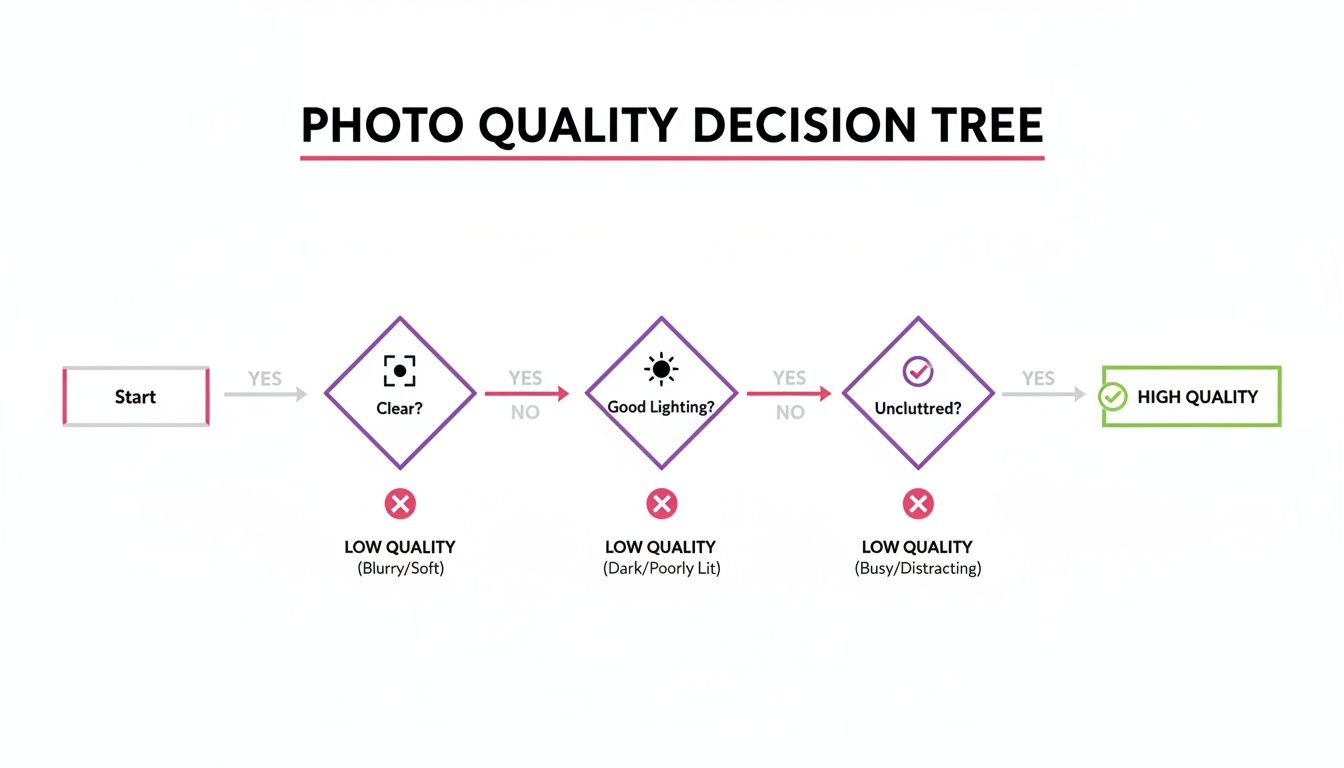
Ultimately, a clear, well-lit photo with a simple background is the secret ingredient. It helps ensure that any style you pick is going to look fantastic.
A Quick Guide To Popular Anime Aesthetics
Honestly, the best way to find a favorite is just to play around and experiment. But if you need a starting point, this guide should help you navigate your first few creations.
AnimePhoto.ai Style Guide
This table breaks down some of the most popular styles and what they're best used for.
| Style Name | Key Characteristics | Best For |
|---|---|---|
| Semi-Realistic | Retains facial structure with a soft, painted look. | Professional avatars and recognizable portraits. |
| Manga B&W | High-contrast, bold lines, no color. | Dramatic, classic comic book-style images. |
| Kawaii | Soft colors, sparkling eyes, and a dreamy feel. | Cute and charming profile pictures or gifts. |
| Chibi | Exaggerated head, small body, and adorable style. | Pet portraits and playful, fun character designs. |
| Cyberpunk | Neon colors, futuristic details, and edgy vibes. | Gaming avatars and edgy, modern social media art. |
My advice? Don't be afraid to try a style you wouldn't normally pick. Sometimes the most unexpected choice yields the most incredible result, revealing a side of your anime persona you didn't know you had.
The goal is to experiment with confidence. Every photo has a style waiting to make it shine. If you're curious about how different tools handle this process, take a look at our comparison of the best AI portrait generators. Finding the right tool and the right style is how you create anime art you’ll absolutely love.
Bringing Your First AI Anime Portrait to Life
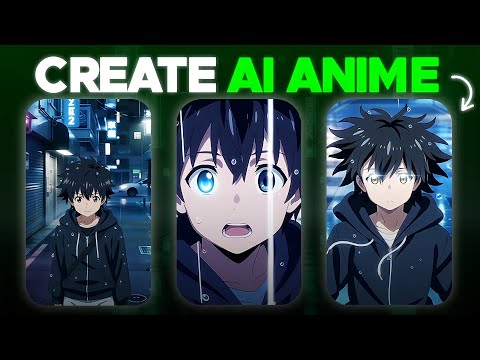
Alright, you’ve got your photo picked out and an idea of the style you want. Now for the fun part—actually making it happen. The best thing about this process is how simple it is. You don't need to be a tech wizard or a graphic designer to get a fantastic result. A few clicks are all it takes.
Let's dive into the AnimePhoto.ai interface. The whole thing is built to be a breeze, getting you from your original photo to a finished anime portrait in less than a minute.
Uploading Your Image
First things first, you'll see the main upload area. This is where you’ll drop in that photo you prepped earlier.
Here's a look at the clean, no-fuss interface you'll be using.
As you can see, everything is straightforward. The "Upload a Photo" button is right there in the middle, so you know exactly where to start.
Choosing Your Style and Hitting Go
With your photo uploaded, you'll see that gallery of styles we talked about. Just scroll through the options and click on one that catches your eye. Don't stress about getting it right on the first go—playing around with different looks is half the fun.
Once you’ve picked a style, the AI kicks into gear. In just a few seconds, your new anime portrait will appear right before your eyes.
A Little Tip From Experience: If the first version isn't quite what you had in mind, just try another style. I've found that a photo that looks a bit off in a 'Semi-Realistic' style can look absolutely perfect with the bold, classic lines of 'Manga Black & White'. Tiny changes in style choice can make a huge difference.
How Credits and Payments Work
AnimePhoto.ai keeps things simple with a credit system, so you aren't locked into a monthly subscription. This way, you only pay for what you're actually creating.
Here’s the rundown:
- One Credit, One Photo: It costs exactly one credit to transform one of your photos into an anime image.
- Flexible Packages: You can grab just a few credits for a one-off project or buy a larger pack for a better price if you know you’ll be making a bunch.
- Secure Checkout: All payments are handled securely, so everything is safe and sound.
This pay-as-you-go approach is pretty much the standard now, and for good reason. The demand for turning photos into anime is huge, and people expect the process to be quick (under a minute) and affordable (less than $1 per image). This credit model delivers on exactly that.
When you make photo anime art, you're stepping into a really interesting creative field. It’s worth taking a moment to understand the bigger picture of the UGC vs AIGC landscape, which explores the differences between content made by users and content generated by AI, like the portraits you’re creating now. It gives you a whole new appreciation for the tech at your fingertips.
Putting Your New Anime Art To Creative Use
So you've turned your photo into a fantastic piece of anime art. Now what? This is where the real fun begins. You're not just holding a digital file; you have a unique piece of personal art that’s ready to be shown off.
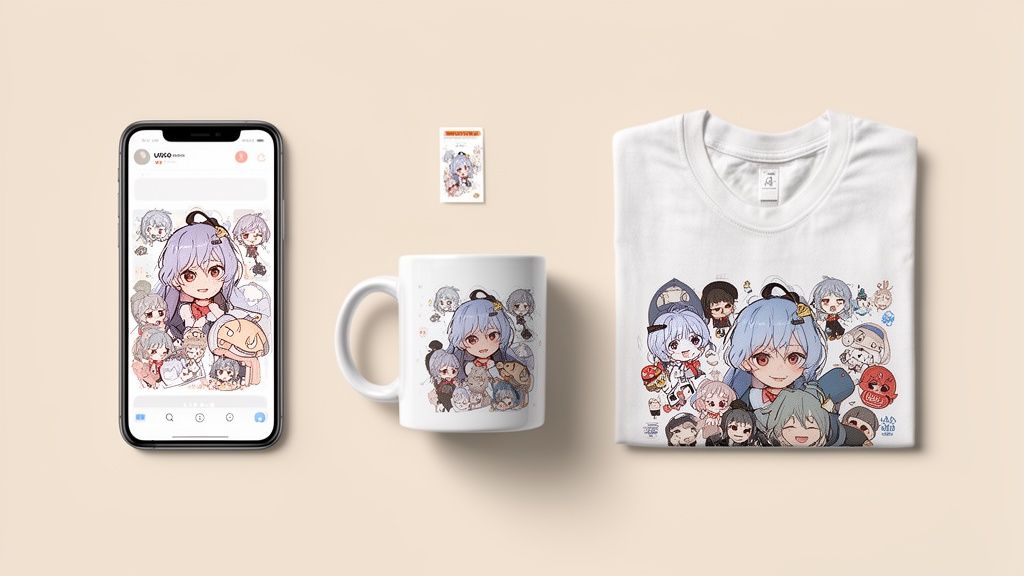
One of the first things most people do is create a custom avatar. An anime version of yourself is a surefire way to make your profile pop on platforms like Discord, Twitch, or Instagram. It injects a ton of personality and helps you stand out from the endless stream of standard headshots.
From Digital Avatars To Physical Gifts
But don't stop at the screen. Your anime art can be brought into the real world. Think about giving a friend a custom mug with their cat transformed into a chibi character, or printing matching t-shirts for you and your partner featuring your anime-style couple portrait.
These kinds of creations make for unforgettable, personal gifts. I've seen people get really creative, but here are a few ideas to get you started:
- Custom Stickers: Great for plastering on laptops, water bottles, and notebooks for a personal flair.
- Phone Cases: Keep your anime alter-ego with you wherever you go.
- Framed Prints: Elevate your digital creation into a piece of art for your wall.
- Team Avatars: Design a unified set of profile pictures for your gaming squad or online community to really build that team spirit.
Once you start creating, you might even think about turning your new skills into a side hustle. If you're curious about selling your designs, checking out guides on monetizing your creative content is a great next step.
Beyond The Profile Picture
This technology isn't just for personal fun, either. It’s making waves in professional workflows. In traditional animation, a single episode might need hundreds of different background illustrations—a massive undertaking. Studios are now experimenting with AI to turn real-world photos into stylized anime backgrounds, which can seriously speed up a historically tedious process.
This just goes to show how valuable high-quality, consistent AI art can be for everything from digital marketing campaigns to full-blown video production.
Your anime portrait is more than just a cool picture—it's a launchpad for your creativity. Whether you're building a personal brand, making a one-of-a-kind gift, or just having a good time, the potential is huge. Don’t be afraid to experiment and see where it takes you.
Got Questions About Turning Your Photos into Anime?
Jumping into AI art for the first time usually brings up a few questions. You might be wondering about privacy, what happens if you don't love the first image, or how payments work. It's totally normal, and I've got you covered.
Let's walk through some of the most common questions people have before they start creating.
Is It Safe To Upload My Personal Photos?
Yes, absolutely. Your privacy is a huge deal. When you upload a picture to AnimePhoto.ai, the entire process is secure. Your photo is visible only to you. The whole system was built with data protection as a core principle.
Your original photos and the anime versions you create are never shared or used for anything else. So you can get creative without worrying about where your pictures might end up.
Can I Make An Anime Photo Of My Pet or a Group of Friends?
You bet! The AI is surprisingly flexible and has seen a ton of different subjects. It works wonders on pets—I've seen some seriously cute anime cats and dogs come out of it.
It's also fantastic for photos of couples, best friends, or the whole family.
Quick tip for group shots: Try to use a photo where everyone’s face is clear and easy to see. Good lighting helps a ton. This gives the AI the best chance to work its magic on each person, so no one gets lost in the anime shuffle.
It’s a fun way to create matching avatars for your gaming crew or a really unique family portrait you won't find anywhere else.
What If I Don’t Like the First Image I Get?
Art is a process, and sometimes the first take isn't quite right. If you’re not feeling the first image it generates, don't sweat it. The easiest thing to do is simply try again with a few small changes.
Often, the best fix is to just pick a different source photo. An image with better lighting, a clearer shot of the face, or a simpler background almost always gives the AI better material to work with, leading to a much better result.
Another great trick is to play around with the anime styles. The 'Semi-Realistic' style has a completely different vibe than the playful 'Chibi' style, for instance. Just switching between those can totally change the look and feel of your final picture.
Do I Need to Sign Up for a Subscription?
Nope! AnimePhoto.ai uses a straightforward credit system, so there are no recurring monthly fees to worry about.
You just make a one-time purchase for the number of credits you think you'll need, whether that's for a single image or a bigger bundle to get a better deal.
This pay-as-you-go model is great for a few reasons:
- No Commitment: You're never locked into a monthly plan.
- Full Control: You only ever pay for what you actually use.
- Super Accessible: It keeps things affordable, so you can create cool anime art whenever you feel inspired, without a subscription hanging over your head.
The goal is to keep the whole process simple and fun.
Ready to see yourself in a whole new light? With AnimePhoto.ai, you can turn your favorite pictures into amazing, share-worthy art in seconds. Give it a try and make your first anime portrait!

See yourself in anime style in under a minute
Pick a style, upload a photo, and get a high-quality anime portrait ready for profiles, prints and gifts.
Create your anime photo

