If you're looking for the best AI anime art generator, you've probably realized it's about more than just a cool filter. The best tools blend top-notch quality with a genuinely easy-to-use experience. While there are a ton of options out there, platforms like AnimePhoto.ai really stand out by making it simple to turn your photos into incredible anime art, all while giving you plenty of styles to choose from and keeping your data private.
Turn Your Photos Into Anime Art
Ever look at a photo of yourself, a friend, or even your dog and wonder what you'd all look like in an anime? It's a fun thought, and you're definitely not alone. The trend of transforming regular pictures into custom anime art has taken off, letting anyone create amazing avatars and one-of-a-kind images without needing to know the first thing about drawing.
This guide will break it all down for you. We'll get into what makes these generators work, what features really matter when you're choosing one, and share some practical tips to help you get those truly stunning results.
Why Is Everyone Talking About AI Anime Art?
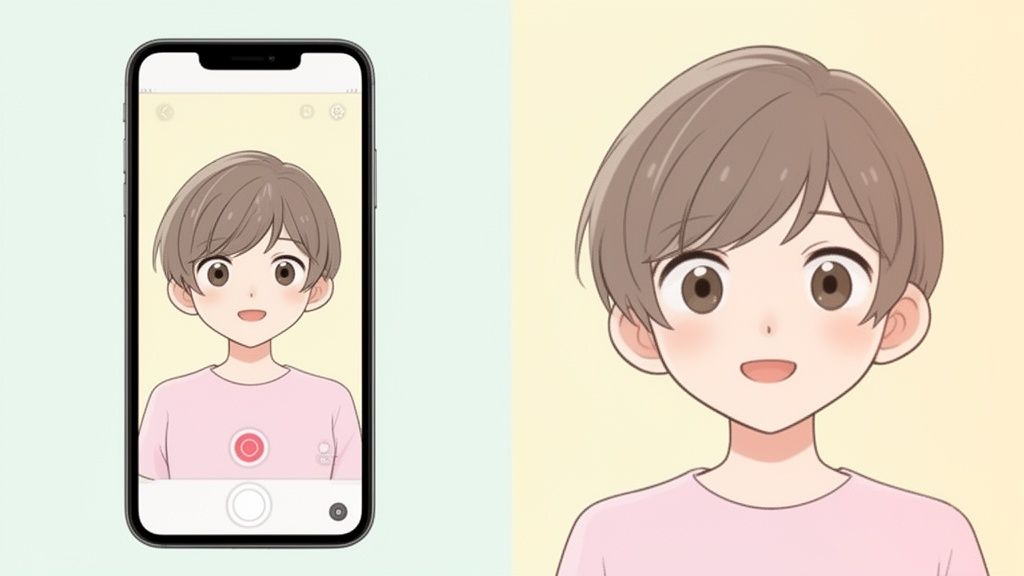
Let's be clear: the buzz around AI art is more than just a passing fad. It’s a genuine shift in how we think about digital creativity. This explosion in popularity is driven by a real hunger for personalized, anime-style content everywhere—from social media profiles to gaming and beyond. The numbers back it up, too. The global market for AI Anime Generators was already valued at a massive USD 91.56 billion in 2024 and is expected to skyrocket to USD 667.68 billion by 2032.
What does that huge growth mean for you? It means the tools are getting better and easier to use all the time. With just a few clicks, you can now:
- Craft a social media avatar that actually stands out.
- Make truly unique gifts for your friends and family.
- See what you or your own original characters would look like in different classic anime aesthetics.
The real magic is simple: these generators make creating art accessible to everyone. You no longer need to be a professional artist to bring your ideas to life. The AI does the heavy lifting, and you get to be the creative director.
To get started, you could explore various AI avatar tools like AvatarIQ, which specialize in applying artistic styles to your photos. The technology has come a long way from the basic filters of a few years ago. By the time you finish this guide, you’ll know exactly how to pick a generator that’s not just fast and private but also delivers fantastic results. If you want to dive even deeper, check out our other resources, like our guide on how to turn any image into a cartoon.
How AI Works Its Magic on Your Pictures
Ever wondered how an AI can take your everyday selfie and turn it into a stunning piece of anime art? It’s far more sophisticated than just slapping on a filter. Think of the AI as a digital art prodigy who has spent countless hours studying every anime style imaginable, from classic shōnen to modern moe, internalizing the rules of each one.
The magic starts the second you upload your picture. The AI doesn’t just see a grid of pixels; it sees a face. It meticulously maps out your facial structure, the curve of your jawline, the shape of your eyes, your exact hairstyle, and even the subtle emotion in your expression. This detailed breakdown is the key to creating an anime version that’s not just cool-looking, but is still undeniably you.
From Blueprint to Masterpiece
Once the AI has a solid blueprint of your features, the real creative work begins. It uses incredibly powerful models, most notably Generative Adversarial Networks (GANs), to essentially paint your anime portrait from a blank canvas. It's a fascinating process: one part of the AI (the "generator") creates the image, while a second part (the "discriminator") acts as an art critic, constantly checking the work against a massive library of genuine anime art to ensure it looks authentic.
This rapid-fire cycle of creation and critique happens in the blink of an eye. The end result is a brand-new work of art that captures the soul of your original photo. The best AI tools hide all this complexity, giving you a simple, almost magical, one-click experience.
At its core, AI art generation is a collaboration. You bring the subject and the idea; the AI brings the artistic talent and lightning-fast execution to translate your photo into a completely new medium.
AI can even lend a hand before the art generation begins. For example, using an AI smart auto-tracking phone holder can help you take perfectly composed shots, giving the generator a better starting point for its artistic transformation.
The Tech Behind the Curtain
A few core technologies work in concert to pull this off. Getting a sense of what they are helps you appreciate what's happening behind the scenes.
- Facial Recognition: This isn't just for unlocking your phone. The AI uses it to map the critical points of your face—the corners of your eyes, the tip of your nose, the curve of your lips—to build that initial structural blueprint.
- Style Transfer: This is the technique that lets the AI "borrow" the aesthetic of one image (the anime art style) and apply it to the content of another (your photo).
- Machine Learning Models: These are the brains of the whole operation. They're the models that have been trained on millions of images, allowing them to understand the subtle details that define each unique art style.
Together, these systems create a seamless bridge from your world into the world of anime. If you want to dive deeper into the different types of models and tools out there, check out our guide on the top AI anime photo generators to see how they stack up.
How to Choose the Right AI Anime Generator
With so many tools popping up, picking the right AI anime art generator can feel a little overwhelming. The trick is to look past the flashy marketing and focus on what really matters for your artwork and your experience. A good mental checklist can help you cut through the noise and find the perfect fit.
Before we dive in, here’s a quick visual of how your photo actually becomes anime art. It's simpler than you might think.
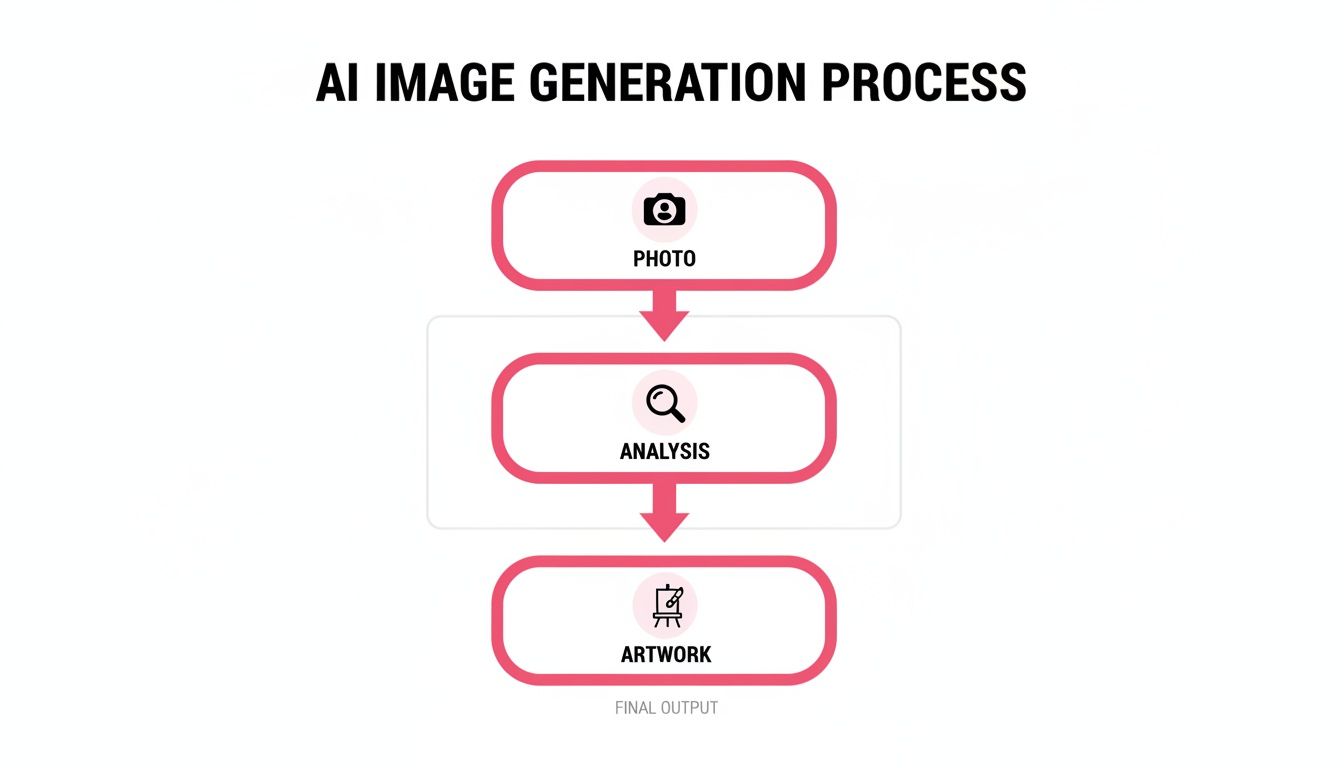
This journey from your photo, through the AI’s creative interpretation, to the final piece is what makes these generators so incredibly accessible.
Evaluating Key Features
Let's break down the most important features to look for. This table gives you a quick-glance comparison to help you figure out what you truly need from a generator.
Key Features of Top AI Anime Art Generators
| Feature | Why It Matters | What to Look For |
|---|---|---|
| Style Variety | More styles mean more creative freedom. A one-trick pony gets boring fast. | A diverse library of styles: cel-shaded, modern chibi, dark fantasy, ghibli-inspired, etc. |
| Output Quality | High-quality outputs are sharp, detailed, and coherent. Low-quality art looks messy. | Check for clean lines, correct anatomy (especially hands and eyes), and high resolution. |
| Ease of Use | The process should be fun, not a technical chore. A clunky interface kills creativity. | An intuitive, user-friendly design. A simple upload, select, and generate process is ideal. |
| Privacy Policy | You're uploading personal photos. You need to know how they are handled. | Clear terms on data usage, storage duration, and security. Look for a commitment to user privacy. |
| Pricing Model | The cost structure should match how often you plan to use the tool. | Flexible options like pay-as-you-go credits for casual users or subscriptions for power users. |
| Commercial Use Rights | If you plan to use the art for business, you need to own the rights. | A clear statement in the terms of service that grants commercial usage rights for generated images. |
By keeping these points in mind, you can quickly assess whether a tool is a good match for your creative projects.
Style Variety and Output Quality
First and foremost, check out the variety of artistic styles on offer. Does the tool have a deep well of options, or does everything kind of look the same? The best platforms give you a playground of styles to explore, from classic cel-shaded looks to modern chibi or even gritty, dark fantasy aesthetics.
Next, you have to be a tough critic of the output quality. Don't just trust the cherry-picked examples on the homepage—run your own photos through it. Be on the lookout for common AI artifacts like weirdly drawn hands, distorted facial features, or a blurry, low-resolution finish. A great output should be crisp, detailed, and artistically solid.
The real goal is to find a generator that consistently produces clean, appealing art. A tool that stumbles on the basics like hands and eyes probably isn’t worth your time, no matter how many styles it claims to have.
User Experience and Privacy
An intuitive interface is absolutely essential. The whole point is to have fun creating, not to get bogged down in confusing menus. A great generator lets you upload a photo, pick your style, and see the magic happen in seconds. For example, AnimePhoto.ai is built around a simple, one-click process that makes creating art feel effortless.
Just as important is privacy. Before you upload a single personal photo, take a minute to read the tool’s privacy policy. You need to know exactly how your data is being handled.
- Data Usage: Does the company use your photos to train their AI models?
- Data Retention: How long are your uploaded pictures stored on their servers?
- Security: Are your uploads encrypted and kept private from others?
Trustworthy services will be upfront about this, stating clearly that your photos are secure, for your eyes only, and automatically deleted after a short period. That commitment to privacy is what lets you create with complete peace of mind.
Pricing and Output Use Cases
Finally, let's talk about cost. Pricing models are all over the place, so find one that makes sense for you. Some tools push a monthly subscription, which can be great if you're a heavy user. Others, like AnimePhoto.ai, use a pay-as-you-go credit system. This is often way more flexible because you only pay for what you generate, with no surprise recurring charges.
You also need to think about how you plan to use the art. Is it for a new social media avatar, a unique gift for a friend, or maybe assets for a commercial project? Most generators are perfectly fine for personal use. But if you need images for anything commercial, you must read the terms of service to make sure you have the proper rights.
Getting clear on these points will help you find the best tool for the job. And if you're curious about other AI-powered tools, you can dive deeper into the best AI photo editors in our detailed guide.
Exploring the Wide World of Anime Art Styles
This is where the real fun starts. The difference between a basic filter and a great AI anime art generator lies in the sheer variety of styles it offers. A top-tier tool doesn't just give you a single "anime" look; it hands you a whole palette of different aesthetics, letting you match the art to your specific creative idea. This is what elevates the process from a simple photo conversion to a genuine act of creation.
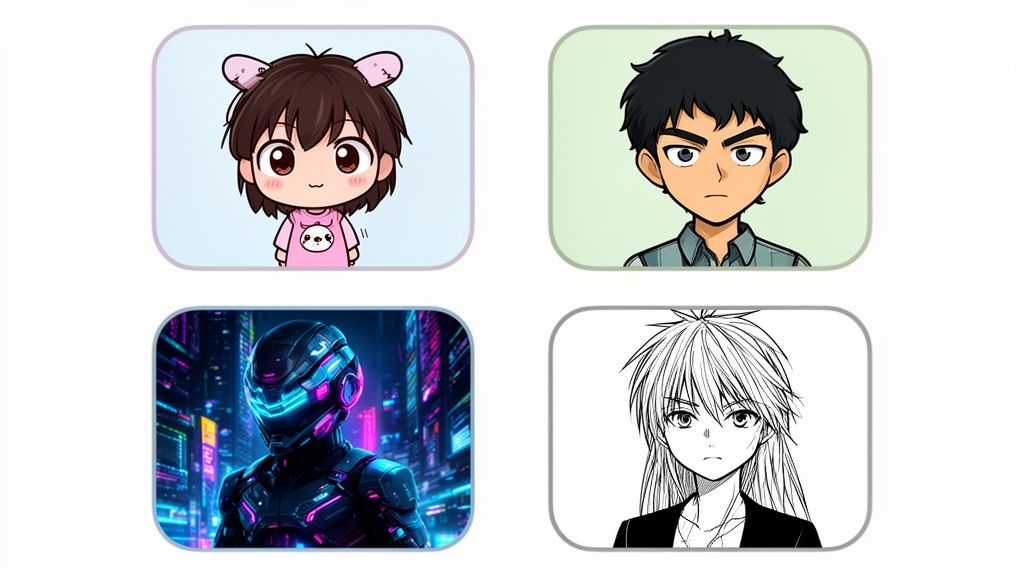
Think about it: you could transform your profile picture into a Chibi character for a super cute and fun avatar, which would be perfect for Discord or Twitch. Or maybe you're feeling nostalgic? A Classic Cel-Shaded style can make your image look like it was pulled straight from your favorite 90s anime. Each style doesn't just change the lines and colors—it changes the entire vibe.
From Playful to Dramatic and Everything In-Between
A truly flexible generator encourages you to play around. You could take a simple photo and give it a futuristic spin with a Cyberpunk theme, adding those iconic neon glows and high-tech details. On the other hand, you could go for a dramatic Manga Black & White effect to create a powerful, emotional portrait that feels like a panel from a compelling graphic novel.
This is more than just a niche interest. The demand for stylistic diversity is fueling massive growth in the creative AI scene. In fact, the U.S. market for AI Creativity and Art Generation was valued at a huge USD 5.84 billion in 2024. Zooming in on our niche, the U.S. AI Anime Generator market hit USD 18.71 billion in the same year, driven by everyone from streamers to marketers who need unique, eye-catching content. You can get a better sense of this rapidly expanding market on market.us.
A deep library of styles isn't just a bonus feature—it's the core of a great creative tool. It empowers you to tell different stories with the same photo, unlocking endless possibilities for self-expression.
How to Match Your Photo to the Perfect Style
So, how do you find the right look? It often boils down to matching the mood of your original photo to an artistic style that complements it. The best tools make this process feel intuitive and exciting, not like a chore.
Here are a few popular styles and when you might want to use them:
- Ghibli-Inspired: Got a beautiful landscape shot or a portrait with a soft, dreamy feel? This style is perfect, adding a touch of hand-painted whimsy and wonder.
- Shōnen Action: Best for photos with dynamic poses or intense facial expressions. The bold lines and energetic shading in this style really bring out a sense of power and motion.
- Kawaii/Moe: If you're looking to create an absolutely adorable avatar of yourself, a friend, or even a pet, this is the way to go. It emphasizes big, expressive eyes and soft features for maximum charm.
- Dark Fantasy: This one is a fantastic choice for creating moody, mysterious portraits. It uses deep shadows and rich, dramatic colors to build an epic, otherworldly atmosphere.
Platforms like AnimePhoto.ai take the time to carefully curate these styles, making sure each one is distinct and produces high-quality results. This means you can jump between different anime universes with just a few clicks, making it easy to discover that perfect transformation for any photo you throw at it. Ultimately, the ability to experiment freely is a key sign that you've found the best AI anime art generator for your needs.
Tips for Getting Amazing Results Every Time

While a powerful AI tool does most of the heavy lifting, the quality of your input photo is the #1 factor that determines your final result. Think of it like cooking a great meal; even the best chef can’t do much with bad ingredients. To get jaw-dropping anime art, you need to give the AI a clear, high-quality "ingredient" to work with.
The AI essentially studies your photo's key features—your facial structure, your expression, your hairstyle—to rebuild them in an anime style. If the original picture is blurry, poorly lit, or your face is covered, the AI is forced to guess. That guesswork is what leads to distorted or messy outcomes. A clean, well-lit photo gives the AI a perfect blueprint.
Start with the Perfect Photo
Before you start playing with different anime styles, take a moment to nail your source image. The most advanced AI anime art generator on the planet is only as good as the photo you feed it.
Here are a few simple rules of thumb for picking the right shot:
- Clarity is King: Always use a high-resolution photo that’s sharp and in focus. Blurry, pixelated, or grainy images just confuse the AI and hide all the little details that make you look like you.
- Good Lighting is a Must: A photo taken in bright, even light will almost always give you a better result. Dark shadows or underexposed pictures can hide important facial features, which can lead to some pretty strange-looking art.
- Keep the Background Simple: A busy or cluttered background can distract the AI from the main event—your face. A simple, neutral background ensures the focus stays exactly where it should be.
- Look Straight Ahead: Photos where you're facing the camera directly, or maybe with just a slight head turn, tend to produce the most reliable and flattering results. Extreme angles can sometimes warp your features in the final image.
A great input photo does more than half the work for you. It’s the difference between a decent result and a piece of art you can't wait to show off. Giving the AI a clean slate lets it focus on the fun part—the artistic interpretation—instead of struggling to figure out a messy image.
Match Your Photo to the Style
Got a great photo? Awesome. The next step is pairing it with the perfect artistic style. This is where your own creativity really comes into play. Not every photo is a perfect match for every style, and thinking about this ahead of time can take your art to the next level.
For instance, a happy, smiling picture of your dog is practically begging to be turned into a Kawaii or Chibi masterpiece, as those styles are all about capturing cute, playful energy. On the flip side, a dramatic portrait you took at night with city lights glowing behind you would be an incredible fit for a Cyberpunk transformation.
Thinking this way puts you in the director's chair. You're guiding the AI to capture the specific mood you have in mind, which is the secret to getting consistently amazing results every single time.
Frequently Asked Questions About AI Anime Generators
Diving into AI art for the first time? It's natural to have a few questions, especially when you're using your own photos. Let's clear up some of the most common ones so you can start creating with confidence.
Is It Safe to Upload My Photos?
This is the big one, and it's smart to ask. With a trustworthy tool like AnimePhoto.ai, the answer is yes. They use secure, encrypted connections to handle your uploads, and their privacy policies are clear and easy to find.
Good services won't use your photos for anything other than generating your art. They typically delete your images from their servers automatically after a short window—often just 24 hours. Before you upload anywhere, it’s always a good habit to skim their privacy policy.
A service you can trust will be upfront about privacy. They should state that your photos are yours alone, are not used to train their AI models, and are deleted promptly. That's the peace of mind you need to create freely.
Do I Need to Be an Artist to Use This?
Not in the slightest! That’s the magic of these tools. They open up the world of anime art to everyone, regardless of whether you can draw a stick figure or not. Forget about color theory, shading, or digital painting skills.
The AI does all the heavy lifting. Your only job is to upload a decent photo and pick a style you love. It’s a fun, simple way for anyone to get a beautiful piece of custom art in just a few clicks.
Can I Post the Art on My Social Media?
Of course! That's one of the best parts. Most people use these generators to create unique profile pictures and avatars for Instagram, TikTok, Discord, or Twitch. It's a fantastic way to stand out.
Now, if you're thinking bigger—like using the art for an ad, on merchandise you sell, or for other commercial projects—you'll need to double-check the tool's terms of service. The rules on commercial use vary from platform to platform, so make sure you have the rights you need before you go to market.
How Long Does It Take to Make an Image?
Speed makes a huge difference. While some free or clunky tools might leave you staring at a loading screen for a minute or more, the best AI anime art generator platforms are incredibly fast.
You can expect to see a polished, high-resolution result in well under a minute, and often in just a handful of seconds. This lets you experiment with tons of different photos and styles without any frustrating delays.
Ready to see yourself in a totally new light? AnimePhoto.ai turns your photos into amazing anime portraits in seconds. Jump in and explore a growing library of styles, from chibi to cyberpunk, all with a simple one-click process that puts your privacy first. Start creating your anime art today at AnimePhoto.ai.

See yourself in anime style in under a minute
Pick a style, upload a photo, and get a high-quality anime portrait ready for profiles, prints and gifts.
Create your anime photo

