Have you noticed how many cartoon avatars are popping up in your feeds lately? It's not just a passing trend. People are crafting unique digital identities that really pop, and AI tools have made it incredibly simple to turn a regular photo into a cool cartoon version of yourself.
Your Digital Self is Taking Over
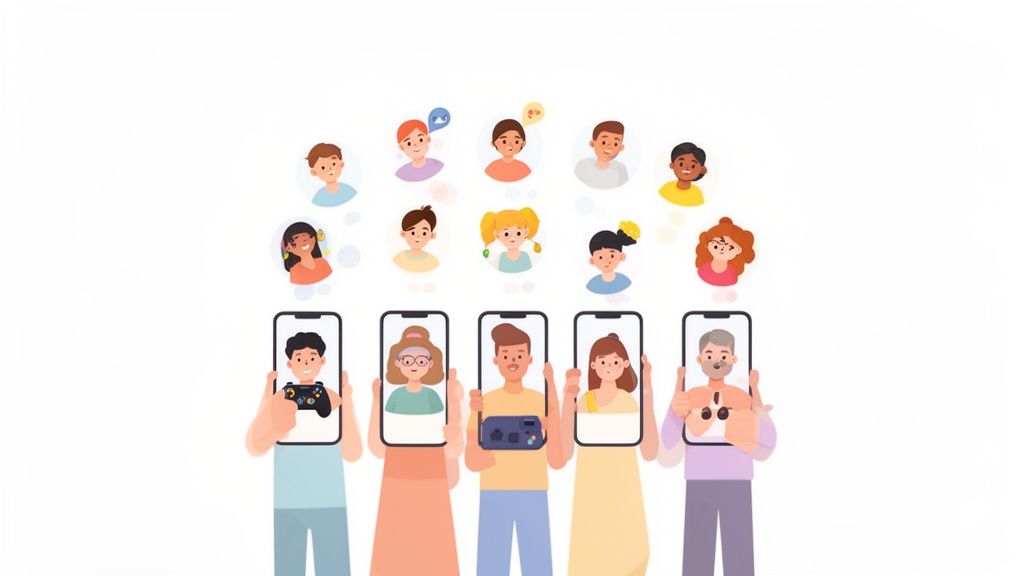
Using a cartoon version of yourself online represents a major shift in how we think about our digital presence. In a world saturated with content, a custom avatar is your personal calling card—it makes you instantly recognizable whether you're on TikTok, Instagram, or Discord.
This push for personalization has fueled a massive demand for tools that get the job done quickly. The generative AI animation market is on track to become a $47.8 billion industry by 2034, largely because people want custom, expressive content. What's wild is that AI has already slashed animation project times by an average of 30%, turning what used to be a days-long process into something you can do in minutes.
What's The Big Deal With Cartoon Avatars Anyway?
So, why are so many people swapping their selfies for stylized illustrations? It really comes down to a few core reasons. It's more than just a picture change; it's about building a persona.
- A New Way to Express Yourself: A standard photo is just you. A cartoon avatar lets you show off your personality and interests. You can reinvent yourself as a stoic manga hero, a cute chibi character, or even a futuristic cyborg—whatever feels right.
- A Little Extra Privacy: For many, sharing a real photo feels too exposed. A cartoon version of yourself offers a comfortable buffer, letting you join online discussions and communities without putting your face out there.
- Breaking Through the Noise: Let's face it, most profile pictures are pretty forgettable. A custom-designed cartoon avatar immediately catches the eye, which is a huge advantage for anyone trying to build a memorable online brand, from streamers to artists.
The goal isn't just to make a cool picture. It's to create a digital version of yourself that feels both true to who you are and a little bit aspirational.
Think about the real-world applications. A gaming team might get matching cyberpunk avatars to build a stronger sense of identity. A couple could commission anime-style portraits of themselves for a truly personal anniversary gift. The options are limitless.
If you're curious about how a unique look can boost your online presence, dive into our guide on increasing social media engagement.
Getting Your Photo Ready for the Best Results
The secret to a jaw-dropping cartoon version of your photo isn't just about clicking a button. It really starts with the picture you give the AI to work with. Think of it like this: you're handing a painter a canvas. A high-quality canvas leads to a masterpiece. A little prep work on your end makes a massive difference and helps you avoid weird, glitchy results.
First thing's first: lighting. This is probably the single most important element. Photos taken in soft, even light almost always turn out better than ones shot in harsh, direct sun. Why? Because hard shadows can completely hide parts of your face, which confuses the AI and often leads to some bizarre interpretations. You want your face to be clearly and evenly lit, without any dark, distracting splotches.
Start With a High-Quality Source
Next up is resolution. It’s a simple rule of thumb: a blurry, pixelated photo will give you a blurry, undefined cartoon. It’s tempting to just grab that picture you uploaded to Facebook, but those images are often compressed and lose a ton of detail. Always try to use the original, high-resolution file straight from your camera or phone.
You don't need a fancy DSLR, but a sharp, clear photo is essential if you want a crisp final image. If you're stuck with a photo that's a bit fuzzy, our guide on how to fix pixelated photos has some tips that might help.
Once you have your picture ready, the AnimePhoto.ai upload process is a breeze.
As you can see, the interface is clean and simple. You just drag your photo in, pick your styles, and you're good to go. Getting your photo right beforehand lets you focus on the fun part—the creative transformation.
Common Pitfalls to Sidestep
Beyond the basics of lighting and resolution, there are a few other things that can throw the AI for a loop. If you can avoid these common mistakes, you’re well on your way to getting a fantastic result.
- Busy Backgrounds: A cluttered background is distracting. It can pull the AI's attention away from you, the actual subject. Simple, clean backgrounds are always your best bet.
- Heavy Filters: We all love a good Instagram filter, but ones that drastically change your features, add digital bunny ears, or warp the lighting will only confuse the AI. It needs to see the real you.
- Hidden Faces: Make sure your face is front and center. Sunglasses, a hat casting a deep shadow over your eyes, or even a hand covering your mouth can lead to some wonky outcomes.
- Distant Group Shots: The AI can definitely handle group photos, but if everyone is a tiny figure in the distance, it’s going to struggle to capture anyone's unique features with any real detail.
The key takeaway here is that the AI is interpreting your photo, not just tracing it. The clearer the visual information you provide—good light, a clean background, an unobstructed face—the more beautifully artistic your final cartoon will be. It's a simple recipe for success.
Alright, with your photo prepped and ready to go, we get to the fun part: picking your anime style. This isn't about fiddling with technical settings; it's about choosing an artistic lens that captures the exact vibe you're after. The right aesthetic can completely transform a simple picture into a real statement piece.
Think of it this way: each style in the AnimePhoto.ai library tells a slightly different story. Are you going for a cute and friendly look for a new social media avatar? Or maybe something more dramatic and high-impact for your gaming profile? Your choice here sets the entire tone.
Just as a quick reminder, getting the source photo right is half the battle. This handy graphic sums up the do's and don'ts we talked about earlier, giving your chosen style the perfect canvas to work with.
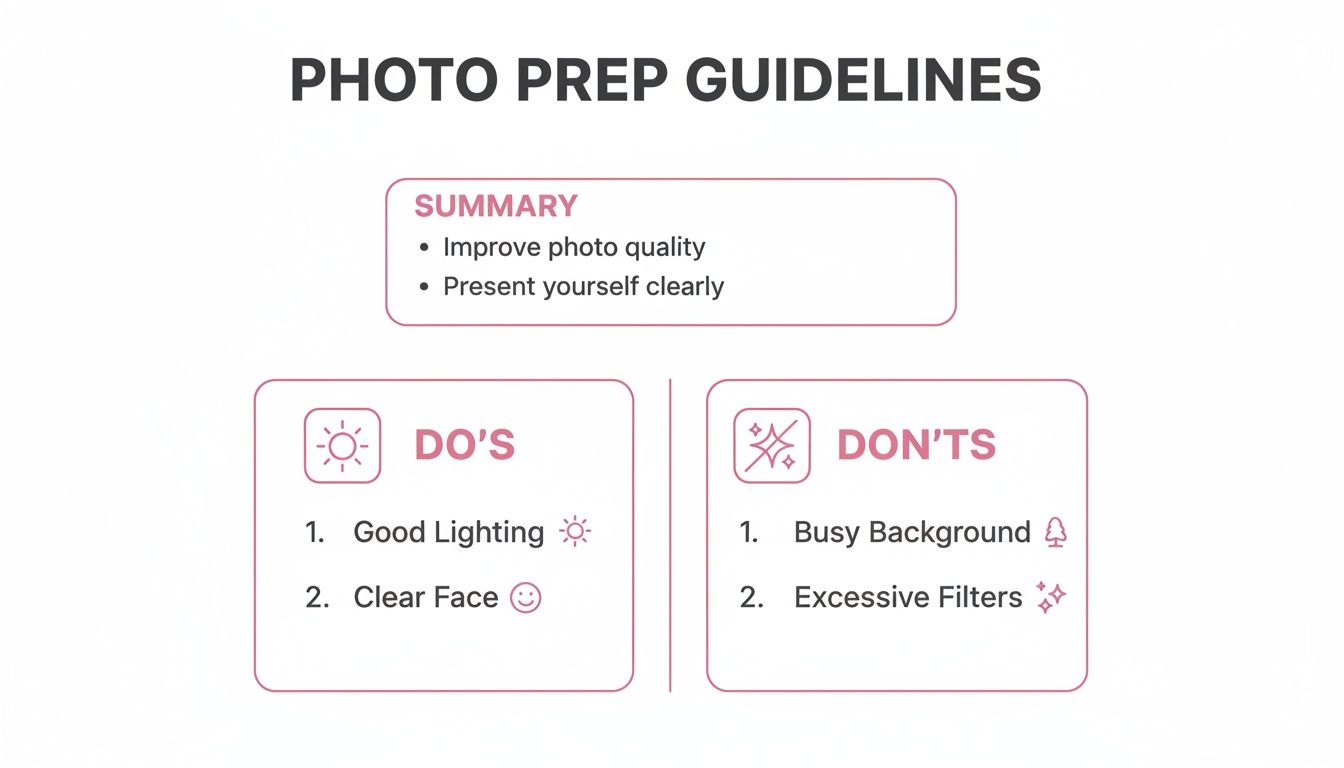
As you can see, things like good lighting and a clear view of your face are a huge help. On the flip side, cluttered backgrounds or heavy filters can trip up the AI, which can weaken the final image to cartoon result.
Matching The Vibe To The Purpose
Let's get practical and talk about how specific styles fit different real-world situations. It’s all about making sure the art style sends the right message.
- For a Playful Vibe (Avatars & Stickers): If you're aiming for something lighthearted and just plain adorable, the 'Chibi' style is a fantastic choice. With its signature large heads, big expressive eyes, and small bodies, it’s perfect for creating cute social media icons or even custom stickers for your messaging apps.
- For a Modern, Edgy Look (Gaming Profiles): Need something with a futuristic punch? The 'Cyberpunk' style is where it's at. It’s all about neon glows, cybernetic details, and a gritty, high-tech atmosphere that’s guaranteed to make your Discord or Twitch profile stand out.
- For Timeless Drama (Artistic Portraits): If you’re a fan of the classics, the 'Manga Black-and-White' style is calling your name. It strips everything down to bold lines, dramatic shadows, and pure emotion, making it a brilliant option for an artistic profile picture or a truly unique gift.
Choosing a style is like picking an outfit for your digital self. The 'Chibi' look is your fun, casual t-shirt, while 'Cyberpunk' is your leather jacket—each one is suited for a different occasion and makes a different impression.
Understanding Key Aesthetic Elements
To help you choose with confidence, I've put together a quick guide to some of the most popular styles available. Think of this as your cheat sheet for matching a style to your vision.
Find Your Perfect Anime Style on AnimePhoto.ai
| Style Name | Best For | Key Aesthetic |
|---|---|---|
| Chibi | Social media avatars, fun stickers, and cute gifts. | Oversized heads, huge expressive eyes, and simplified, compact bodies. |
| Cyberpunk | Gaming profiles, edgy social media, and futuristic art. | Neon highlights, robotic or cybernetic details, and a dark, gritty mood. |
| Manga B&W | Artistic portraits, dramatic profile pictures, and unique gifts. | Bold black-and-white lines, high-contrast shading, and raw emotion. |
| Kawaii | Profile pictures, social media posts, and anything cute. | Soft pastel colors, sparkling eyes, and a dreamy, gentle feeling. |
| Fantasy | Role-playing game characters, fantasy-themed art, and avatars. | Pointed ears, glowing magical effects, and ornate, imaginative clothing. |
Hopefully, seeing them side-by-side makes it easier to pinpoint the exact look you're going for. When you browse the style library, pay close attention to the details. Is the linework sharp and clean or soft and painterly? Is the color palette vibrant and bold or more muted and atmospheric?
Taking a moment to analyze these small details will help you find the perfect match. This way, the final image isn't just a generic cartoon—it's a true reflection of your personality and vision.
Making the Magic Happen: From Photo to Cartoon
Alright, you've got your photo prepped and ready to go. Now for the fun part! Turning that picture into a cartoon with AnimePhoto.ai is genuinely easy. You don't need to be a tech wizard or an artist—just bring your photo and an idea of what you want to create.
The whole process is designed to be quick and intuitive. We're talking a few clicks from start to finish, getting you an amazing result without getting bogged down in complicated settings.
Uploading Your Photo
First things first, you need to get your picture into the tool. You’ll see the upload area right away. It's super simple: either drag your file and drop it right in, or click the button to browse for it on your computer or phone.
Once your photo is selected, the system does a quick check to make sure it's good to go. This is where all that prep work you did earlier really pays off. A clean, high-resolution image uploads in a snap and gives the AI the best possible canvas to work with. And don't worry—your uploads are always secure and private.
Choosing Your Style and Hitting 'Generate'
This is where you get to be the art director. You'll see a whole gallery of anime and cartoon styles, each with a little preview to show you the vibe.
The best part? You're not stuck with just one. AnimePhoto.ai lets you pick several styles at the same time, which is a feature I absolutely love. It’s fascinating to see how different AI models interpret the same photo, and you often get surprisingly cool results you weren't expecting.
Here's a little pro-tip I've picked up:
- Mix it up! I always recommend selecting a mix of styles. Maybe pick one you know you'll like (say, 'Chibi' for a super cute look) alongside something more adventurous like 'Cyberpunk' or 'Fantasy'. You never know which one will turn out to be your favorite.
- Keep an eye on credits. The tool is transparent about how many credits each generation will cost, so you know exactly what you're using before you click anything.
Once you’ve made your picks, just hit that generate button. This is when the AI kicks in, meshing the artistic flair of your chosen styles with the core features of your original photo.
It's amazing how fast this all happens now. Modern AI can crank out a high-resolution image in under 6 seconds. Just a couple of years ago, you'd be waiting around for 20 seconds or more. This incredible speed, which is also helping 80% of professional animators boost their productivity, is what makes your image to cartoon conversion feel almost instant. You can read more about the growth of AI comic generators to see how far the tech has come.
Previewing and Downloading Your New Art
Before you can even finish your coffee sip, your results will pop up. You'll see all the different cartoon versions the AI created based on the styles you selected. Click on each one to get a full-size look, zoom in on the details, and pick the one that speaks to you.
Found the perfect one? A single click is all it takes to download it. The image saves straight to your device in a high-quality format, ready to become your new profile picture, a unique gift, or something to share with your friends. The entire flow from upload to download is completely seamless.
If you're curious about the technology behind all this, we've got a great article explaining how a photo to anime converter online actually works its magic.
Creative Ways To Use Your New Cartoon Image
So, you’ve turned a favorite photo into a fantastic piece of cartoon art. Awesome! But a new avatar is just the starting point. That high-resolution download is a versatile digital file, and now the real fun begins—bringing it into the real world.
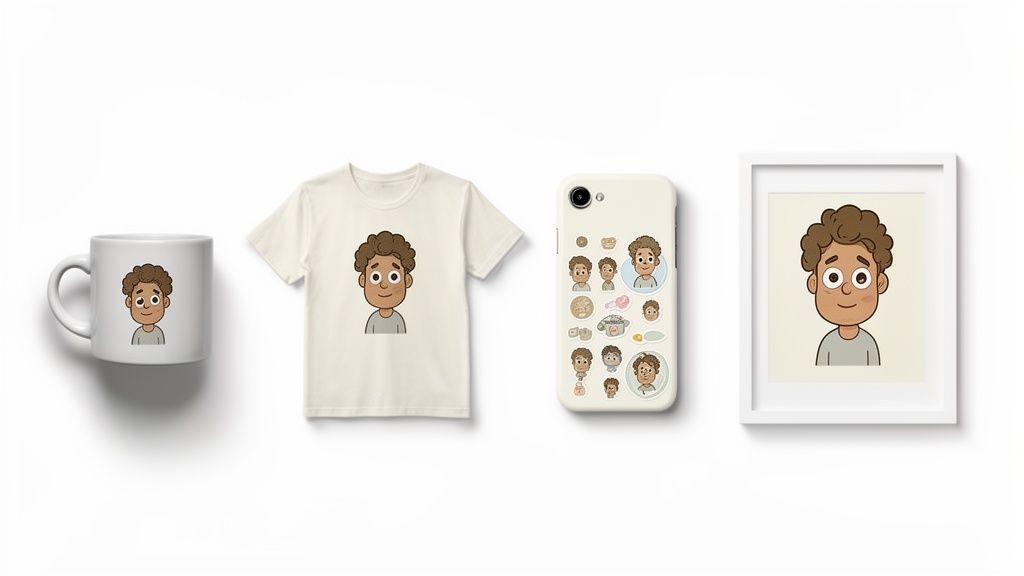
Think beyond the screen. The magic happens when you turn that digital creation into something tangible. It’s surprisingly easy to upload your new image to print-on-demand services and create one-of-a-kind items for yourself or as amazing gifts for friends and family.
Personalize Your World
One of the most popular uses for a cartoon image is custom merchandise. Since you have a high-quality file, it will look sharp and vibrant when printed on just about anything. It’s a great way to surround yourself with art that is uniquely you.
Here are a few ideas I've seen work really well:
- Custom Apparel: Imagine rocking a t-shirt or hoodie with a cool anime version of your pet. Total conversation starter.
- Unique Drinkware: Start your morning with a coffee mug featuring a cartoon portrait of you and your partner. It’s a small thing, but it makes you smile.
- Personalized Stationery: Design custom stickers for your laptop, water bottle, or journal. You could even create your own greeting cards or thank-you notes.
The real goal here is to move beyond just a profile picture. Integrating this custom art into your daily life turns a fun digital experiment into a personal brand statement or a tangible, heartfelt memory.
Level Up Your Digital Presence
Of course, your cartoon image is perfect for upgrading your online identity. But don't just stop at updating your main profile picture. A consistent look across different platforms makes your online brand instantly recognizable.
For example, a streamer I know used their new avatar not just on Twitch but also to create matching emotes, channel banners, and alert graphics. It instantly made their channel feel more professional and created a memorable experience for their audience. A gaming clan could even create matching avatars for every member to build a stronger sense of team unity.
Create Unforgettable Gifts
Nothing beats a personalized gift. It just shows a level of thought and care that an off-the-shelf item can't match. Turning a shared photo into a cartoon is a brilliant way to capture a special memory for an anniversary, birthday, or holiday.
Consider these heartfelt gift ideas:
- Framed Wall Art: Print and frame a beautiful cartoon portrait of a family member or a beloved pet. It becomes a timeless piece of home decor they’ll treasure.
- Custom Phone Cases: A phone case with a stylized image of a friend’s dog or a couple’s favorite photo is both practical and incredibly personal.
- Illustrated Storybooks: Feeling ambitious? You could create a short, simple comic or storybook for a child, using cartoon versions of your family members as the main characters.
Each of these ideas takes your image to cartoon creation and gives it a new life. Whether it’s for personal branding, unique decor, or a meaningful gift, your new artwork has endless potential.
Answering Your Top Questions About AI Cartoon Generators
Dipping your toes into the world of AI art can bring up some valid questions, especially when you’re about to upload a personal photo. It’s only natural to wonder how these tools work, what you can expect from them, and how your privacy is handled. Let's tackle some of the most common things people ask when they decide to turn an image to cartoon.
Is It Safe To Upload My Photos?
This is usually the first thing people ask, and for very good reason. With a trusted service like AnimePhoto.ai, the answer is a firm yes. We take your privacy seriously. Every photo you upload is handled on secure servers, processed privately, and is only ever seen by you.
Your original photos aren't kept long-term or used for anything else. The whole process is protected with industry-standard encryption, so your data is safe from the moment it leaves your device to the second you download your new cartoon.
What Kind Of Photos Work Best?
If you want truly incredible results, a clear, high-resolution photo is your secret weapon. Think of it this way: the AI needs good data to work its magic. A well-lit picture where the subject’s face is clear and looking toward the camera is the gold standard.
To help the AI along, try to steer clear of a few things:
- Harsh shadows that might hide your facial features.
- Heavy filters or effects that change how you actually look.
- Sunglasses or anything else that covers up the eyes.
- Cluttered backgrounds that could confuse the AI.
Shots of a single person work wonderfully, but don't worry—our AI has been trained to handle couples, small groups, and even your beloved pets with impressive accuracy.
An AI image generator doesn't just "trace" your photo; it interprets it. Giving it a clean, detailed, and well-lit source image is the single most important thing you can do to get a beautiful and faithful cartoon version of yourself.
Do I Have To Sign Up For A Subscription?
Nope, not at all! We wanted to keep things simple and flexible. AnimePhoto.ai runs on a simple credit system with one-time purchases. This puts you in control, letting you buy only what you need—whether it's a small pack to test the waters or a bigger bundle to get more bang for your buck.
There are absolutely no recurring fees or sneaky subscriptions. All payments are processed securely through Stripe for a completely transparent and straightforward experience.
Can I Use The Cartoon Images For Commercial Projects?
Once you’ve created and downloaded your image, you have a lot of freedom to use it for personal projects. Think avatars, social media posts, or one-of-a-kind gifts—they're perfect for that. Many AI cartoon generators use advanced image-to-image technology to turn your photos into stylized art.
However, if you're thinking about using an AI-generated image for commercial purposes, like in an ad campaign or on merchandise you plan to sell, it’s always a good idea to double-check the platform's terms of service. Our tool is primarily built for personal fun and creative expression.
Ready to see yourself in a whole new light? Turn your photos into unique cartoon art today with AnimePhoto.ai and make your digital identity pop! Get started now.

See yourself in anime style in under a minute
Pick a style, upload a photo, and get a high-quality anime portrait ready for profiles, prints and gifts.
Create your anime photo

