At its core, an AI anime art generator is a tool that uses artificial intelligence to magically turn your everyday photos into custom anime-style portraits. Forget needing any drawing skills—this is like having a digital artist who has studied millions of anime images and can redraw your picture in any of those styles in just a few seconds.
What Is an AI Anime Art Generator?
Imagine you have a personal artist on call, ready to transform any photo of you, your friends, or even your pet into a stunning piece of anime art. That’s exactly what an AI anime art generator does. It’s a creative tool designed to make art accessible to absolutely everyone, knocking down the usual barriers like needing expensive software or years of artistic training.
You don't have to learn a single complex digital painting technique. The process is simple: upload a photo, pick a style you love, and let the AI handle the rest. The algorithm intelligently analyzes the key features in your photo—your eyes, hair, and face shape—and reimagines them through the classic, expressive lens of anime.
Making Custom Art Easy for Everyone
The real beauty of an AI anime art generator is just how quick and easy it is. A custom portrait that might take a human artist hours or even days to create is finished in moments. This incredible accessibility has made these tools explode in popularity for all sorts of creative projects.
With just a few clicks, you can create:
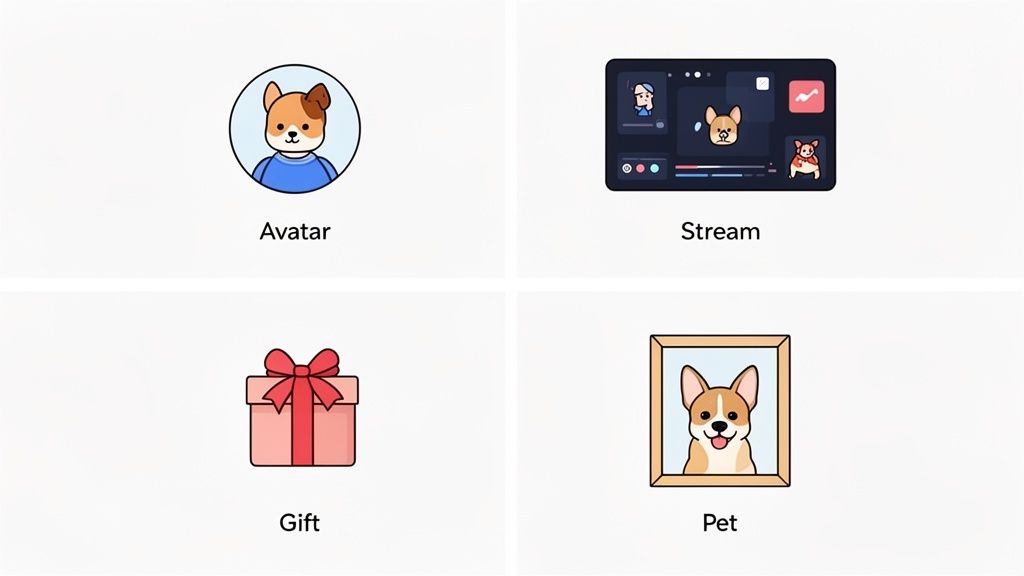
- Unique Avatars: Make your social media, streaming, or gaming profiles pop with an anime version of yourself that truly stands out.
- Personalized Gifts: Design a thoughtful and fun one-of-a-kind portrait for friends, family, or your partner.
- Adorable Pet Art: Turn a snapshot of your furry companion into an irresistibly cute anime character.
This wave of creative interest is clearly reflected in the market's growth. The AI anime generator market was valued at an impressive USD 91.56 billion in 2024 and is expected to skyrocket to USD 667.68 billion by 2032. This shows just how much anime fans and social media users are embracing these tools. If you're curious, you can explore more about these market trends and what's driving them.
How AI Turns Your Photos into Anime
Ever wondered what's really happening behind the scenes when you upload your selfie to an AI anime art generator? It's not just a fancy filter. It’s a fascinating creative process where a powerful AI, trained on millions of images, acts like a digital artist to reimagine your photo.
At the core of this technology, you'll often find models that work together in some pretty clever ways. One of the most common setups is a Generative Adversarial Network, or GAN. Think of it as a duo of AIs working together: an "Artist" and a "Critic." The Artist AI gets your photo and tries to create an anime version from scratch. Then, the Critic AI—which has studied a massive library of real anime—looks at the result and tells the Artist what’s wrong. This back-and-forth happens at lightning speed until the Critic is convinced the artwork looks authentic.
This whole journey, from your photo to a finished piece of art, is a quick but complex transformation.
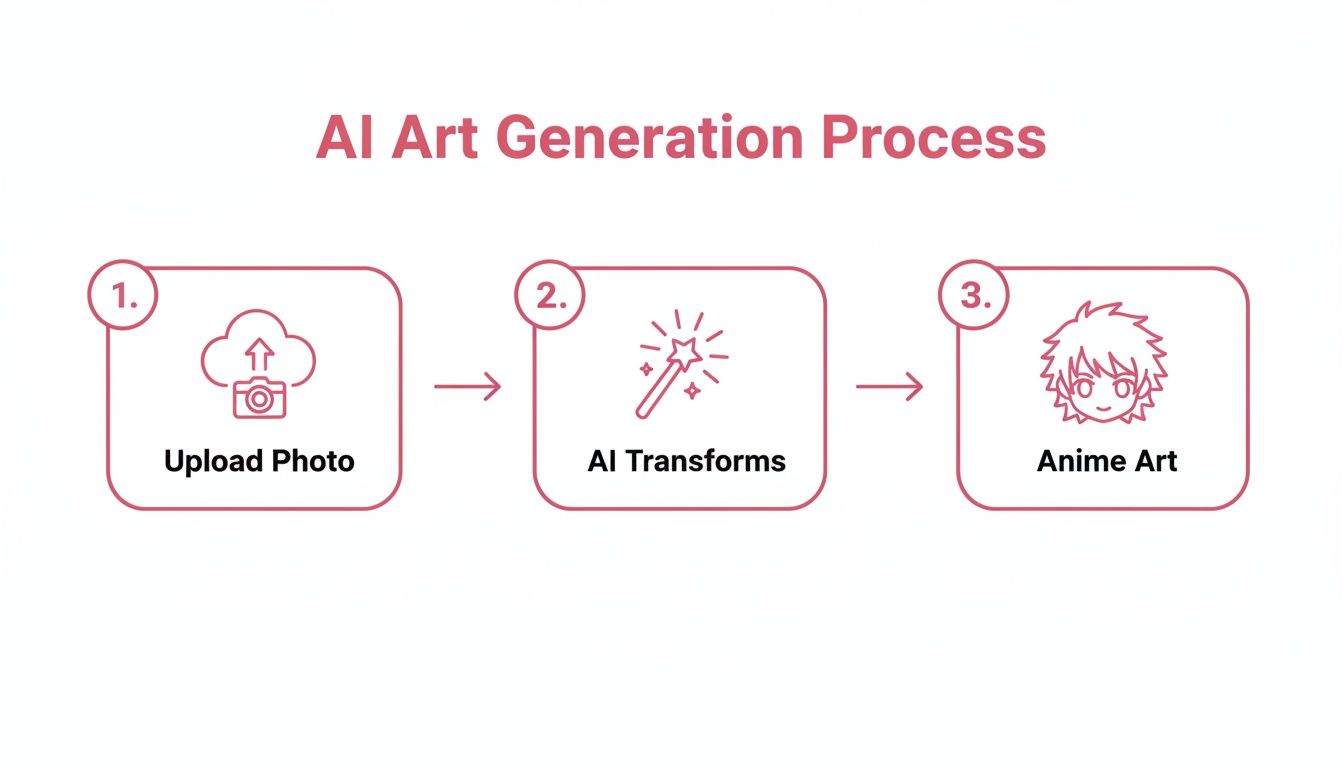
This simple diagram breaks down the process into three main stages, showing how your photo gets deconstructed and then rebuilt into something completely new.
Taking Your Photo Apart to Build Art
The AI doesn't just paint over your picture. First, it analyzes and identifies the key features of your face—the shape of your eyes, the line of your jaw, your hairstyle. It then rebuilds these elements using the visual language of anime, like making the eyes larger to convey more emotion or simplifying the lines for that classic animated look.
This entire artistic boom is powered by some seriously advanced AI. Different models have different strengths when it comes to capturing facial details, choosing color palettes, and even generating cool backgrounds.
To give you a clearer picture, here’s a quick breakdown of the main technologies you’ll find in these tools.
Key AI Technologies in Anime Art Generation
| AI Technology | How It Works (Simple Analogy) | What It Excels At |
|---|---|---|
| Generative Adversarial Networks (GANs) | An "Artist" AI creates the image while a "Critic" AI provides feedback until it's perfect. | Creating highly realistic and artistically convincing styles. Great for photorealistic anime. |
| Diffusion Models | Starts with digital "noise" (like TV static) and slowly refines it into a clear image based on your photo. | Generating incredibly detailed, high-quality, and often very creative images. |
| Transformers | Breaks your image into tiny pieces (tokens) and reassembles them in a new style, understanding the context of the whole picture. | Understanding complex relationships in an image, like getting the background to match the person's pose. |
Each of these technologies brings something unique to the table, and many generators actually blend them to get the best of all worlds.
The quality of an AI-generated image is directly tied to the quality and diversity of the data it was trained on. An AI trained on a massive library of classic, modern, and niche anime will produce far more authentic and varied results.
It All Comes Down to Artistic Training
Ultimately, what makes an AI anime generator so good is its "art school" education. These models are trained on gigantic datasets filled with countless examples of anime and manga. This training is what teaches them the unwritten rules of different genres and art styles.
This is why the best tools offer a wide variety of anime and cartoon artistic styles to choose from. The AI has learned to recognize and replicate the specific traits of each one. For instance, it knows that:
- Chibi Style needs oversized heads, tiny bodies, and super-simplified, cute features.
- Cyberpunk Style calls for neon lighting, futuristic details, and a moodier, grittier feel.
- Manga Style often means working in black and white, focusing on sharp line work and classic screen tones.
By having these artistic blueprints memorized, the AI can translate the features from your photo into the specific anime world you’ve chosen, creating art that feels both unique to you and true to the style.
5 Pro Tips for Getting Amazing Results
The secret to creating truly jaw-dropping art with an AI anime art generator isn't some complex technical trick. It really just comes down to a few simple choices that make a massive difference in the final quality.
Think of it like being a photographer. You know that the better your starting materials and composition are, the more stunning the final shot will be. The exact same principle applies here. Giving the AI a clean, well-lit, and focused photo is the single most important step you can take.
Start With the Perfect Photo
Your source image is the foundation of your entire anime creation. A great photo gives the AI all the raw data it needs to capture your likeness and perfectly translate it into a specific artistic style.
On the flip side, a low-quality photo forces the AI to guess and fill in the blanks, which often leads to blurry, strange, or distorted results.
Here are the key elements to get right in your source photo:
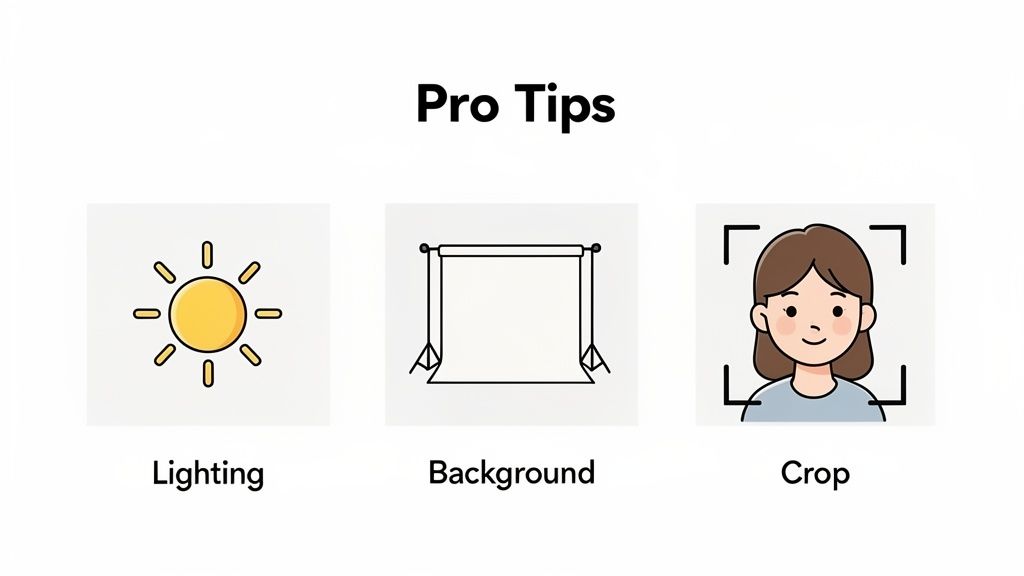
- Good, Even Lighting: Try to avoid harsh shadows or photos that are just too dark. Natural daylight is usually your best bet, as it highlights facial features clearly without creating weird contrasts. A well-lit face is much easier for the AI to understand.
- Clear Facial Features: Make sure your face is in focus and not covered by hair, hands, or accessories like sunglasses. The AI needs a clean look at your eyes, nose, and mouth to create an accurate and expressive anime portrait.
- Simple, Uncluttered Background: A busy background with a lot of stuff going on can really confuse the AI. Go for photos with a neutral or plain backdrop so the focus stays entirely on you.
The goal here is to give the AI a clear blueprint to work from. A high-resolution portrait with a clean background and good lighting will almost always produce a better result than a blurry, poorly lit shot taken from far away.
Set Your Photo Up for Success
Beyond just picking a good photo, a few tiny adjustments can take your final artwork from good to great. These small steps ensure the AI has the best possible canvas to work with. Remember, the tool is incredibly smart, but it's not a mind reader.
First, crop your photo to put the focus squarely on your subject. A tight headshot or a portrait from the chest up is ideal. You'll want to avoid full-body shots where your face is tiny or group photos with multiple people, as this can dilute the AI’s focus and lead to mushy, less-detailed results.
Second, make sure your photo is high-resolution. A grainy or pixelated image will only produce a soft and undefined anime picture. If your photo has a lot of digital "noise," you might want to clean it up before uploading. Learning how to reduce noise in photos can dramatically improve your outputs.
By following these simple guidelines, you’ll be well on your way to consistently creating incredible anime art that you’ll be genuinely excited to share.
Creative Ways to Use Your AI Anime Art
Once you've brought your own anime character to life with an AI anime art generator, the real fun begins. These images aren't just files to sit on your hard drive; they're a new way to express yourself, connect with people, and add a seriously cool touch to your life, both online and off.
Frankly, the possibilities are only limited by what you can dream up. This is your chance to turn a neat digital creation into a memorable part of your personal brand or a gift that someone will never forget.
Elevate Your Online Presence
In a world full of generic profile pictures, a unique avatar helps you stand out. Your AI-generated anime self is the perfect way to build a recognizable identity, whether you're a streamer, a creator, or just want your social media to have more flair.
- Custom Avatars: Swap out that boring selfie for a vibrant anime portrait on Discord, Twitch, X (formerly Twitter), or Instagram. It's an awesome way to show off your personality without using a real photo.
- Streaming Overlays and Emotes: If you're a streamer, your custom anime art can be the foundation of your channel's brand. Think unique emotes, subscriber badges, and on-screen graphics that your community will love.
A great avatar instantly tells a story about who you are. If you need some fresh ideas, our guide to the best Discord profile pictures is a great place to start.
Create Unforgettable Personal Gifts
Looking for a gift that’s genuinely personal? Turning a photo into a piece of anime art is a thoughtful and creative way to show someone you care. It’s a one-of-a-kind present that you simply can't find in a store.
A custom anime portrait of a couple, a family, or a best friend can immortalize a favorite memory or inside joke in a beautiful, artistic style. It’s like a modern-day commissioned portrait, but way more fun and accessible.
This is a fantastic way to turn a digital file into something with real emotional weight. To get your creative juices flowing, here are a few ideas for using your generated art.
Creative Ideas for Your AI Anime Art
| Use Case | Description | Best For |
|---|---|---|
| Matching Portraits | Create complementary anime versions of you and your partner or best friend. | Anniversaries, birthdays, or just because. They look great on matching mugs, phone cases, or framed prints. |
| Team Avatars | Design a unified set of anime profiles for your gaming clan, D&D group, or even your work team. | Building team spirit and creating a fun, shared identity online. |
| Custom Stickers | Print your anime art on vinyl sticker paper to decorate laptops, water bottles, and notebooks. | Sharing your art with friends, personalizing your gear, or creating unique event swag. |
| Social Media Banners | Use your character to create a custom banner for your YouTube, Twitch, or X profile. | Content creators and anyone looking to build a consistent and recognizable personal brand online. |
These are just a few starting points—the real magic happens when you tailor the art to a specific person or moment that means something to you.
Turn Your Pet into an Anime Star
Let’s be real: our pets are the main characters. Turning a photo of your dog, cat, or even your hamster into an adorable anime hero is easily one of the most popular and heartwarming ways to use these tools.
The AI is surprisingly good at capturing their unique markings and personality, reimagining them as a creature straight out of a Ghibli film. These pet portraits make for amazing custom stickers, keychains, or a framed piece of art for your home. It’s a sweet, playful tribute to your furry (or scaly) best friend.
Navigating Quality and Ethical Considerations
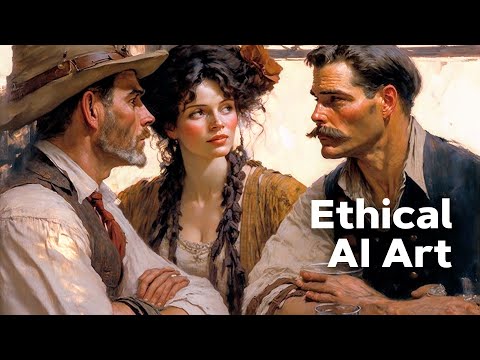
As the world of AI art keeps expanding, it pays to be a smart and responsible user. Let's be real: not every AI anime art generator is built the same. Understanding the key differences in quality, privacy, and ethics will help you pick the right tool for your projects.
First up, let's talk about artistic quality. A truly great tool creates images that are detailed, consistent, and don't have those weird visual artifacts—we've all seen the infamous "AI hands" with six or seven fingers. When you find the best photo to anime converter for you, you’ll see it can handle a wide range of styles while delivering a polished, professional look every single time.
This means you get crisp lines, compositions that make sense, and an art style that actually looks like what was advertised. A top-tier generator doesn't just put a filter over your photo; it reinterprets it with genuine artistic flair.
Protecting Your Privacy and Photos
Beyond the artwork itself, we need to talk about data security. When you upload a personal photo, you're handing over a piece of your life to that service. It’s absolutely essential to pick a platform that clearly states it respects your privacy and won't use your images to train its AI models without your explicit permission.
Always check for a straightforward privacy policy. Good services are upfront about how they handle your data, making sure your photos stay yours and are kept safe from misuse.
This commitment to privacy isn't just a nice-to-have; it's a fundamental sign of a trustworthy AI tool. Your photos should be used for one thing only—creating your art—and then be securely managed or deleted.
Mindful Creation in the AI Era
Finally, it's important to acknowledge the bigger conversation happening around AI's place in the creative world. Using an AI anime art generator for personal projects, new avatars, or unique gifts is a fantastic and fun way to play with new technology. At the same time, nothing replaces the value of commissioning human artists for commercial projects or deeply personal pieces.
As these tools become more common, even the big platforms are starting to adapt. It's interesting to see how companies are navigating this space; for example, you can read about Pinterest's new AI content filter and generative AI settings. This is part of a larger trend toward integrating AI thoughtfully, creating a world where both technology and human creativity can thrive together.
Got Questions About AI Anime Art? Let's Clear Things Up.
Diving into AI art for the first time usually sparks a few questions. You might be wondering about the quality you can expect, or what you're even allowed to do with the images you create. It's smart to get these details sorted out before you begin.
Think of this section as your practical FAQ. We'll walk through the common concerns and curiosities people have about using an AI anime art generator, from weird-looking results to your rights as the creator.
So, Can I Actually Use My AI Anime Art for Anything?
This is probably the most important question, and the answer really comes down to which tool you're using. For personal stuff—like a cool new avatar, a unique gift for a friend, or a custom phone wallpaper—you're almost always good to go. You made it for fun, so share it however you like.
Where it gets a little trickier is when you want to use the art for business. Think selling t-shirts, putting it in an ad, or using it on your company's website.
The best advice I can give is to always check the terms of service for the specific AI anime art generator you're using. Good services will be upfront about this, usually stating that you own the rights to the images you generate and are free to use them for any legal purpose, commercial or otherwise.
Why Do Some AI-Generated Images Look… Off?
We've all seen them: the AI pictures with six-fingered hands or faces that look like they're melting. These strange artifacts usually pop up for a handful of reasons:
- Bad Input Photo: If you upload a blurry, dark, or cluttered picture, you’re not giving the AI much to work with. It has to fill in the blanks, and its guesses can get weird.
- Overly Complicated Ideas: The AI can sometimes get confused when trying to mash too many complex concepts together, especially in busy scenes or with precise details like hands.
- Outdated AI Models: This technology is moving at lightning speed. Those classic AI fails with mangled hands and distorted features were far more common in older versions of the technology.
The easiest way to prevent this? Start with a clean, well-lit, high-quality photo. A great input is the single best thing you can do to get a great output. Thankfully, the best modern generators have gotten incredibly good at avoiding these old problems, delivering consistently clean results.
Ready to create your own stunning anime art without any of the weirdness? AnimePhoto.ai keeps it simple. Just upload a photo, choose your favorite style, and watch it come to life. Kick off your creative journey at https://animephoto.ai.

See yourself in anime style in under a minute
Pick a style, upload a photo, and get a high-quality anime portrait ready for profiles, prints and gifts.
Create your anime photo

