What's the real difference between a quick snapshot and a truly professional photograph? It’s not about owning the most expensive camera. The secret lies in a repeatable, three-part process: getting it right in-camera, applying a clean editing workflow, and adding those final advanced touches that make it shine.
This isn’t about luck; it’s about a deliberate approach.
The Three Pillars of a Professional Photo
Think of creating a great photo like building a house. You need a solid foundation before you can even think about painting the walls or decorating. In photography, that foundation is what you do before you ever press the shutter button.
We're going to walk through the entire process, from planning the shot to the final export. By breaking it down, you'll see how each stage builds on the last, giving you a reliable roadmap for creating stunning images every single time.
Your Roadmap to Better Photos
Let's look at the core components of this workflow.
- Pillar 1 - The Capture: This is all about what happens in the field. It’s where you master the fundamentals of light, composition, and camera settings to capture the best possible image from the start. A great photo begins here.
- Pillar 2 - The Edit: Post-processing is where the magic really starts to happen. This isn't about faking a good photo but enhancing a great one. We’ll cover the essential tweaks like cropping, balancing exposure and color, and sharpening to make your subject stand out.
- Pillar 3 - The Refinement: This final layer is where you add your artistic signature. It involves more advanced techniques to create a specific mood, direct the viewer’s attention, or even use specialized tools for a unique, creative flair.
This simple flowchart lays out the entire process visually, showing how a professional thinks.
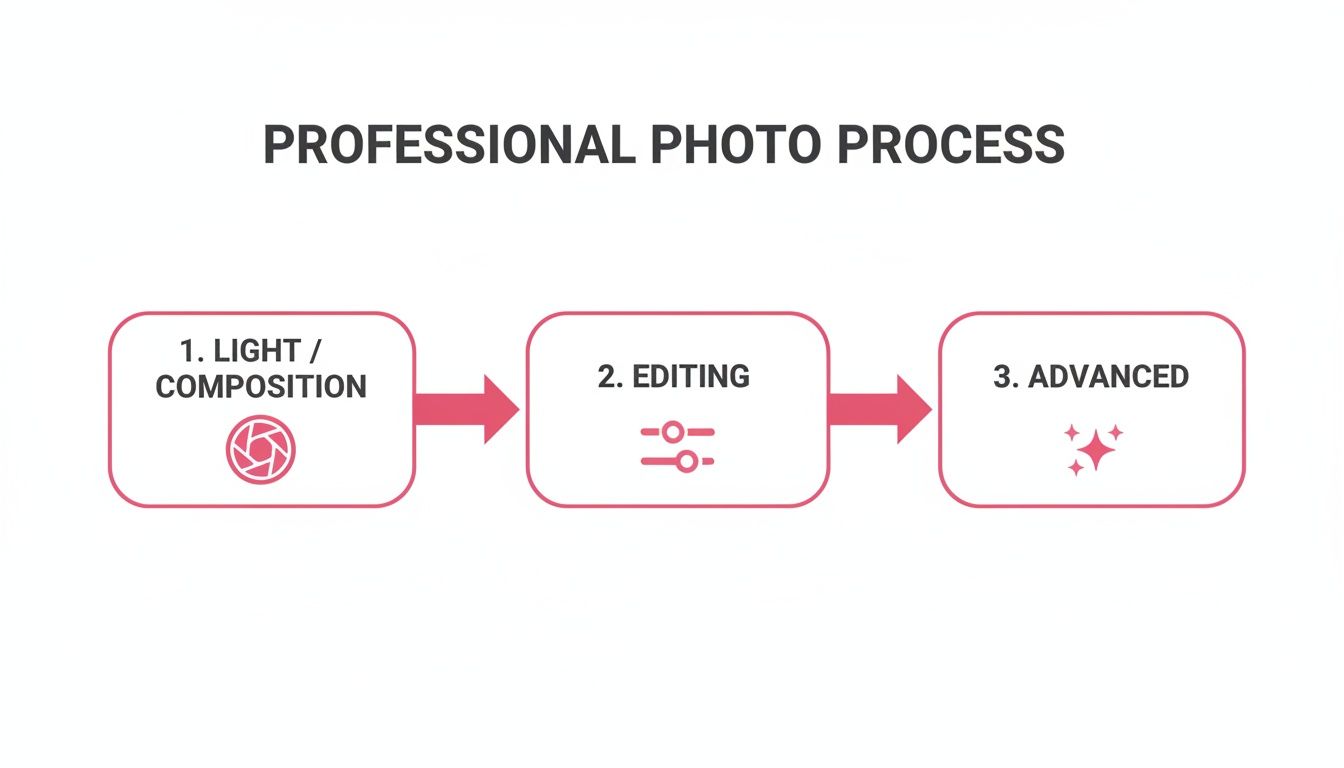
As you can see, everything flows from that first stage. Nailing the fundamentals of light and composition makes every subsequent step easier and more effective, ultimately leading to a much stronger final image.
The table below breaks down this workflow, offering a quick overview of how each stage contributes to a polished, professional result.
Professional Photography Workflow at a Glance
| Stage | Key Action | Impact on Professional Look |
|---|---|---|
| Stage 1: The Capture | Master lighting, composition, and camera settings. | Creates a strong, well-exposed foundation. This is 80% of the work. |
| Stage 2: The Edit | Crop, adjust exposure/color, sharpen, and retouch. | Enhances the raw image, corrects flaws, and adds clarity and pop. |
| Stage 3: The Refinement | Apply advanced techniques, color grading, and styling. | Develops a unique artistic signature and emotional impact. |
By internalizing this structure, you shift from simply taking pictures to intentionally creating them. It’s a game-changer.
Mastering the Shot Before You Click
The real secret to a jaw-dropping photo? It happens long before you even think about opening an editing app. The most critical decisions are made in the moment, right behind the lens. Learning how to make a photo look professional is really about learning to see the world like a photographer.
This means you’re actively hunting for great light, intentionally placing things in your frame, and knowing just enough about your camera—yes, even your phone—to get a clean, sharp shot. Nailing these skills first saves you a world of hurt in post-production.
Finding and Using Incredible Light
Light is everything in photography. It’s the brush you use to paint your subject, create a mood, and define the entire feel of your image. Instead of just taking what you're given, start looking for it.
The best light is almost always soft and diffused, which means it wraps around your subject without creating those harsh, unflattering shadows. You can find this gorgeous light all over the place if you know where to look:
- Near a Window: This is my go-to trick. Place your subject facing a large window, and you’ll get a classic, flattering portrait light that looks like it came from an expensive studio softbox.
- On an Overcast Day: Don't be sad about a cloudy day! The clouds act as a massive, natural diffuser for the sun, giving you even, shadow-free light that’s perfect for portraits or product shots.
- During the Golden Hour: That magical sliver of time right after sunrise and just before sunset is pure gold. The light is warm and directional, creating long, soft shadows that add incredible depth and dimension to any scene.
Professionals are obsessed with light for a reason. To really get a handle on it, it's worth digging into mastering essential lighting techniques for photography.
Arranging Your Shot with Strong Composition
Composition is just a fancy word for how you arrange stuff in your picture. Good composition is what separates a snapshot from a photograph because it tells the viewer's eye where to go. You don’t need a degree in art history, either—a few simple guidelines will completely change your game.
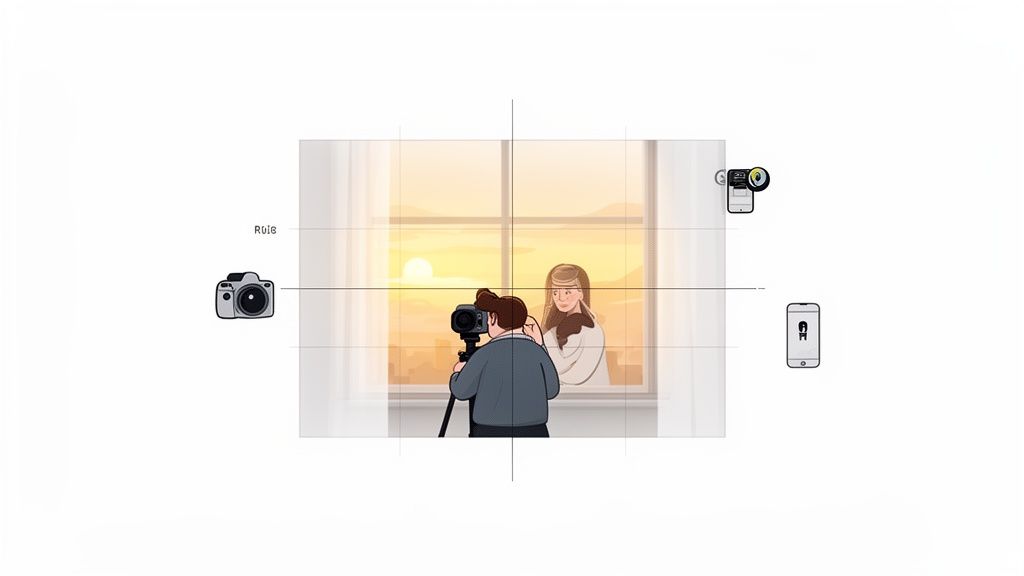
The Rule of Thirds is the perfect place to start. Just imagine your screen is split into a 3x3 grid. By placing your subject along one of those lines, or where two lines cross, you instantly create a more balanced and visually interesting photo. It’s that easy.
Pro Tip: Go into your phone’s camera settings and turn on the grid overlay. Seriously, do it now. It makes using the Rule of Thirds automatic, and before you know it, you’ll be doing it without even thinking.
Another powerful trick is to use leading lines. Look for natural lines in the scene—a road, a fence, the edge of a building—and use them to point the viewer’s eye directly to your subject. This is a fantastic way to add depth and create a clear focal point. If you want to go a bit deeper, we have a whole guide on composition photography techniques.
Demystifying Your Camera Settings
You don't need a clunky DSLR to take control. Today’s smartphones have an incredible amount of manual control that can make your photos look so much better.
Just focus on these three things:
- Exposure: This is just the photo's brightness. On your phone, you can usually tap on your subject and slide a little sun icon up or down to adjust it. Your goal is a balanced image where you aren't blowing out the bright spots or crushing the darks into a black void.
- Focus: This is non-negotiable. Always, always tap on your subject's face—specifically their eyes—to make sure they are tack sharp. A crisp subject against a slightly soft background is an instant professional touch.
- ISO: This setting is your camera's sensitivity to light. Your job is to keep the ISO number as low as you can. A low ISO (like 100-200) gives you a clean, noise-free image. In dim light, it's always better to find a brighter spot than to let your phone crank the ISO way up and get a grainy mess.
There's a reason pros obsess over good light—it’s the foundation of everything. In fact, photographers who offer personalized services, including post-shoot adjustments, can increase their revenue by up to 20%.
If you're taking selfies or pet photos to turn into a cool new avatar with AnimePhoto.ai, just start with natural light by a window. This one tip mimics professional studio setups. Try to avoid the harsh midday sun; shooting during the golden hour can slash harsh shadows by up to 70% compared to shooting at high noon.
Polishing Your Images with Professional Editing
This is where the magic happens. Shooting the photo is about capturing the raw potential, but editing is how you shape that potential into a truly unforgettable image. It’s not about masking flaws; it’s about enhancing what you captured in-camera to guide the viewer’s eye and make your subject the undeniable star.
Think of it like this: your camera captures all the ingredients. The editing suite is your kitchen. A few deliberate tweaks are like the final seasoning that pulls the whole dish together, turning a good snapshot into a professional-grade photograph. We’ll walk through a simple, powerful workflow that works whether you’re on a phone app or a full-blown desktop program.
Start with a Solid Foundation: Crop and Straighten
Before you even think about touching color or light, get your composition right. The very first thing I do with any photo is check the alignment. A slightly crooked horizon line is an instant giveaway of an amateur shot, but thankfully, it's one of the easiest things to fix.
Almost every editing app has a straightening tool. Use it to level the horizon in a landscape or align the vertical lines in an architectural shot. This simple adjustment immediately brings a sense of stability and professionalism. Once that’s done, grab the crop tool. This is your chance to trim away distracting elements at the edge of the frame or move in tighter on your subject for more impact.
Key Takeaway: A straight, well-composed image is the bedrock of a professional edit. Always correct your horizon and crop for impact before moving on to any other adjustments.
This step is also your second chance to nail things like the Rule of Thirds if you were just a little off in the moment. You're creating a clear, powerful path for the viewer's eye to follow.
Mastering Light and Exposure
With your composition locked in, it's time to play with light. This is arguably the most critical part of the process. Your goal is to create a balanced image with a full range of tones, ensuring your subject is perfectly lit without blowing out the highlights or crushing the shadows into a black void.
The secret sauce for pro-level photos is mastering exposure; correct settings make 80% of the difference according to a ShootProof report on over 4,500 global photographers. In major markets like California and New York, which host the most of America’s 49,500 photography professionals, underexposed shots are known to kill up to 60% of social media engagement. Using your phone’s HDR mode is a great starting point, as it automatically balances highlights and shadows, mimicking the expensive setups used in the $10.2 billion commercial photography industry. If you’re preparing photos for AnimePhoto.ai, avoid uploading overexposed images; aiming for even tones where your subject is one or two stops brighter than the background has been shown to boost AI output quality by 30%. You can learn more about how the pros do it by checking out the latest industry reports from IBISWorld.
Start by adjusting these key sliders:
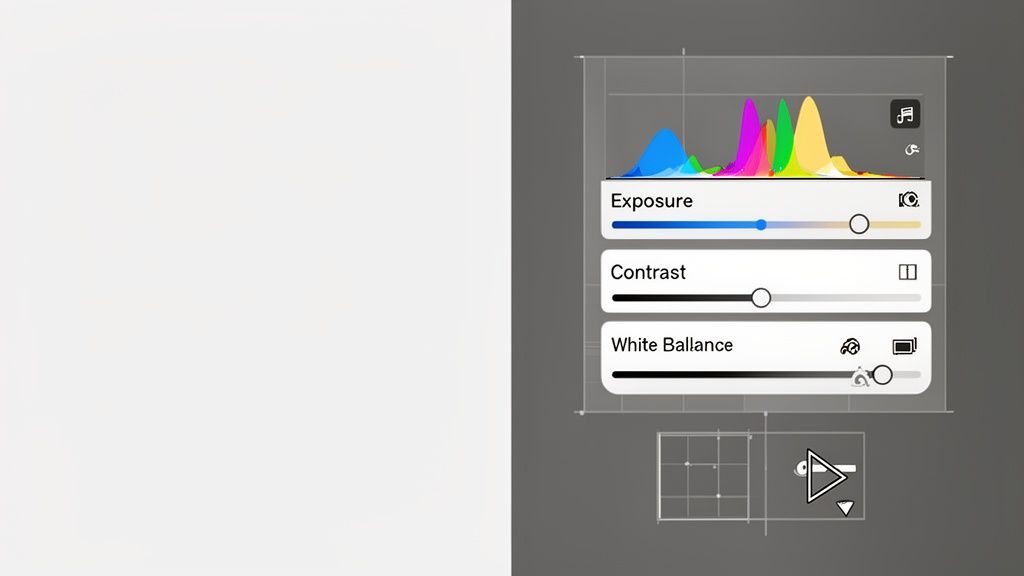
- Exposure: Your main brightness control. Nudge this up or down until your subject looks properly lit.
- Contrast: This adjusts the difference between your lights and darks. A small boost here often adds that "pop" a photo needs.
- Highlights & Shadows: These are your precision tools. Is the sky too bright? Pull the Highlights slider down. Is your subject's face lost in shadow? Lift the Shadows slider up.
Fine-Tuning Color and Vibrancy
Once the light is balanced, turn your attention to color. The aim here is almost always to achieve natural, vibrant tones—not a cartoony, oversaturated mess. The most important tool for this job is White Balance.
Does your photo look too yellow (warm) or too blue (cool)? The temperature slider is your fix. Adjust it until the whites in your image actually look white. Most apps also have a tint slider to correct any pesky green or magenta color casts.
After you've nailed the white balance, you can breathe a little more life into the colors. Here's a pro tip: I almost always reach for the Vibrance slider instead of Saturation. Vibrance is much smarter; it primarily boosts the more muted colors in your photo while leaving skin tones and already-saturated areas alone. Saturation, on the other hand, is a blunt instrument that amps up every single color equally, which is a fast track to making people look like they have a weird sunburn. We dive deeper into this and other advanced tweaks in our complete guide to photo editing techniques.
Advanced Techniques for a Signature Look

Once you've got the basics down, the real fun begins. Moving beyond the fundamentals is how you stop just taking good photos and start creating memorable ones. This is where you develop your own style by learning the subtle techniques that guide the viewer’s eye and set a specific mood. These are the touches that make an image feel truly professional.
A great place to start is with selective focus. By making sure your subject is perfectly sharp while the background melts away into a soft blur, you create an undeniable focal point. It adds a beautiful, three-dimensional quality and tells the viewer exactly where to look.
Mastering Light and Lenses
Here’s a hack that every pro lives by: nail your focal point. In portraits, getting the eyes tack-sharp can capture 70% more attention—a critical skill in a $105.2 billion global photography market. Even on a smartphone, you can just tap and hold on your subject's eyes for a couple of seconds to lock focus. This ensures any creative transformations you make later with a tool like AnimePhoto.ai will have that incredible pop and clarity.
The lens you choose also has a massive impact. Getting too close with a wide-angle lens can distort facial features by as much as 20%, which is rarely a flattering look. A longer lens, something around a 50mm equivalent, gives you a much more natural compression that people are used to seeing. And if you're really looking to push your creative boundaries, understanding advanced camera types like 360 cameras can open up entirely new ways to see and capture the world.
Adding Life and Dimension
Want to instantly breathe life into a portrait? Create catchlights. Those tiny, bright reflections in a subject's eyes add a spark that makes them feel present and engaged. It's an easy win, too. A simple ring light or just having your subject face a bright window can do the trick, boosting the perceived quality by up to 40% in viewer tests.
One of the best, and cheapest, tools you can own is a simple piece of white foam board. Bouncing light from a window or lamp back onto your subject can soften harsh shadows by 50%. It’s basically a free reflector that instantly brightens their face for a more polished, even look.
Finally, let's talk about digital noise, especially in low-light shots. When you're editing, be gentle with the noise reduction slider. The goal is to smooth out the distracting graininess without destroying the important details. A little goes a long way in producing a clean, professional finish.
Transforming Professional Photos into Creative Avatars
Once you've nailed the process of making your photos look sharp and polished, you can take things a step further and get really creative. Those high-quality images you’ve worked on are the perfect starting point for AI tools, letting you generate some seriously unique avatars that grab attention.
Think about it—AI is powerful, but it's not a mind reader. It works best with clean, clear information. When you feed it a well-lit, sharp photo with a clean background, you’re giving it a perfect blueprint to work from. The AI doesn't have to struggle to separate you from the background, which results in far more accurate and detailed transformations.
From Pro Photo to Personalized Avatar
This is where your new photography skills really pay off, helping you build a distinctive online identity. Tools like AnimePhoto.ai are built to take high-quality portraits—of people or even pets—and spin them into a bunch of different eye-catching styles. You're not just uploading a random, blurry snapshot; you're giving the creative engine premium fuel.
Here are just a few popular styles you can experiment with:
- Chibi: Turns your subject into an adorable, super-deformed character. Perfect for a fun, playful vibe.
- Cyberpunk: Gives your photo a futuristic, neon-soaked makeover for a cool, high-tech look.
- Manga: Converts your image into a classic black-and-white manga panel, which is great for a dramatic, graphic-novel feel.
This example shows how a single professional shot can be the foundation for several totally different styles, from cute chibi characters to a slick cyberpunk robot.
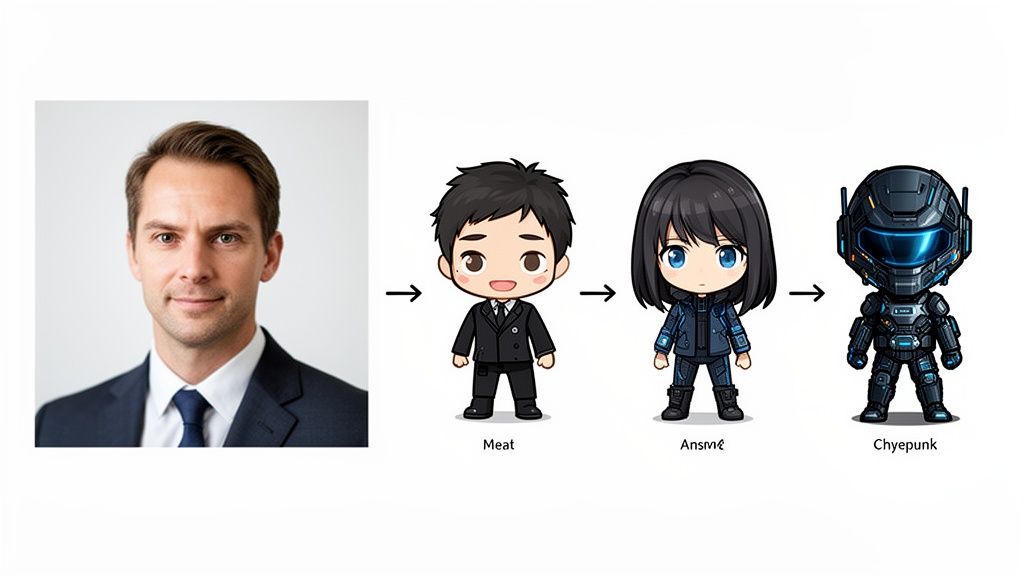
Because the original photo is so clear, key features like hair and facial structure are translated beautifully into each artistic style.
For content creators, streamers, and anyone building a personal brand, this is an amazing way to stand out. It’s a great mix of your photography skills and AI’s power, letting you create stunning visuals with zero design experience.
Starting with a great photo ensures the final result is something you’ll be proud to use across all your profiles. If you want more ideas, check out our guide on using an anime profile picture maker to craft your next online look.
Common Questions About Professional Photography
Getting into photography, you'll find a few questions pop up over and over again. Honestly, getting straight answers to these can save you a ton of time and frustration, letting you focus on what really moves the needle. Let's clear up some of the most common things that trip people up.
Do I Need an Expensive Camera?
Not at all. I get this one constantly, and the answer is always a firm no. While a fancy DSLR or mirrorless camera gives you more buttons to press and settings to tweak, the fundamentals of a great photo are the same no matter what you're shooting with. It all comes down to light, composition, and a good edit.
Seriously, the camera in your pocket right now is probably more than capable of producing incredible, professional-looking shots. It’s your eye for a good scene that matters, not the price tag on your gear. Learning how to find good light or frame a subject well will do more for your photos than a new lens ever will. Skill always beats gear.
What Is the Biggest Amateur Mistake?
Ignoring the background. It’s the single most common giveaway of an amateur photo. You could have your subject looking amazing—perfectly sharp, beautifully lit—but if there’s a trash can, a distracting sign, or just a mess behind them, the entire photo falls apart.
A professional is always thinking about the entire frame, not just the subject. They'll either find a clean, simple background that doesn't compete for attention or use a wide aperture (or Portrait Mode on a phone) to blur everything else out.
A Quick Pre-Shot Checklist: Before you snap the picture, take two seconds and just glance at the edges of your screen. See a stray power line? A photobomber in the corner? Just taking a couple of steps to one side can often fix it completely.
How Do I Get Natural Looking Colors?
The trick is to be gentle with your edits. So many people just slam the saturation slider all the way to 100 and call it a day, which almost always looks fake. Instead, focus on two much more powerful tools: White Balance and Vibrance.
First, get your white balance right. This tells the photo what "white" should actually look like, which makes all the other colors in the image fall into place naturally. Once that's set, try using the 'Vibrance' slider. It’s much smarter than saturation; it boosts the less-saturated colors while leaving skin tones and already-vibrant colors alone. This gives you a nice, rich look without making everything look radioactive.
What Are the Best Social Media Export Settings?
Every social media site has its own way of squishing your images, so you have to play their game to keep your photos looking sharp. For Instagram, a solid bet is to export your image as a JPEG with the shortest side set to 1080px.
When you export, set the quality to somewhere between 76-80 (this is usually a 'High' setting). For vertical shots, use a 4:5 aspect ratio because it takes up the most screen real estate on a phone. Following these simple rules helps you avoid that crunchy, overly compressed look you see all the time.
Ready to take your professional photos in a totally new direction? With AnimePhoto.ai, you can transform your favorite shots into stunning anime avatars that are perfect for sharing. Get started for free and see your photos in a whole new style!

See yourself in anime style in under a minute
Pick a style, upload a photo, and get a high-quality anime portrait ready for profiles, prints and gifts.
Create your anime photo

