Your profile picture is often the very first thing people see. It’s your digital handshake—the first impression you make long before anyone reads a single word you’ve written. A fantastic headshot isn't just a nice-to-have anymore; it's a powerful tool for building immediate trust and credibility online. That's why learning how to take solid do it yourself headshots is one of the most valuable skills you can pick up for your personal brand.
Why a Great Headshot Is Your Secret Weapon
In the crowded, visual world we live in online, your profile picture does a lot of heavy lifting. It's so much more than a simple photo. Think of it as a strategic asset that instantly communicates your professionalism, approachability, and confidence.
Whether it’s for your LinkedIn profile, the company website, or even a creative portfolio, a high-quality image sends a clear signal: you take your professional presence seriously. This isn't just about vanity; it’s about making a genuine connection with your audience from the get-go.
The impact is real and measurable. The professional headshot photography market was valued at around $2.5 billion in 2023 and is expected to more than double. This boom is driven by stats showing that simply having an updated, professional profile photo can lead to 21 times more LinkedIn views and a massive jump in connection requests. You can discover more insights about the business of headshots and understand why they’re so crucial in today’s professional climate.
DIY vs. Professional Photographer
So, should you do it yourself or hire a pro? It really comes down to a trade-off. Hiring a professional photographer pretty much guarantees a certain level of quality and saves you a ton of time, but it's an investment.
Going the DIY route, on the other hand, puts you in the driver's seat. You get complete creative control, and it's incredibly budget-friendly. The catch? You have to put in the time to learn the basics of lighting, composition, and editing.
A well-executed DIY headshot does more than just look good. It showcases your resourcefulness and a keen eye for detail—qualities that are highly valued in any field. It proves you can create polished results with the tools you have on hand.
The Modern Headshot and AI Avatars
These days, a great headshot pulls double duty. It's your professional face online, but it’s also the perfect raw material for more creative digital expressions.
A clear, well-lit, and sharp do it yourself headshot is the ideal starting point for AI tools that generate unique avatars. This modern twist extends your personal brand into new spaces, from gaming profiles to social media, letting you maintain a consistent—yet creative—identity across different platforms. This guide will give you the foundational skills to snap a photo that excels at both.
Finding Flattering Light and Simple Backgrounds
Before you even touch your camera or phone, let's talk about the one thing that will make or break your do it yourself headshot: light. Honestly, great lighting is the secret sauce. You can’t easily fix bad lighting later, but getting it right is totally free and you can do it right in your own home.
Forget about buying fancy equipment. All you need is a large window that lets in plenty of soft, indirect sunlight. You want to avoid direct, harsh sun at all costs—it creates ugly, sharp shadows and makes you squint. What you're looking for is that beautiful, diffused light you get on a slightly overcast day, or from a window that isn't getting blasted by the sun. This is the kind of light that wraps gently around your face, softens features, and gives you a clean, professional glow.
Harnessing Natural Light Like a Pro
Start by scouting your home for the best window. Watch how the light changes throughout the day. I’ve found that mid-morning or late afternoon usually provides the most flattering light, steering clear of that harsh overhead sun around noon.
Once you’ve picked your spot, getting the position right is easy:
- Face the Light Source: Your default position should be facing the window. This lets that soft light hit your face evenly, which will make your eyes pop and give your skin a healthy look.
- Angle for Dimension: A great little trick is to turn your body about 45 degrees away from the window, but keep your face turned towards it. This simple move adds a little bit of shadow and depth, which helps define your facial features in a really flattering way.
- Avoid Backlighting: Whatever you do, don't stand with the window directly behind you. This classic mistake will plunge you into a silhouette, and your camera won't know whether to expose for you or the bright background.
Pro Tip: Turn off all the lamps and overhead lights in the room. Mixing the cool, blue-toned light from the window with the warm, yellow-toned light from indoor bulbs can create some funky color casts on your skin that are a pain to fix. Let the window do all the work.
Creating a Clean and Uncluttered Background
The background is there to support you, not distract from you. Nothing screams "amateur DIY headshot" faster than a cluttered, busy background. The goal here is simplicity.
Look for a plain, solid-colored wall. Light gray, beige, or even a nice off-white are perfect because they won't cast weird colors onto you. If you don't have a good wall, no problem. Just hang up a clean, ironed bedsheet—a neutral gray or white works best—and you've got an instant studio backdrop. Even a minimalist bookshelf or a simple piece of art can work, as long as it's far enough behind you to be out of focus.
To make this even clearer, here’s a quick summary of what to aim for and what to avoid when setting up your shot.
Lighting And Background Quick Guide
| Element | Best Practice (Do This) | Common Mistake (Avoid This) |
|---|---|---|
| Light Source | Soft, indirect natural light from a large window. | Direct, harsh sunlight or dim, overhead artificial lighting. |
| Light Direction | Face the window to illuminate your face evenly. | Standing with your back to the window (backlighting). |
| Time of Day | Mid-morning or late afternoon for the softest light. | High noon, when the sun is directly overhead and harsh. |
| Background | A plain, neutral-colored wall or a simple, ironed sheet. | A cluttered room, messy bookshelf, or distracting patterns. |
| Color | Neutral backgrounds like gray, beige, or off-white. | Brightly colored walls that can reflect onto your skin. |
Getting these two elements right from the start is the most important step. Everything else builds on this foundation.
This infographic shows how a good DIY photo is the starting point for a whole range of modern uses, from a professional enhancement to a creative AI avatar.
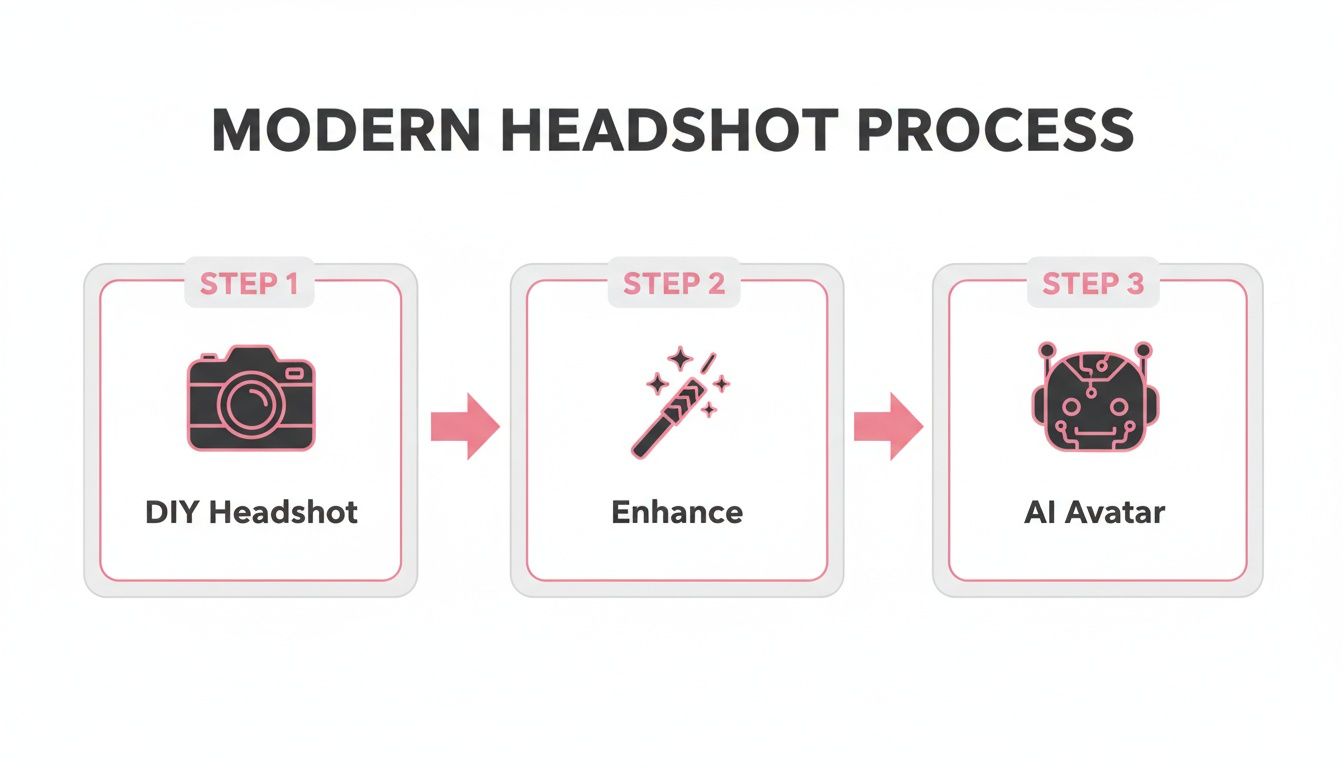
As you can see, a solid initial photo is the key. By mastering the basics of light and background, you're setting yourself up for a fantastic final image, no matter where you take it next. If you want to dive deeper, you can learn more about the best lighting for portrait photography in our detailed guide.
Posing And Framing That Projects Confidence
Let's be honest, feeling awkward in front of a camera is completely normal. Most of us aren't professional models. But the secret to a fantastic do it yourself headshot isn't about striking some dramatic, over-the-top pose. It's about finding a comfortable, natural position that lets your confidence shine through.
You'd be surprised how a few tiny adjustments to your posture and how you frame the shot can take a simple photo from "meh" to magnificent.
The aim here is to look relaxed but also engaged. A great place to start is with your posture. Sit or stand up straight and roll your shoulders back and down. It's a simple move, but it immediately communicates confidence. Also, try to avoid facing the camera head-on; it can look a bit like a mugshot—flat and confrontational.
Small Adjustments For A Big Impact
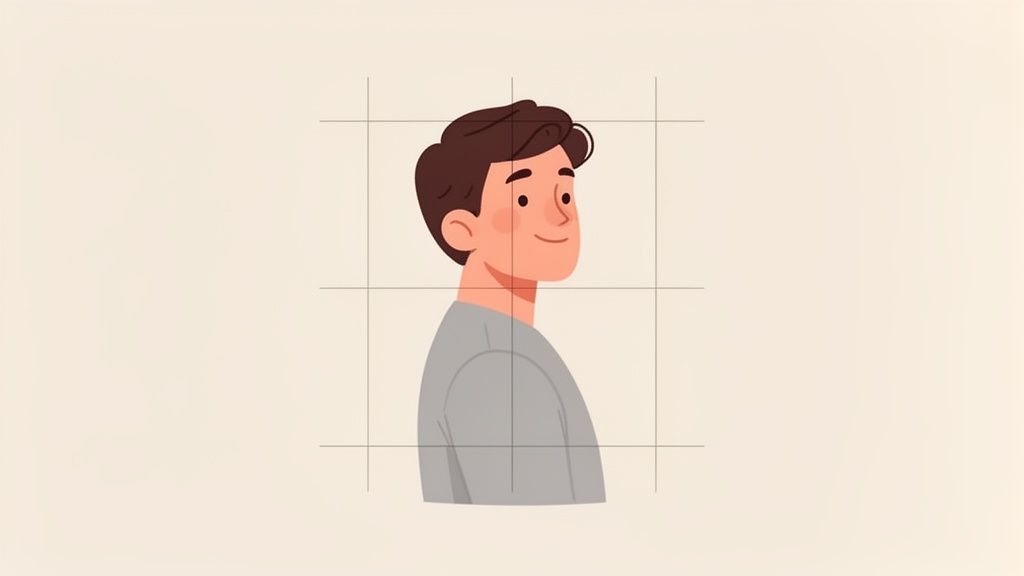
Instead of that direct-on stance, give a slight three-quarter turn a try. Angle your body about 45 degrees away from the camera, and then just turn your head back to look at the lens. This is a classic portrait photography trick for a reason—it’s flattering on almost everyone and adds a sense of depth and dimension to the shot.
Your chin is another small thing that makes a huge difference. Gently push your chin forward and slightly down. I know, it feels a little strange, kind of like a turtle peeking out of its shell. But trust me, on camera, this little trick works wonders to define your jawline and avoid the dreaded "double chin" that can sneak into photos.
Mastering Your Expression and Gaze
Your expression is what really sells the photo and connects with the person looking at it. A forced, "say cheese!" grin just doesn't work. To get a genuine smile, you have to actually feel it. Think about a funny story, a favorite person, or something you're excited about.
A real smile always reaches the eyes. Photographers call it the "squinch"—that little crinkle you get when you're genuinely happy.
Here are a few tricks I've picked up over the years:
- For a warm, authentic smile: Close your eyes for a second. Take a deep breath, picture that happy memory, then open your eyes and let the smile happen naturally.
- For a serious but approachable look: Don't clamp your mouth shut. Part your lips just a tiny bit. This softens your entire expression and looks much more inviting.
- Connect with your audience: Look straight into the camera lens, not at the screen. Imagine you're making eye contact with a friend. This creates a powerful sense of connection and trustworthiness.
The best headshots capture a real moment. Don't be afraid to snap dozens of pictures. The perfect shot is often found in those candid, in-between moments when you're not trying so hard to "pose."
Framing Your Shot Like A Pro
How you place yourself in the frame is just as important as how you pose. Good composition is what makes a photo feel balanced and professional. The easiest and most effective tool for this is the Rule of Thirds.
Picture a tic-tac-toe grid over your screen. Instead of dead-centering your face, try aligning your eyes with the top horizontal line. It’s a simple shift that makes the entire image more dynamic and visually interesting. If you want to dive deeper into this, we have a whole guide on composition photography techniques.
Getting comfortable with posing is a huge step, and many of the same principles apply to casual shots, too. In fact, learning how to pose for a selfie can actually teach you a lot about your best angles. By putting these simple posing and framing tips together, your DIY headshot will project the exact kind of confidence and professionalism you’re after.
Getting The Right Settings On Your Phone Or Camera
The power of modern cameras is incredible, and most of that power is probably sitting in your pocket right now. You absolutely don't need a high-end DSLR to create a professional-looking do it yourself headshot, but you do need to take control of the settings. Just pointing and shooting in auto mode isn't going to get you the results you want.
The good news? Mastering these settings is way easier than it sounds, whether you’re working with a smartphone or a dedicated camera.
Smartphone Settings For Great Headshots
Your phone's camera is a surprisingly capable tool, especially once you learn a few key tricks. Before we dive in, it’s worth noting that not all phone cameras are created equal. If you're an Apple user, figuring out which iPhone has the best camera can give you a head start on quality.
Once you have your device, nail these three things:
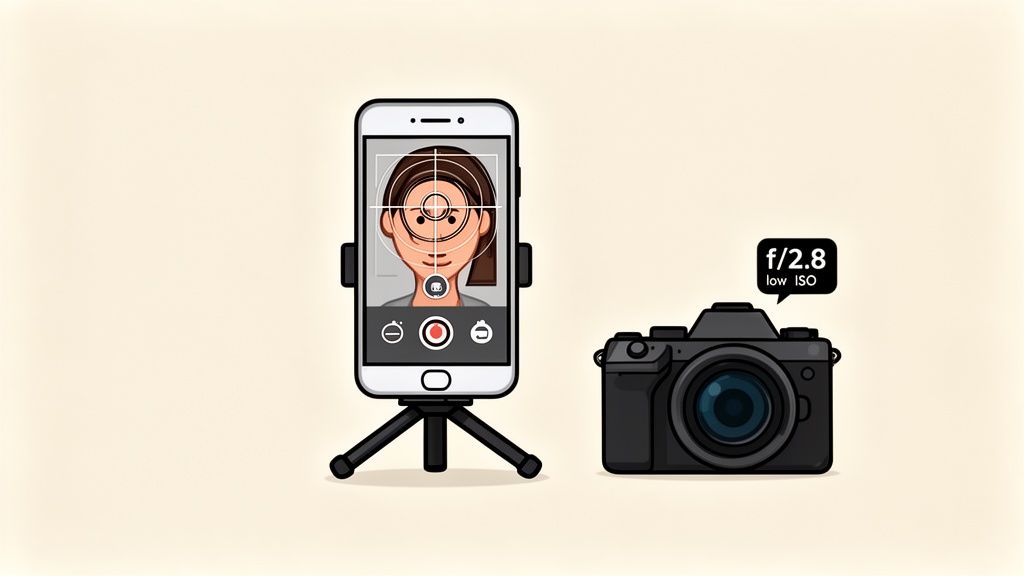
- Always Use The Rear Camera: I can't stress this enough. The main camera on the back of your phone has a much larger, higher-quality sensor than the selfie cam. The difference in sharpness, color, and overall detail is night and day.
- Embrace Portrait Mode: This is your best friend for achieving that soft, blurry background (bokeh) that makes you pop. Portrait mode digitally mimics the look of a professional lens, separating you from whatever is behind you.
- Lock Your Focus and Exposure: Tap and hold on your face on the screen. After a moment, a yellow box should appear, often with a message like "AE/AF LOCK." This is huge—it tells the camera to keep the focus and brightness locked squarely on you, even if you shift a little.
One of the biggest mistakes I see is letting the phone decide what’s important in the frame. By locking focus directly on your eyes, you're telling the camera exactly what needs to be tack-sharp.
Settings For Your DSLR Or Mirrorless Camera
If you happen to have a dedicated camera, you’ve got a lot more manual control to really dial in that professional look. Don't let all the buttons and dials intimidate you; for a great headshot, you only need to focus on a few core settings.
The easiest way to start is by putting your camera in Aperture Priority mode (look for the "A" or "Av" on the dial). This lets you set the most important element for portraits—the aperture—while the camera smartly handles the shutter speed for you.
Here are my go-to starting points for camera settings:
- Aperture: Set this to a low f-number, somewhere in the f/2.8 to f/5.6 range. A lower number creates a shallower depth of field, which is what gives you that beautifully creamy, out-of-focus background.
- ISO: Keep your ISO as low as you can. Stick to 100 or 200 if possible. A low ISO produces the cleanest, most detailed image with virtually no digital "grain" or noise.
- Shutter Speed: In Aperture Priority, your camera will choose this automatically. Just glance at it to make sure it’s fast enough to prevent motion blur. As a rule of thumb, anything above 1/125th of a second should be fine.
The Non-Negotiable Tool: Stability
This is the final, crucial piece of the puzzle, and it applies to both phones and cameras. You must keep your device perfectly still. Even the tiniest handshake will introduce motion blur and ruin an otherwise perfect shot.
So, use a tripod. If you don't own one, get creative and stack some books on a sturdy table or chair. Then, set the self-timer on your device for 5 or 10 seconds. This gives you enough time to press the shutter and get back into position without rushing, guaranteeing your final image is perfectly sharp and clear.
6. Editing Your Headshot and Prepping It for AI
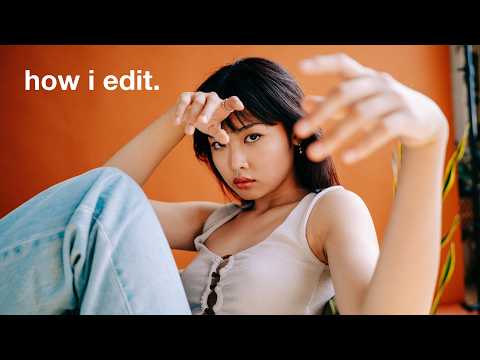
Taking the picture is a huge step, but we’re not quite at the finish line yet. Now it's time for the final polish—the subtle editing that takes a good photo and makes it truly great. This isn't about giving yourself a digital facelift; it’s about making small, smart tweaks to enhance what you've already captured.
You don't need complicated desktop software for this. Simple, free mobile apps like Snapseed or the mobile version of Adobe Lightroom are more than powerful enough. I always start with the most important edit first: the crop.
Cropping is your last chance to really nail the composition. Trim away any distracting empty space to pull the focus right back to you. This is also a great opportunity to adjust the framing to better follow the Rule of Thirds if it’s a little off.
Polishing Your Photo for a Professional Look
When it comes to editing a headshot, less is always more. The goal is a clean, natural image that looks like you on your best day. Resist the urge to slam the sliders all the way to the right. Instead, make tiny, incremental adjustments.
Here’s what I typically focus on:
- Brightness: A gentle nudge up can make the whole photo feel brighter and more inviting. Just be careful you don't blow out the highlights, which are the brightest parts of the image.
- Contrast: Adding a touch of contrast makes the image pop. It deepens the darks and brightens the lights, giving your photo a little more definition and life.
- Sharpening: A little bit of sharpening can work wonders, especially for bringing out the detail in your eyes. Go easy here, though—too much sharpening makes a photo look crunchy and artificial.
These small touch-ups are where the value of do it yourself headshots really shines. When you consider that the median cost for a professional headshot can run anywhere from $250–$450, the DIY approach gives you complete creative control for a fraction of the price. That said, it's worth remembering that the time you spend editing is a real cost. It can easily eat up hours that could be spent on other work, so you have to weigh the trade-offs. You can learn more about the data-driven costs of headshots to see the full breakdown.
Your Headshot as the Perfect AI Canvas
Beyond just being a great profile picture, your polished headshot is the perfect starting point for creative AI tools. When you feed an AI a clean, sharp, and well-lit photo, you’re giving it the high-quality data it needs to work its magic.
A great headshot is the foundation. If you give an AI photo tool a blurry, poorly lit image, you're going to get a mediocre result back. But feed it a crisp, clear headshot, and it can generate some seriously unique and eye-catching avatars that really stand out.
This is where all your hard work pays off in a completely new way. That fantastic DIY photo can be transformed into an anime-style avatar, a fantasy portrait, or a cool futuristic version of yourself. It opens up a whole new world for expressing your personality online.
Platforms like AnimePhoto.ai are built for this, turning your excellent headshot into a scroll-stopping piece of art. If you're curious to see what's possible, you might want to check out our guide on the best AI photo editors.
Answering Your DIY Headshot Questions
Even with a solid plan, you're bound to have a few questions when you're trying something for the first time. Getting a great headshot is a skill, so it’s completely normal to hit a few snags along the way. I've gathered the most common questions people ask about do it yourself headshots to give you quick, clear answers.
Think of this as your personal cheat sheet. If you're stuck on a specific detail or just need a little extra guidance, this is the place to look.
Can I Really Get a Professional-Looking Headshot with Just My Phone?
Yes, you absolutely can. The cameras on modern smartphones are seriously impressive. A newer iPhone or Android can easily capture images sharp enough for any online use, whether it’s for your LinkedIn profile or the company "About Us" page.
It’s less about the gear and more about your technique. When you use your phone’s Portrait Mode, find some beautiful natural light, and pop your phone on a tripod to keep things steady, you can get a headshot that looks like it was taken by a pro with expensive equipment. It all comes down to how you use the tools you have.
What If I Don't Have a Plain Wall for a Background?
No plain wall? Don't sweat it. This is a super common problem, and there are plenty of easy workarounds. The main goal is to find a background that doesn’t distract from the real star of the show: you.
Here are a few alternatives I recommend:
- A Solid-Colored Bedsheet: Grab a clean, ironed sheet—gray, white, or navy blue are fantastic choices—and hang it up. Instant portable backdrop.
- An Uncluttered Corner: Look for a simple spot in your home. Maybe it’s a corner with a single plant or a piece of art hanging far in the background. Less is more.
- The Great Outdoors: A textured brick wall or a nice, clean area in the shade can add a bit of professional flair. Just make sure whatever is behind you isn't too busy.
The most important rule for backgrounds? Create distance. Stand a few feet away from whatever is behind you. This little trick naturally blurs the background, creating a nice depth of field that makes you pop.
How Many Photos Should I Actually Take?
My best advice? Take way more than you think you need. Seriously. When a professional photographer is on a shoot, they can easily take hundreds of photos just to find that one perfect shot. Since digital photos are free, there's no reason to hold back.
I'd suggest aiming for at least 50-100 pictures. This gives you a ton of options to sift through and dramatically increases your chances of catching that perfect, genuine expression. You'll often find that the winning shot is a candid one you took between poses, without even realizing it.
Ready to give your amazing DIY headshot a creative twist? With a tool like AnimePhoto.ai, you can transform your professional photo into a unique, eye-catching anime-style avatar in just a few seconds. It’s a fun way to inject some personality into your social profiles and really stand out. Try it now at AnimePhoto.ai and see what you can create.

See yourself in anime style in under a minute
Pick a style, upload a photo, and get a high-quality anime portrait ready for profiles, prints and gifts.
Create your anime photo

