Have you ever wanted to see a full-body anime version of yourself but don't know the first thing about drawing? It's actually much easier than you might think, thanks to modern anime character maker full body tools. These creative platforms use AI to turn your photos into incredible, complete characters in just a few minutes.
Bringing Your Full Body Anime Character to Life
The idea of reimagining ourselves in the vibrant, expressive world of anime is more popular than ever. This isn't just some niche hobby; it's a massive cultural wave. The global anime market is exploding, with its value expected to hit USD 89.77 billion in 2025. Projections show it could even soar to USD 220.38 billion by the mid-2030s, all thanks to its huge mainstream appeal.
This guide will walk you through how tools like AnimePhoto.ai let anyone design a high-quality, custom avatar. You don't need to be an artist to get professional-looking results anymore.
Why Create a Custom Anime Avatar?
Making a personalized anime character is about more than just a cool profile picture. It’s a powerful way to express your identity online, whether you're a gamer, a streamer, or just love social media.
A custom full-body character can help you:
- Elevate Your Online Persona: Stand out from the crowd with a unique avatar that really shows off your personality.
- Create Meaningful Gifts: Design truly one-of-a-kind portraits for friends, partners, or family members.
- Build Team Identity: Give your gaming squad or club a unified look with a set of matching character images.
The whole process is surprisingly simple, turning a regular photo into a piece of art that truly represents you. And if you're looking to take things even further, an AI 3D figure creator can be a great starting point for more complex projects.
Here’s a quick peek at the clean, simple interface you'll find in most modern anime makers.
These platforms are built to be intuitive, guiding you from uploading your photo to picking a style without any confusing steps.
Choosing the Right Photo for AI Transformation
The secret to a stunning AI-generated anime character isn't in the AI itself—it's in the photo you start with. This is the single most important step. Think of it like this: the AI is an artist, and your photo is its reference sketch. The better the sketch, the better the final masterpiece.
Nail the Pose
A dynamic, clear pose will always give you a better result than a stiff, passport-style photo. The AI needs to see your body’s full outline to create a natural-looking character.
Try an action shot, a relaxed standing pose, or even a fun seated position. Anything that clearly defines your silhouette gives the AI more to work with. If you're stuck for ideas, our guide on the best poses for selfies has a ton of creative starting points.
Get the Lighting and Background Right
Lighting can make or break your final image. Harsh, direct light creates deep shadows that can easily confuse the AI, leading to some weird artifacts or distorted features.
Your best bet is soft, even lighting. Think about the light on a slightly overcast day or the light from a window that isn't in direct sun. This illuminates your features clearly without any dark patches for the AI to misinterpret.
The background of your photo also matters more than you’d think. A cluttered scene can distract the AI, causing it to accidentally blend background elements into your character’s clothing or outline.
Pro Tip: A simple, contrasting background is your best friend. A plain wall or an open outdoor space helps the AI cleanly isolate you from your surroundings. It makes a huge difference.
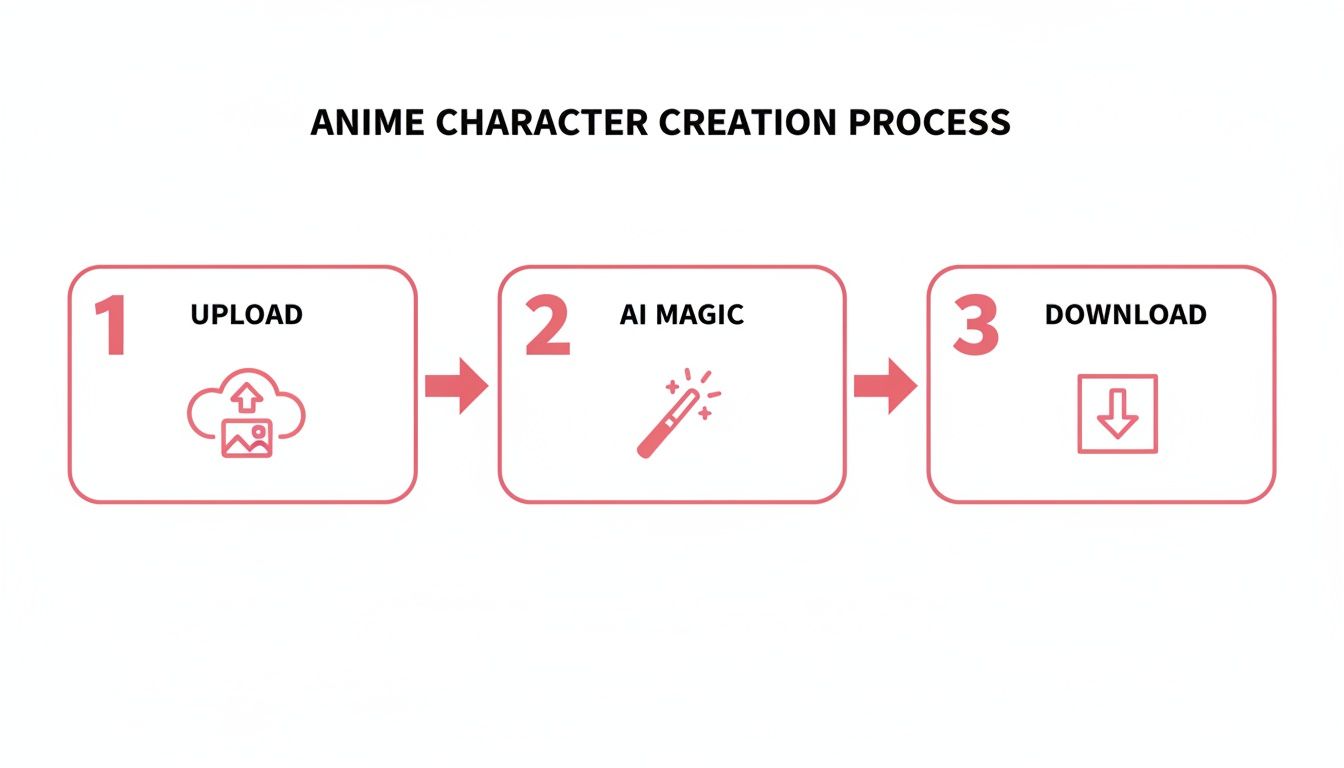
Once you've picked the perfect shot, you're ready to go. Simply head over to the upload feature to kick off the process. Getting the photo right from the start sets the stage for a fantastic result.
Finding the Perfect Anime Style for Your Vision
You've prepped your photo, and now comes the fun part: picking the artistic style that will bring your character to life. This is where a simple picture truly becomes a piece of art. Any good anime character maker full body tool like AnimePhoto.ai gives you a whole library of styles, and each one has its own distinct personality.
Don't just click randomly. The key is to think about the mood of your original photo. A bright, sunny picture from a day at the park? That might look incredible in a soft, dreamy fantasy style. On the other hand, if you’ve got a shot from a city at night with neon signs everywhere, a high-tech cyberpunk aesthetic is practically calling its name.
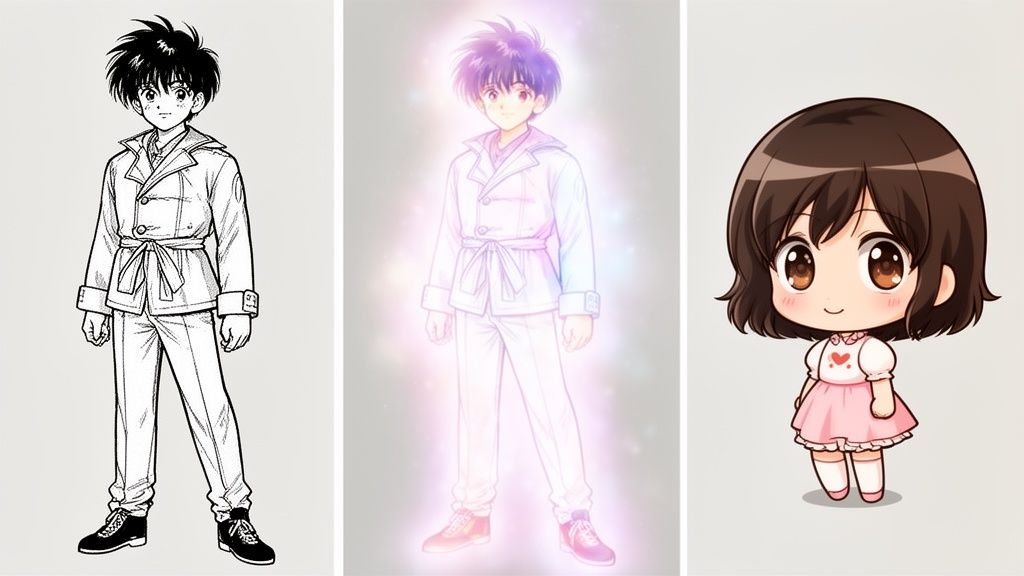
This decision is all about matching your photo's context with the feeling of the art style. You're aiming for a cohesive image where the style elevates the original scene instead of fighting against it.
Matching Styles to Your Photo
Not every style is a one-size-fits-all solution. Different aesthetics interact with your photo's colors, lighting, and composition in really unique ways. A classic manga style, for instance, thrives on bold black-and-white lines that can add a ton of dramatic flair to a portrait with strong, clear features.
Then you have something like a chibi style, known for those cute, oversized heads and small bodies. This is fantastic for creating adorable avatars or even turning a picture of your pet into something super playful. It's all about charm over realism, which makes it perfect for more lighthearted images. The trick is to think about what element of your photo you really want the AI to emphasize.
To make this choice a little easier, I've put together a table that breaks down some of the most popular styles and where they shine.
Choosing the Right Anime Style for Your Photo
This table helps you select the best AnimePhoto.ai style based on your original photo and the artistic effect you want to achieve.
| Anime Style | Best For | Key Aesthetic | Pro Tip |
|---|---|---|---|
| Classic Manga | Portraits with strong lighting and clear features. | High-contrast black and white, bold line work, dramatic shading. | Works best when your photo has a simple background so the character details pop. |
| Fantasy | Outdoor scenes, photos with soft or magical lighting. | Dreamy colors, glowing effects, ethereal and soft-edged look. | Try it with photos taken during golden hour for truly stunning, warm results. |
| Cyberpunk | Night cityscapes, photos with neon lights, modern urban settings. | Vibrant, electric colors, high-tech details, futuristic and edgy vibe. | The AI loves to pick up on bright light sources, so photos with lots of contrast work well. |
| Chibi | Fun, casual photos, pet pictures, creating cute avatars. | Exaggerated proportions, large eyes, small bodies, simplified details. | Perfect for group photos where you want a playful, unified team look. |
Ultimately, this is more than just slapping on a filter; it's art direction. You're guiding the AI to interpret your photo through a specific creative lens.
Key Takeaway: The best style choice is one that complements the mood and content of your original photo. A cyberpunk filter on a rustic farm photo might feel out of place, while a fantasy style would fit perfectly.
If you're curious about how different AI tools handle these artistic interpretations, you might want to read our breakdown of the best anime AI art generators.
The Global Appeal of Custom Styles
The desire for personalized digital content is exploding. The rapid expansion of internet distribution, which is growing at a staggering 21.2% CAGR, has made anime and its related art forms more accessible than ever before. This digital-first culture puts powerful creative tools into the hands of a global audience, fueling the demand for unique anime art. You can discover more insights about the anime market on Mordor Intelligence.
What this means for you is an incredible range of styles at your fingertips, from those inspired by classic shows to modern, semi-realistic looks. Experimentation is your best friend. Don't be afraid to run the same photo through a few different styles—you might be surprised by which one you fall in love with.
5. Nailing the Details: Clothing, Accessories, and Backgrounds
A great pose and a cool art style are the foundation, but what makes an anime character unforgettable are the details. The clothes they wear, the accessories they carry, and the world they stand in—this is where your character’s story comes to life. Getting these elements right is the secret to taking your creation from good to truly special.
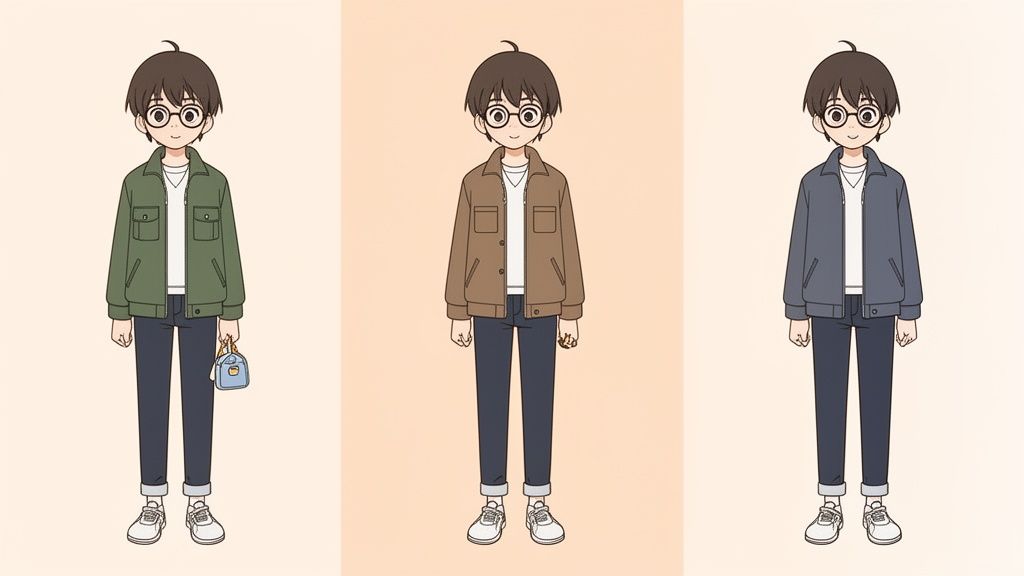
It all begins with what you’re wearing in the original photo. You might be tempted to put on your favorite band t-shirt, but when working with AI, simpler is almost always better.
A Guide to Outfits and Accessories
The AI looks at the shapes, colors, and lines in your photo to generate the anime outfit. Things like busy patterns, detailed logos, or complex graphics can confuse it, sometimes leading to messy or unpredictable results.
On the other hand, solid colors and simple patterns give the AI a clean slate. A solid-colored jacket, a basic striped shirt, or plain dark pants provide clear, easy-to-interpret information. This doesn't mean your character will be bland; it just helps the AI create a more polished and intentional look with clean lines and a coherent style.
Accessories are your secret weapon for adding personality and directing the design.
- Glasses: If you're wearing glasses in the photo, the AI will almost certainly include them. It's great at stylizing them to match the anime aesthetic you’ve chosen.
- Outerwear: A distinctive piece like a bomber jacket or a beanie has a huge impact on the final design, giving you more say in the character's vibe.
- Jewelry: Even simple necklaces or bracelets can be picked up by the AI, adding another small but meaningful layer of detail.
Think of these items as direct instructions. They’re strong visual cues that guide the AI in shaping the final outfit. If you're looking for more ideas on this, our deep dive into anime character design software has some fantastic pointers.
Setting the Scene with the Right Background
Just like with your clothes, a simple background is your safest bet. But that doesn't mean you can't use your environment creatively. If your photo has a distinct setting, you can use it to build a complete scene, not just an isolated character.
Pro Tip: Your background should complement the character, not compete for attention. An outdoor shot in a park might inspire a soft, Ghibli-style landscape. A photo on a city street at night could easily become a neon-soaked cyberpunk world.
The main goal is to keep the focus squarely on your character. If the background in your photo is too cluttered, the AI might get confused and blend random objects into your character's outline. When in doubt, a clear sky or a plain wall is a foolproof option for the cleanest possible result.
By paying attention to these details, you gain a surprising amount of control, ensuring your anime character maker full body creation is as polished and professional as you imagined.
How to Troubleshoot and Refine Your AI Art

Working with an AI image generator isn't a one-and-done deal. It’s much more of a creative back-and-forth, and it's totally normal for the first few results not to be perfect. Think of this process less like fixing errors and more like guiding your digital partner toward your final vision.
Maybe your first attempt came out with slightly wonky hands or a pose that just feels… off. Don't worry, that's one of the most common hurdles in AI art. Usually, it’s because the AI had trouble interpreting something in the original photo, like complex shadows or a tricky camera angle.
Fixing Common Generation Issues
Honestly, the most effective fix is almost always to go back to the drawing board—your source photo. Instead of trying to patch up a flawed generation, you’ll save a ton of time and frustration by just giving the AI a better starting point. A slightly different photo can make a night-and-day difference.
Here are a few classic issues I see all the time and how to tackle them by swapping out your source image:
- Distorted Hands or Feet: The age-old AI art problem. To get around this, find a new photo where your hands are simple and clearly visible. Poses where your hands are resting at your sides or holding something with a clean grip work great. Try to avoid complicated hand gestures or angles where the fingers are obscured.
- Odd Colors or Textures: If the clothes on your character look like they’re melting or have a bizarre texture, the culprit is often a busy pattern or a logo on your shirt in the original picture. Just switch to a photo where you’re wearing solid colors or a very simple pattern.
- Unnatural Poses: Sometimes a pose comes out looking stiff or even a bit broken. This usually happens when the AI can't quite make out your silhouette. A photo with a clear, dynamic pose against a plain background helps the AI see your full body shape and translate it much more accurately.
Key Takeaway: Your best tool is experimentation. Don’t get hung up on making one specific photo work. The fastest way to a result you’ll love is to try two or three different source images with the same style settings.
A Practical Refinement Workflow
Treat your first few generations like rough drafts. Look at what’s working and what isn’t. Perhaps the face is absolutely perfect, but the jacket looks like a mess. That’s valuable feedback! It tells you the AI nailed your face but got confused by your clothing.
Now you know what to do. Find a new photo with a similar facial angle but with you wearing a much simpler jacket.
This cycle—generate, analyze, and then provide a better source photo—is the core skill you need to master any anime character maker full body tool. It puts you in the director's seat, guiding the AI with each attempt until the final character isn’t just good, but is exactly what you had in mind.
What to Do With Your Custom Anime Creation
So you’ve brought your full-body anime character to life. Awesome! But don't just stop at a new profile picture. This is where the real fun begins, because your creation can be so much more than just a digital avatar.
Think bigger. You can easily turn your artwork into amazing real-world items. The high-resolution downloads are perfect for printing on mugs, t-shirts, posters, or even custom sticker sheets. Imagine gifting a friend a one-of-a-kind hoodie with their anime alter-ego on it—talk about a memorable present.
More Than Just a Solo Act
Why keep the fun to yourself? Grab a photo of you and your partner and create a unique portrait that captures your relationship in a cool, artistic way. It’s a fantastic idea for an anniversary gift or just a fun way to refresh your shared social media profiles.
This works great for groups, too. Get your gaming squad together for a team photo and turn it into a unified set of avatars. It gives your crew a seriously cool and cohesive look. Or, create matching art for your friend group to celebrate your bond.
- Couple Portraits: A truly personal gift for that special someone.
- Gaming Squads: Unify your team's online presence with a consistent style.
- Friend Groups: Make some fun, matching art that celebrates your friendship.
A quick note on privacy, because it matters. At AnimePhoto.ai, we take this seriously. Your photos are processed securely and are never shared or used for anything else. We don't store them long-term, so you can create with complete peace of mind.
Keeping It Simple and Secure
We've intentionally kept the process straightforward. You won't find any confusing subscriptions here. Instead, AnimePhoto.ai runs on a simple credit system with secure, one-time payments.
This setup gives you total flexibility. Whether you need one image for yourself or a whole gallery for your friends, you just get what you need. It lets you focus on what's important: getting creative with your new anime character maker full body artwork.
Got Questions About Full Body Anime Makers?
When you first start playing around with a full-body anime generator, a few common questions tend to pop up. Let's tackle them head-on so you can get right to creating without any second-guessing.
Can I Use Photos with More Than One Person?
Absolutely! This is one of my favorite ways to use these tools. They work great for couples, best friends, or even your whole D&D party.
The trick is to use a photo where everyone is clearly visible and not obscuring each other too much. The AI will then work its magic on each person, transforming them into the anime style you've chosen. It’s perfect for creating those matching couple portraits or unique team avatars.
What Happens to the Photos I Upload?
This is a big one, and rightly so. Your privacy is paramount. When you upload a photo, it's processed on secure servers and is never shared or used for anything other than generating your image.
These photos aren't stored long-term. You can create with peace of mind, knowing your personal pictures remain just that—personal. They're typically deleted right after processing is complete.
The Bottom Line: Any reputable platform is built with privacy at its core. Your uploads are only used to create your anime art. They aren't kept, and they certainly aren't used for anything else. This ensures you have a safe and secure creative experience from start to finish.
Ready to see yourself in a whole new art style? Give AnimePhoto.ai a try and bring your character to life in just a few clicks. Start creating now!

See yourself in anime style in under a minute
Pick a style, upload a photo, and get a high-quality anime portrait ready for profiles, prints and gifts.
Create your anime photo

