An AI anime character generator is a tool that takes your photos and, using artificial intelligence, reimagines them as unique, high-quality anime-style portraits. It’s a seriously fun way to cook up a custom avatar for social media or a thoughtful gift for a friend, and the best part is you don’t need an ounce of artistic skill.
The Magic of AI Anime Character Generators
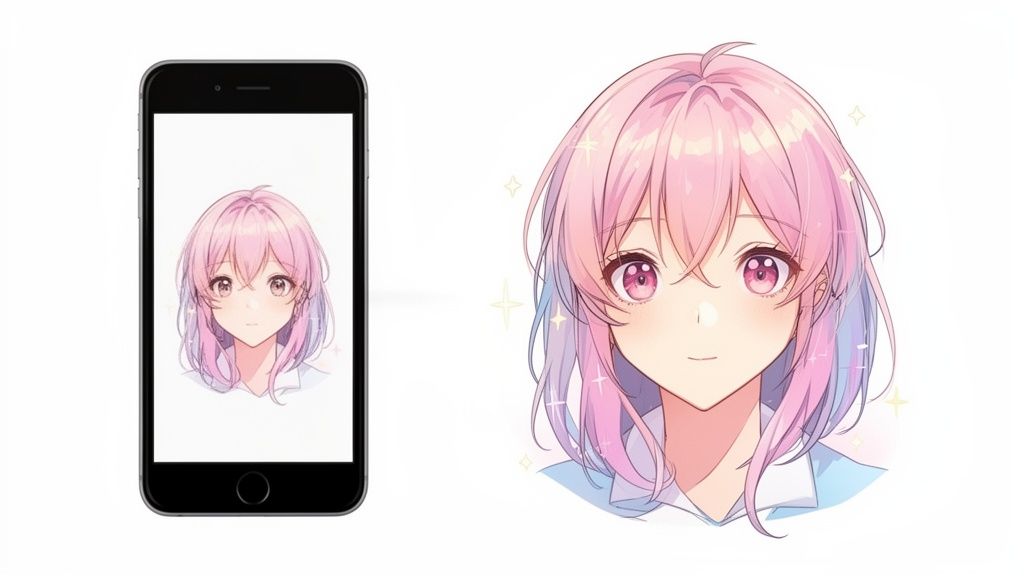
Ever look at a photo and wonder what you'd look like as an anime character? It’s not some kind of sorcery—it's just smart technology. These generators are designed to bridge the gap between your everyday photos and the vibrant, expressive world of Japanese animation, letting just about anyone create stunning anime-style portraits. And honestly, it's no surprise they've become so popular.
Why Are These Tools So Popular?
The appeal really boils down to two things: accessibility and creativity. Not too long ago, if you wanted a custom anime portrait, you had to find and commission an artist. That process could be expensive and often meant a lot of waiting. Now, you can get a similar, personalized result in just a few minutes. This has opened up a whole new world for people to express themselves.
This isn't just a passing fad, either. The numbers behind it are pretty staggering. The global market for this kind of AI tech was valued at a massive USD 91.56 billion in 2024 and is expected to explode to USD 667.68 billion by 2032. That kind of growth speaks volumes about the demand for easy, cost-effective animation and art, especially in gaming, social media, and entertainment. You can dig into some fascinating market trend insights to see just how big this is getting.
The real value of an AI anime generator is that it makes art creation accessible to everyone. It puts you in the driver's seat, letting you turn a favorite selfie or a cherished memory into something completely new and imaginative.
What Can You Create?
The possibilities are pretty much endless, really only limited by what you can think up. Whether you're a dedicated gamer, a social media maven, or just hunting for a truly unique gift, these tools are incredibly versatile.
Here are just a few ideas I've seen work great:
- Custom Avatars: Create a profile picture for Discord, Twitch, or Instagram that actually stands out and shows off your personality.
- Personalized Gifts: Turn a photo of a friend or family member into a one-of-a-kind piece of art. Imagine turning a couple’s photo into a romantic anime scene for an anniversary—it’s a guaranteed hit.
- Creative Content: Generate eye-catching visuals for your blog, YouTube thumbnails, or other projects without having to hire a graphic designer.
- Team Branding: Get a unified look for your gaming squad or online community with a set of matching anime-style profile pictures.
In this guide, I’ll walk you through everything, from picking the right photo to getting the most out of your final artwork. I'll be sharing tips from my own experience to help you get professional-looking results using tools like AnimePhoto.ai, which I’ve found to be fast, private, and surprisingly powerful.
Choosing the Right Photo for Amazing Results
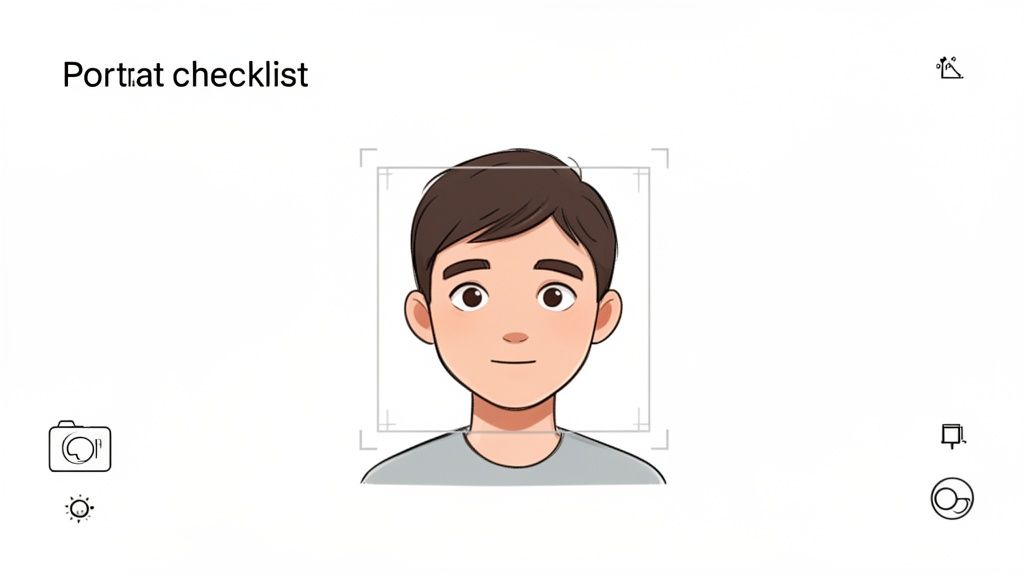
Here’s a little secret from someone who has seen thousands of these transformations: the magic behind a fantastic AI anime character isn't just the software. It all starts with the photo you give it.
Think of it like this: you're giving the AI a blueprint. A clean, clear blueprint will result in a masterpiece. A fuzzy, poorly lit one? Well, you can guess the outcome. A great starting image is the single most important factor for getting a result you’ll be excited to share.
Key Ingredients for a Perfect Photo
Before you rush to upload that selfie from last night, let's talk about what makes a photo truly work for an AI anime character generator. A few simple checks can make a world of difference.
- Lighting is Everything: Your best bet is natural, even light. Stand near a window on an overcast day—it's like having a professional softbox. You want to avoid harsh overhead lights that create deep shadows or direct sunlight that blows out your features.
- Clarity and Focus: The AI needs to see you. If your photo is even slightly blurry, the final anime version will likely look muddy or distorted. Make sure your face is sharp and in focus, so details like your eyes and mouth are easy for the algorithm to interpret.
- Simple Backgrounds: A cluttered or busy background can really throw the AI for a loop. It might mistake a bookshelf or a patterned wall for part of you. Stick to a simple, neutral background to keep the focus right where it should be: on your face.
The goal is simple: give the AI an unambiguous picture of your face. Clear lighting, a direct gaze, and a clean background are the trifecta for creating an anime character you'll absolutely love.
Photo Selection Checklist for Best AI Anime Results
I've put together a quick table to help you vet your photos. It's a simple checklist I run through myself to ensure the best possible outcome, whether I'm turning a picture of myself, a friend, or even my dog into an anime character.
| Criteria | Why It Matters | Quick Tip |
|---|---|---|
| High Resolution | More pixels mean more data for the AI. This translates to sharper details and a cleaner final image. | Always use the original photo from your camera roll, not a compressed version from social media or a text message. |
| Clear Facial Features | The AI needs to see your eyes, nose, and mouth clearly to translate them accurately into an anime style. | Ditch the sunglasses or any hat that casts a heavy shadow. Keep your hands away from your face. |
| Direct Gaze | Facing forward toward the camera gives the AI a symmetrical map of your features to work with. | If you're looking for ideas, our guide on the best poses for selfies has some great pointers. |
| Neutral Expression | A soft smile or a relaxed, neutral look usually translates much better than an over-the-top expression. | A huge, toothy grin can sometimes look a little uncanny once it's been converted to an anime style. |
This checklist is your shortcut to avoiding common pitfalls and getting a result you’re happy with on the first try.
Getting the resolution right is especially critical. For a deeper dive, the principles are similar to those for understanding photo resolution for high-quality prints. A sharp, high-res photo isn't just a suggestion; it’s the foundation of your entire creative process.
Finding the Perfect Anime Style for Your Portrait
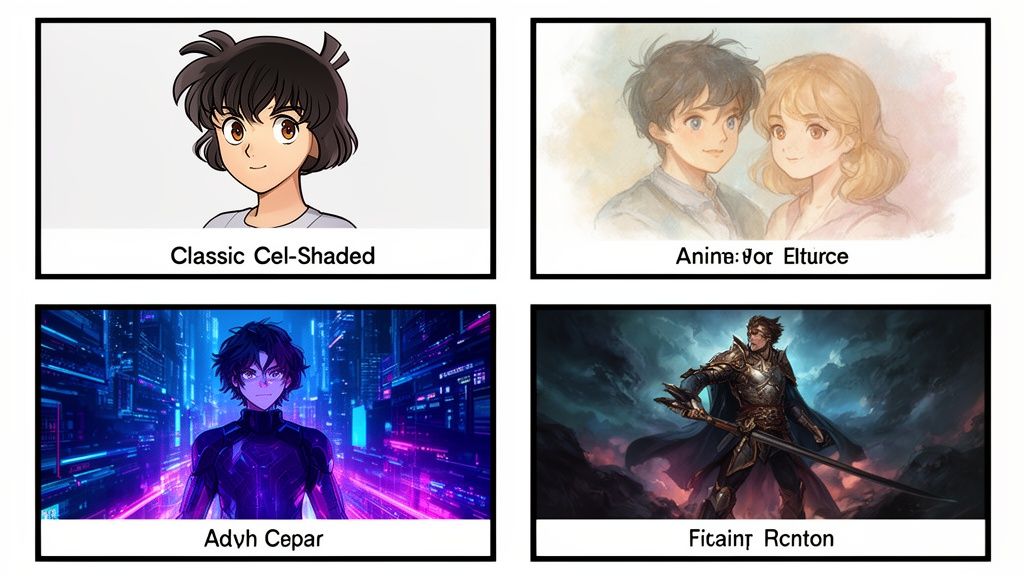
Now that you've got a great photo, it's time for the fun part: playing art director. This is where you decide on the exact aesthetic that will bring your portrait to life. Any good AI anime character generator will give you a whole palette of styles to choose from, each with its own vibe and visual flair.
The trick is to think about what you'll be using the image for. Are you crafting a cool new avatar for your gaming profile, or maybe a soft, romantic portrait to give as a gift? The style you pick is everything—it completely sets the tone.
Matching Style to Purpose
You have to think like an artist and match the look to the context. A bold, action-packed style probably won't feel right for a sweet wedding photo. In the same way, a soft, dreamy aesthetic isn't going to capture the right intensity for a cyberpunk-themed Discord server.
Let's break down a few popular styles and where they really shine:
- Classic Cel-Shaded: This is that iconic anime look with clean lines and flat, bold colors. It’s a fantastic all-rounder that works for pretty much any subject, making it a safe bet if you're not sure where to start.
- Soft & Painterly: These styles have a more romantic, almost dreamlike quality. Think softer edges and beautifully blended colors. They're absolutely perfect for couples' portraits or for creating a gentle, whimsical feel.
- Cyberpunk & Sci-Fi: Ready for some edge? With neon lights, futuristic gadgets, and a grittier tone, this is the go-to for gaming avatars or anyone wanting a sharp, modern look.
- Fantasy & Adventure: If you're thinking knights, elves, or mages, this is your style. It's the perfect choice for D&D characters or just bringing a touch of high fantasy to your profile picture.
The right style does more than just change how your portrait looks. It gives your character a personality and hints at a story. It's always a good idea to try a few different options to see which one really captures the spirit of the original photo.
Exploring Your Creative Vision
Platforms like AnimePhoto.ai are always adding new styles to their lineup, so your creative playground just keeps getting bigger. Don't be afraid to experiment and try something that seems a little out there. That picture of your cat might look surprisingly epic in a dramatic fantasy style, or a simple headshot could become a powerful piece of art with a manga-inspired black-and-white filter.
This whole space is booming for a reason. The global AI anime generator market is projected to hit an incredible USD 384.40 billion by 2030. That growth is driven by tools that make it easy for anyone to create amazing, expressive art without needing a lick of technical skill.
Ultimately, picking a style is all about what feels right to you. The "perfect" choice is the one you connect with and that gets the job done. Whether you want to accurately convert your photo to an anime style or create something entirely new, the power is in your hands. So take your time, browse the gallery, and have fun watching one photo transform into many different worlds.
Fine-Tuning Your AI Anime Art
So, you've generated your first image, but something's... off. Maybe the eyes are a little wonky, a hand looks more like a claw, or the background has a strange, melty vibe. Don't sweat it. That’s a totally normal part of working with any AI anime character generator.
I like to think of it less as a mistake and more as the AI's first draft. Your initial result is just a starting point, and learning how to gently nudge it in the right direction is what separates a decent image from a truly fantastic one. A few quick tweaks are usually all it takes to get things looking just right.
Tackling Common AI Art Glitches
More often than not, any weirdness in the final image comes down to one of two things: the photo you uploaded or the style you chose. When you run into trouble, your best bet is to iterate. Instead of scrapping a photo entirely, try making small adjustments to see how the AI reacts. This little bit of trial and error is where the magic really happens.
Here are a few common hiccups I’ve seen and some quick fixes that almost always work:
- Distorted Facial Features: When eyes, noses, or mouths look unnatural, it’s often because the AI is having a hard time reading the original photo. Go back to your source image. Is the lighting even and clear? Are there any heavy shadows covering the face? A different photo with more direct, well-lit features usually solves this instantly.
- Clashing Styles: Ever get an image where the hair looks like it's from one anime and the clothes from another? This can happen when the original photo is too "busy." The simplest fix is to try a different, more cohesive style or upload a photo with a cleaner, simpler background.
- Weird Artifacts and Smudges: Those blurry spots or strange smudges are almost always a sign of a low-quality source image. If your photo is even a little bit pixelated, the AI will often magnify those flaws. For a deep dive on cleaning up your source images, check out our guide on how to fix pixelated photos before you generate.
Your most powerful tool is experimentation. Don't hesitate to run the same photo through a few different styles or crop it slightly to see what happens. You'd be surprised how much small changes on your end can improve the final result.
Your Secret Weapon: Iteration
Learning to iterate is what will take your results from good to great. The goal isn't to nail it on the first try; it's about learning how to guide the AI. For example, if a "Cyberpunk" style adds too much visual noise around the face, try running the same photo through a classic "Cel-Shaded" style to get a cleaner result.
Here at AnimePhoto.ai, we’ve put a ton of work into making our styles as reliable as possible, but every photo presents a unique challenge. So, embrace the refinement process! Each attempt teaches you more about how the generator sees your photos, which ultimately makes you a much better creator. It’s all about building that creative intuition.
What Can You Do With Your New Anime Character?
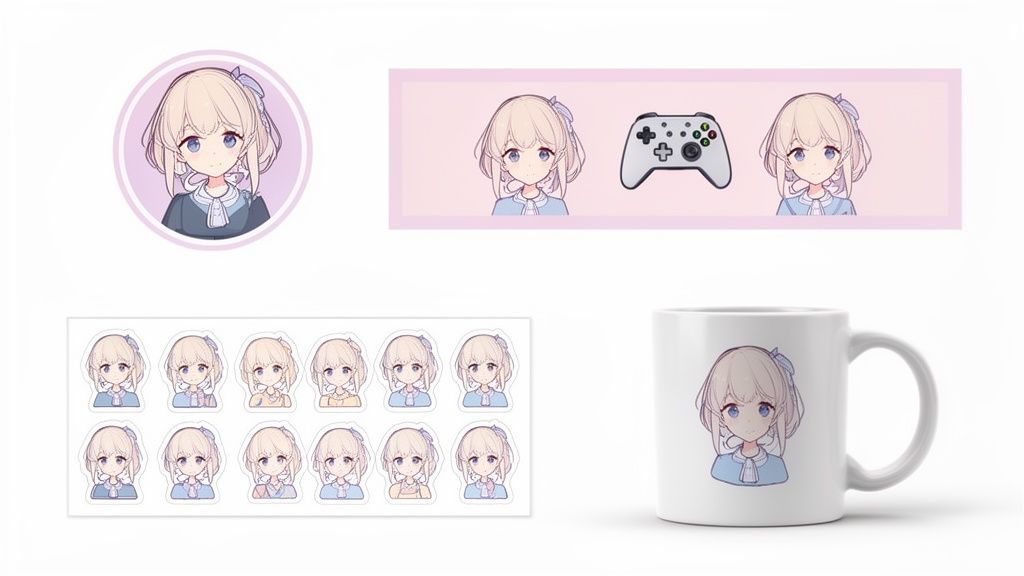
Alright, so you've used an ai anime character generator and landed on a portrait you absolutely love. Now what? That cool new image is way more than just a picture—it’s a digital asset you can use to add a splash of personality everywhere, both online and in the real world.
The possibilities go far beyond a simple profile pic. Think of it as a starting point for all kinds of fun projects, from leveling up your social media presence to creating genuinely unique gifts for friends and family.
Refresh Your Digital Identity
The most obvious (and effective) first step is to craft a standout avatar. In a sea of generic profile pictures, a custom anime portrait helps you get noticed and show off your personality in a way a regular photo just can't.
Here's where I see people use them most:
- Discord & Twitch: Instantly make your profile pop in servers and chats. A custom anime avatar adds a personal flair that's perfect for gamers, streamers, and anyone active in online communities.
- Social Media: Create a cohesive look across Instagram, X (formerly Twitter), and TikTok. It's a great way to build a memorable personal brand.
- Gaming Profiles: Give your Steam, PlayStation, or Xbox profile a custom look that reflects your gaming style and stands out on your friends list.
My Pro Tip: When you download your image for digital use, always go for a high-quality PNG file. It supports a transparent background, which is a lifesaver for layering your avatar over different banners or videos, and it keeps everything looking sharp.
The demand for unique digital assets like these has absolutely exploded with the growth of gaming and online entertainment. This is a big reason why accessible tools have popped up, showing a clear need for platforms that don't require you to be a pro designer. You can actually learn more about the market forces driving AI animation to see just how massive this trend is.
Turn Your Digital Art Into Real-World Gifts
Your anime character doesn't have to live exclusively on a screen. With a high-resolution image, you can turn your creation into a physical item, which makes for some of the most thoughtful and personalized gifts imaginable.
Seriously, picture the look on a friend’s face when they unwrap a gift featuring their own anime persona. It’s a guaranteed win. Here are a few ideas I've seen work incredibly well:
- Custom Stickers: Get your character printed on vinyl sticker paper to decorate laptops, water bottles, and notebooks. It’s a fun, low-cost way to show off your art.
- Personalized Mugs: Tons of online print services will put your image on a mug. It's a classic gift for a reason—perfect for birthdays or holidays.
- Unique T-Shirts: Take your personal brand to the next level by printing your anime avatar on a t-shirt. This is awesome for a gaming team or just for fun.
- Framed Art Prints: For something a bit more special, have your portrait printed on high-quality photo paper and pop it in a nice frame. It becomes a legitimate piece of custom art for any room.
When you use a tool like AnimePhoto.ai, you’re not just making a picture—you're creating the building block for all sorts of awesome projects.
Navigating Privacy and Payments with AI Photo Tools
Anytime you upload personal photos to an online service, it's natural to have questions about privacy. It's not just smart to be cautious; it's essential. Let's talk about what you need to know to keep your photos and payment details safe when turning yourself into an anime character.
A trustworthy service is always upfront about how it handles your images. After all, they're your photos. Before you upload anything, take a moment to check out the company's privacy policy. A clear and easy-to-understand policy, like ClipShort's Privacy Policy, is a really good sign.
Keeping Your Photos Secure
When I'm trying out a new AI tool, the first thing I look for is how they handle data security. Reputable platforms, including AnimePhoto.ai, are built with privacy in mind from the ground up. This means your uploaded photos should only ever be visible to you.
The best practice, and something you should look for, is a service that automatically deletes your original images right after your anime version is generated. This is a huge deal—it means your personal photos aren't just sitting on some random server forever. A secure connection (always check for the "https://" padlock in your browser's address bar) is another non-negotiable for protecting any data you send.
Making Sense of Payment Options
So, how do you pay for these things? You'll typically run into two main setups: subscriptions or credit packs.
- Subscriptions: You pay a flat fee every month or year for ongoing access. This can be cost-effective if you plan on creating a ton of images all the time.
- Credit Packs: This is more of a pay-as-you-go system. You buy a bundle of credits, and each image you generate costs a certain number of those credits. When you're out, you can decide if you want to buy more.
I’ve found that the one-time purchase of credits is almost always a better experience. It puts you in complete control of your spending without the headache of a surprise recurring charge. For most people who just want to create a few cool avatars or a unique gift, it's the perfect setup.
This is exactly why platforms like AnimePhoto.ai use the credit model. They partner with trusted, secure payment processors like Stripe, so you know your transaction is safe. It's a straightforward approach that lets you focus on the fun part—creating your anime character—without worrying about hidden fees or messy cancellation policies.
Got Questions? Here Are Some Common Ones
Diving into AI art for the first time usually brings up a few questions. It’s a new space for most people, so let’s tackle some of the things you might be wondering about when using an AI anime character generator.
So, Can I Actually Use My AI Anime Character for My Business?
This is a big one, and rightly so. The short answer is: it completely depends on the service you're using.
Some generators are happy to give you full commercial rights, meaning you can slap that artwork on a t-shirt, use it in an ad, or make it your business mascot. Others, however, strictly limit the images to personal use—think profile pictures and gifts for friends. Always, always check the terms of service before you plan on making money from your creation.
What’s Happening to the Photos I Upload?
Your privacy should always be a top priority. Trustworthy platforms like AnimePhoto.ai are built with this in mind. They’re designed to process your photo and then get rid of it, usually right after your anime character is generated.
Your original photos belong to you, and a good service will never store them on their servers long-term.
A Quick Tip from Experience: If you ever see weird distortions in your final image—like wonky eyes or blurry details—the problem almost always traces back to the original photo. The best way to avoid those strange AI quirks is to start with a clear, well-lit, high-quality portrait.
Ready to see yourself as an anime character? Head over to AnimePhoto.ai and transform your favorite pictures into incredible art with just a few clicks. Get started with AnimePhoto.ai.

See yourself in anime style in under a minute
Pick a style, upload a photo, and get a high-quality anime portrait ready for profiles, prints and gifts.
Create your anime photo

