
Welcome to the world of anime avatars, where a free anime avatar maker is your golden ticket to crafting a new digital identity. From simple AI photo converters to in-depth character creators, these tools give you everything you need to design a standout profile picture for Discord, Twitch, TikTok, or anywhere else you hang out online—all without spending a dime.
Why Is Everyone Suddenly Using Custom Anime Avatars?
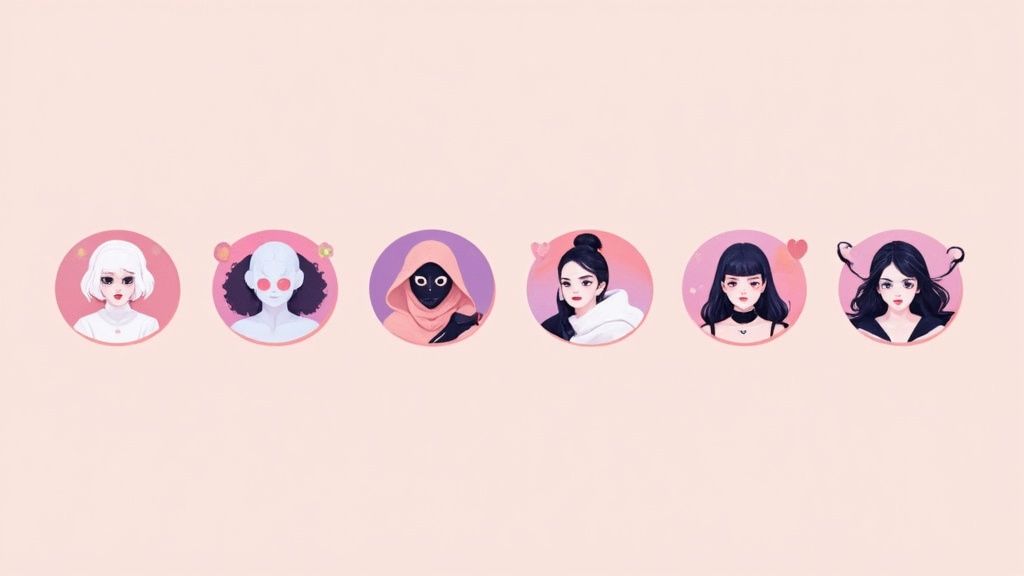
The explosion of custom anime avatars goes way beyond just swapping out a profile picture. It’s about carving out a space for your personality in online worlds where your visual identity is the first thing people see. Whether you're a streamer building a memorable brand or just want a cool, unique look for your social media, a custom avatar makes you instantly recognizable.
This shift has ignited massive growth in AI-powered avatar tools, a trend that really took off after 2020. As more of us look for personalized ways to show up online, individual creators have become the driving force, now accounting for a whopping 47% of the market revenue share in 2024. That number speaks volumes about the demand for easy-to-use, low-cost creation tools. You can dig into more of the data on the AI anime generator market over at SNS Insider.
It’s More Than Just a PFP
Think of a custom avatar as a form of digital self-expression. It can reflect your hobbies, your current mood, or even an aspirational version of yourself. For many, it also offers a comfortable layer of privacy while still letting them connect with others in a personal, engaging way.
Here’s a quick breakdown of why these avatars are everywhere now:
- Creative Freedom: They're a blank canvas to design a character that feels like you, mixing real-life features with imaginative, fantastical elements.
- Finding Your Crew: Sporting a certain avatar style can be a signal that you're part of a particular fandom, gaming community, or social circle. It’s an instant connection.
- Building a Personal Brand: For content creators, a consistent and slick anime avatar is a core piece of building a brand that people remember.
The real beauty of a free anime avatar maker is that it puts creative power in everyone's hands. You no longer need expensive software or years of artistic training to craft a unique online persona.
In the end, these tools are a fun and accessible way to engage with modern online culture. You have more choices than ever before, from Picrew-style makers that give you tons of artistic control to AI apps that magically turn your selfie into an anime character. It's never been easier to bring your digital self to life.
Finding the Right Free Anime Avatar Maker for You
Jumping into the world of free anime avatar makers can feel a bit overwhelming at first. There are a ton of tools out there, and they all work a little differently. The trick is figuring out what you want to create and how much time you want to spend doing it.
Let's break down the three main types of tools you'll come across. Each is good for different things, whether you just need a quick profile picture or you're designing a character for a bigger project.
Hands-On Character Creators
Think of these as digital dress-up kits, but with way more options. Sites like Picrew and Charat.me are classic examples. They give you a base model and let you go wild with a huge library of pre-made assets—eyes, hair, clothes, you name it.
- Best For: Anyone who has a specific vision for a character and enjoys piecing it together themselves.
- The Experience: You're in the driver's seat. It’s a fun, creative process that's perfect for building an original character (OC) or an anime version of yourself from scratch.
- The Downside: Your final creation is totally dependent on the artist's style and the parts they've provided. You’re playing in their sandbox, so to speak.
So, if you’re picturing a soft, pastel-colored avatar with a very specific frog hat and round glasses, you’d search for a Picrew maker from an artist who draws in that exact aesthetic.
Convenient Mobile Apps
Mobile apps are all about convenience. You can create an avatar right on your phone, making them perfect for when you're out and about. These often mix character creation with social features or sticker packs, so you can easily use your creations on the go.
They're built for speed. You can knock out a new look for your Instagram or TikTok profile in the time it takes to wait for your coffee. They might not have the deep customization of a browser tool, but you can't beat their accessibility.
Choosing the right tool really boils down to your goal. Are you looking for a fun, artistic puzzle to solve, or do you want a magical transformation with a single click?
AI-Powered Photo Converters
This is where things get really interesting, and it requires the least effort on your part. AI generators like AnimePhoto.ai work completely differently. Instead of asking you to build a character, they use your own photo as a starting point to generate a brand new, anime-style image.
You just upload a selfie, and the AI analyzes your features to reinterpret them in a specific art style. It's easily the fastest way to get an anime avatar that actually looks like you. This approach is part of a huge wave; the market for anime content creation tools is expected to reach US$2.08 billion by 2025, mostly because cloud-based software has made these tools so accessible to everyone.
This method is perfect if you want a personalized PFP for Discord or Twitter but don’t want to spend an hour tweaking every little detail. The surprise is half the fun—you never know exactly how the AI will see you. While the free options are great for getting started, exploring different paid options can unlock more advanced styles and higher-quality images if you need them.
A Practical Guide to Creating Your First Avatar
Alright, let's get our hands dirty and actually make something. We've talked about the "what," but now it's time for the "how." I'm going to walk you through the process of creating your own avatar, using an AI-powered tool as our main example. The beauty of these tools is their simplicity, but don't be fooled—the final result is only as good as what you feed it.
Believe it or not, your journey doesn't start with the AI tool. It starts with your photo. This is, without a doubt, the single most important factor that will determine how your avatar turns out. Think of the AI as a super talented artist who is also incredibly literal; it can only draw what it sees.
Selecting the Perfect Source Photo
There's an old saying in programming: garbage in, garbage out. It applies perfectly here. A blurry, poorly lit photo will almost always result in a muddy, generic, or just plain weird-looking avatar. To give the AI the best shot at capturing you, you need to start with a strong foundation.
So, what makes a great source photo? Here’s what I’ve found works best:
- Find Good, Even Light: Stand facing a window or another soft light source. You want to avoid harsh overhead lighting that creates strange shadows under your eyes or, even worse, backlighting that turns you into a silhouette. Good light defines your features.
- Look Straight Ahead: Make eye contact with the camera. When you're looking off to the side, some AIs get confused and can distort your face shape or make your eyes look uneven. A direct gaze works best.
- Keep the Background Simple: A busy background—think plants, posters, or other people—can distract the AI from the main subject: you. A plain wall or a simple, uncluttered space is your best bet.
- Show Your Whole Face: Ditch the sunglasses and hats that cast deep shadows. While some models can handle eyeglasses pretty well, it's often better to take them off for the cleanest result, at least for your first attempt.
This flow chart gives you a good idea of the different paths people take when jumping into free avatar makers, from web-based tools and mobile apps to dedicated AI generators.
As you can see, while traditional web and app creators offer a lot of manual control, the AI tools provide the most direct route from a personal photo to a finished, unique avatar.
Mastering the Art of the Prompt
Once your photo is ready, the next step in most AI tools is the text prompt. This is your chance to play art director. Vague prompts will give you generic results. If you want something that really pops, you need to get specific. Don't just type "anime style." Tell it what kind of anime style.
Think about the mood you're going for. Do you want something nostalgic and retro, or are you aiming for a slick, modern feel?
Here are a few prompts I've had fun with to get your own ideas flowing:
- For a classic look: "
90s shojo anime style, soft colors, sparkling eyes" - For a modern fantasy vibe: "
Modern fantasy character, glowing magical elements, detailed armor" - For something cozy and whimsical: "
Ghibli-inspired background, warm and gentle art style" - For a darker aesthetic: "
Cyberpunk noir, neon lights, rainy city, semi-realistic"
My biggest tip: Don't be afraid to experiment. Your first attempt probably won't be the final one. Try tweaking just one or two keywords in your prompt and see what happens. Sometimes, just changing "soft colors" to "vibrant colors" is all it takes to nail the perfect look.
Iterating and Refining Your Creation
The first image the AI spits out is rarely the final product. It's a starting point. Maybe you absolutely love the eyes, but the hair isn't quite right. Or perhaps the background is amazing, but your expression feels a little off. This is a totally normal part of the creative process.
Many tools, like the one offered at https://animephoto.ai, give you pre-set styles you can cycle through with the same photo. This is a fantastic way to iterate quickly without having to become a prompt-writing genius. You can see how your face looks in a chibi style versus a more realistic manga aesthetic in just a few clicks.
As you start creating, it's also helpful to think about the bigger picture. Learning how to generate social media content can give you ideas on how to best use your new creation. After all, your new avatar is a powerful piece of content, and framing it right makes all the difference. The real goal is to land on an avatar that you're genuinely excited to use as your digital twin.
Advanced Tips for a One-of-a-Kind Avatar
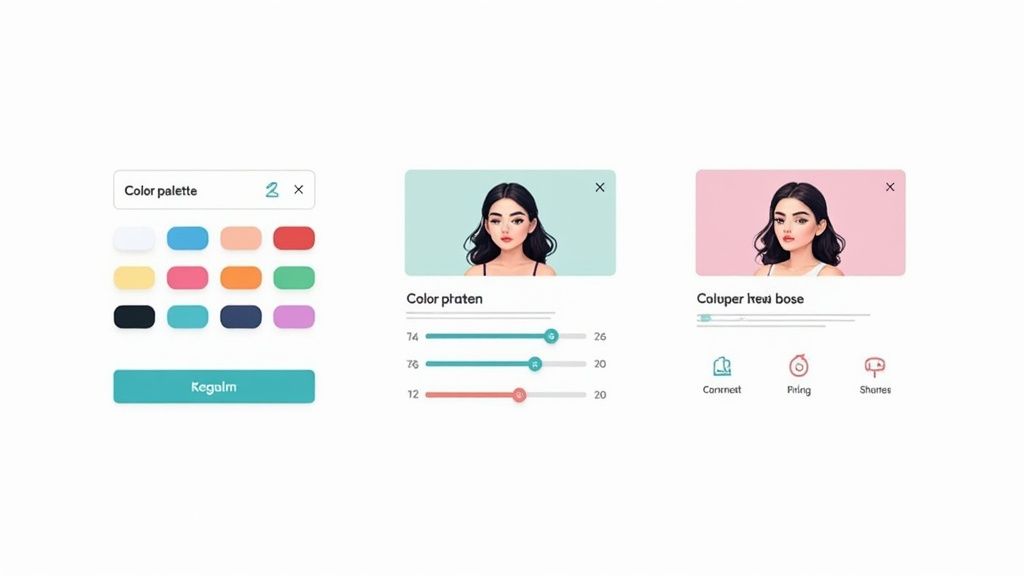
Alright, you’ve got the basics down. Now, let's take your creation from a decent profile picture to something that truly stands out. Moving beyond the default settings of a free anime avatar maker is where you can inject your own creativity and make something special.
Think of the image you get from the AI as a starting point—your raw clay. It's good, but it’s not finished. A few extra steps in post-production can make all the difference between a generic avatar and one that's unmistakably yours.
Fine-Tuning with Free Editing Tools
You don't need a pricey Photoshop subscription to add that final polish. There are plenty of powerful, browser-based tools that can dramatically improve your avatar’s look and feel.
- Swap Out the Background: A plain white or gray background is boring. Drop your character into a new scene using a free design tool like Canva. You could place them in a neon-drenched cityscape, a serene forest, or even a starry galaxy.
- Add Your Handle or a Catchphrase: Want to add your username or a favorite quote? This is a simple but effective way to brand your avatar, which is super useful if you're a streamer, content creator, or just want to make it your own.
- Create the "Perfect" Hybrid: Ever get two results where you love the eyes on one but the hair on the other? Don't settle. Using a free editor like Photopea, you can layer the two images and carefully merge the best parts from each. It’s a bit of digital surgery, but the result is a perfect composite.
The point here isn’t about fixing mistakes. It’s about adding your personal artistic signature. These small tweaks guarantee your avatar is genuinely unique, not just another face in the AI-generated crowd.
To give yourself the most creative freedom, try removing the background from your avatar entirely. This is surprisingly easy to do with modern AI background removal tools. A transparent background means you can drop your character onto anything—a YouTube thumbnail, a stream overlay, a custom sticker—without any awkward white boxes.
Avoiding Common Creative Pitfalls
I've seen a lot of people get frustrated with their results, but it usually comes down to a few common and easily fixable mistakes. Knowing what not to do is just as important as knowing what to do.
First, stop using blurry source photos. The AI is smart, but it's not a magician. If you give it a low-quality, poorly lit image, you're going to get a muddy, generic-looking avatar. Garbage in, garbage out. Always start with the crispest, clearest photo you have.
Another trap is writing lazy prompts. Just asking for a "cool anime avatar" is way too vague and leaves everything up to chance. Get specific! Guide the AI with descriptors like "chibi style with pastel pink hair, mischievous smirk, wearing a modern hoodie." The more detail you provide, the closer the AI will get to what you're picturing in your head.
The global anime market is exploding, projected to reach USD 46.07 billion by 2029, and a big part of that is how digital tools have made this art style so much more accessible. These tools thrive on clear instructions, so give them something good to work with.
How to Use and Share Your New Avatar Safely
https://www.youtube.com/embed/db8CmJ_vw5Q
Alright, so you've used a free anime avatar maker to create something awesome, and you're ready to show it off to the world. But before you start uploading it everywhere, let's walk through the final, and most critical, steps. This is where you make sure it looks fantastic and you're not accidentally breaking any rules.
First things first, think about where this avatar is going to live. Every social platform has its own quirks for image sizes and file types. Getting these details right from the start is the key to a sharp, professional-looking avatar.
Optimizing Your Avatar for Social Platforms
You don't need to be a Photoshop pro to get this right. While most platforms will try to resize your image for you, they often apply some pretty aggressive compression that can ruin the quality. A little prep work makes a huge difference.
Here’s my cheat sheet for the most common spots:
- Discord & Twitch: These platforms are all about the square. A size of 512x512 pixels is the sweet spot—it’s big enough to look crisp on any screen without being a massive file.
- Instagram & Twitter: They also use square profile pictures, but you can go bigger for better quality. I usually aim for 1080x1080 pixels here to keep the avatar looking sharp, even when someone clicks on it.
- File Type: Go with PNG. Always. It's the best format for graphics like this because it handles transparency (if you have a custom background) and doesn't degrade the quality like a JPG can.
The whole point here is to prevent the platform from butchering your image. If you upload an avatar that's already perfectly sized, you bypass their clumsy compression and keep your creation looking exactly how you intended.
Understanding Ownership and Usage Rights
Now for the part everyone wants to skip—but trust me, it's essential for using your avatar without any headaches down the road. Just because you clicked the "generate" button doesn't mean you have unlimited rights to the image. The tool you used sets the rules in its terms of service.
Before you go public, take two minutes to check the usage policy. You’re looking for two main classifications: personal use and commercial use.
- Personal Use: This is for your social media profiles, forum icons, or just sharing with friends. Pretty much every free tool out there is fine with this.
- Commercial Use: This is the big one. If you plan to make money with your avatar—like for a monetized Twitch stream, your business logo, or merch—you need to be careful. Many free services prohibit this or require you to buy a commercial license.
Knowing the difference is what lets you share your creation with total confidence. For a good example of how these terms are laid out, you can check documents like the AnimePhoto.ai privacy policy, which clearly explains what's allowed. A quick look at the fine print now saves you from potential trouble later.
Got Questions? We've Got Answers
Jumping into the world of free anime avatar makers can feel a bit like the wild west. You might be wondering about safety, what you can actually do with your creations, and why your avatar looks more like a distant cousin than a twin. Let's tackle some of the most common questions head-on so you can create with confidence.
Are These Free Tools Actually Safe?
For the most part, yes, but it pays to be a little savvy. The safest bet is to stick with well-known services that have a solid reputation and plenty of positive user reviews. Before you upload anything, it’s always a good idea to take a quick peek at their privacy policy. This will tell you exactly how they handle your photos and personal data.
A major red flag? Any service that demands a ton of personal information just to get started. The best tools respect your privacy and won't make you jump through hoops or hand over unnecessary details just to try them out.
Can I Use My Avatar for My Business?
This is a big one, and the answer is almost always: it depends. Most free avatar makers give you a license for personal use only. That means you’re totally in the clear to use it as your profile picture on social media, in Discord, or for any other non-commercial fun.
But using that same avatar for your business is a whole other ball game. Think about things like:
- Branding: Using it as a company logo or in your marketing materials.
- Merchandise: Printing it on t-shirts, mugs, or stickers you plan to sell.
- Monetized Content: Featuring it on a YouTube or Twitch channel that earns you money.
These activities are considered commercial use, and that usually requires a paid subscription or a special license. Always, always read the terms of service before using an AI-generated avatar to represent your brand.
The golden rule is simple: if you're making money with it, double-check the rules. Taking a minute to verify can save you a world of legal trouble down the road.
Why Doesn't My AI Avatar Look Exactly Like Me?
This happens all the time, and it's not a bug—it's a feature! AI generators aren't designed to be flawless photo-to-anime copiers. Think of them as artistic interpreters. The AI scans the key features of your face—your eyes, nose, hair—and then creatively reimagines them within the rules of a chosen anime style.
The final image is a unique blend of your photo, the massive library of art the AI was trained on, and any specific style prompts you gave it. For a closer match, always start with a sharp, well-lit photo where you're looking straight ahead. But even then, try to embrace the outcome as an artistic take on you, not a perfect portrait. It's not a copy; it's a cool transformation.
Ready to create a stunning anime version of yourself without the guesswork? AnimePhoto.ai transforms your photos into beautiful, share-ready art in seconds. Try it now and discover your new favorite style!
https://animephoto.ai

See yourself in anime style in under a minute
Pick a style, upload a photo, and get a high-quality anime portrait ready for profiles, prints and gifts.
Create your anime photo

