Think of a gaming profile picture maker as your personal AI artist. It takes your photos and turns them into awesome avatars, often in popular styles like anime or cartoons. These tools are fantastic for quickly creating a standout digital identity for platforms like Twitch, Discord, and Steam.
Why Your Gaming PFP Is Your Digital First Impression
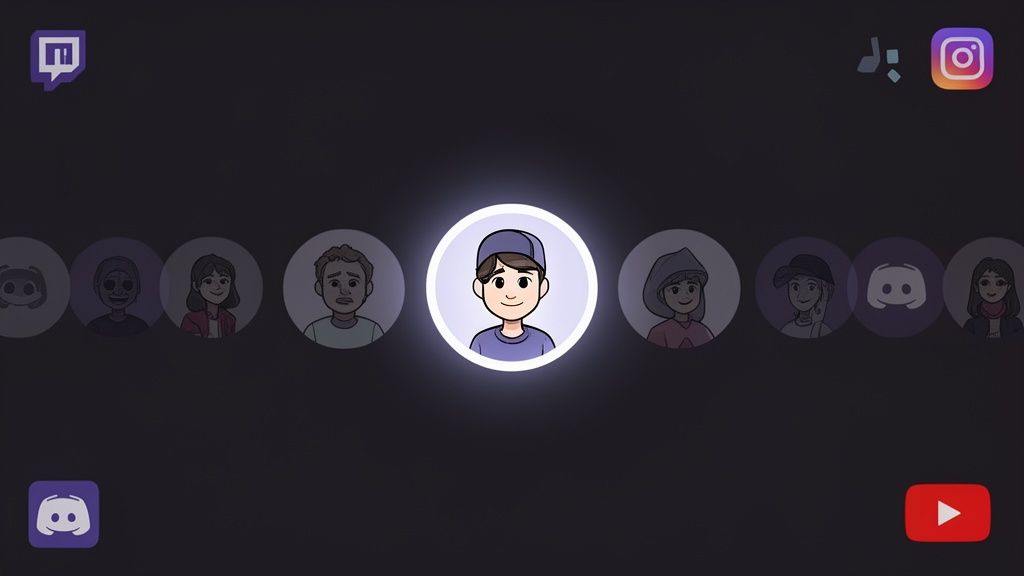
Before you dive into designing, let's talk about why your gaming profile picture (PFP) is such a big deal. It’s way more than just a little icon; it’s your digital handshake. This is the image that represents you in every game lobby, every friend request, and every single stream chat.
Your PFP is often the first thing people see. A killer avatar can build instant recognition and shape how other gamers see you before you’ve even sent a message or joined voice chat. It's a surprisingly powerful tool for branding yourself.
The Power of a Consistent Visual Identity
Think about the streamers and creators you follow. I bet you can picture their avatar right now, whether you see it on Twitch, YouTube, or X (formerly Twitter). That’s not by accident. They’ve intentionally made their PFP a cornerstone of their online brand.
A consistent, high-quality PFP turns you from just another username in a list into a recognizable personality. It helps build community, makes people feel familiar with you, and gives your presence a more professional, intentional vibe.
This consistency acts like a visual shortcut for your audience. When they see that familiar image, they instantly connect it to you and your content. This builds a subtle layer of trust and makes it way easier for new fans to find and follow you across all your platforms.
Meeting Modern Platform Standards
The push for high-quality PFPs isn't just a trend; it's being built right into the platforms we use every day. As our digital identities become more important, the standards have gotten higher.
For example, Xbox now has a verification system for custom gamerpics, and Microsoft requires a minimum resolution of 1080 x 1080 pixels. This industry-wide shift proves that a PFP is no longer a simple placeholder—it’s an essential part of your online brand. You can actually find some great insights about custom gamerpic standards on YouTube.
Ultimately, firing up a gaming profile picture maker is your first step toward creating an avatar that truly works for you. It's how you build a memorable identity that stands out in a very crowded digital world.
Choosing the Right Photo for Your AI Masterpiece
The secret to a killer AI-generated avatar isn't just about the software. It all starts with the photo you feed it. Think of your photo as the blueprint; the better the blueprint, the more epic the final build. A high-quality source image gives the gaming profile picture maker all the data it needs to nail your look and turn it into something special.
It’s the classic "garbage in, garbage out" scenario. If you upload a blurry, dark, or busy photo, you're pretty much guaranteed to get a muddy or weird-looking result. Your mission is to give the AI a clean, clear headshot so it has the best possible chance to succeed.
Get the Lighting and Clarity Right
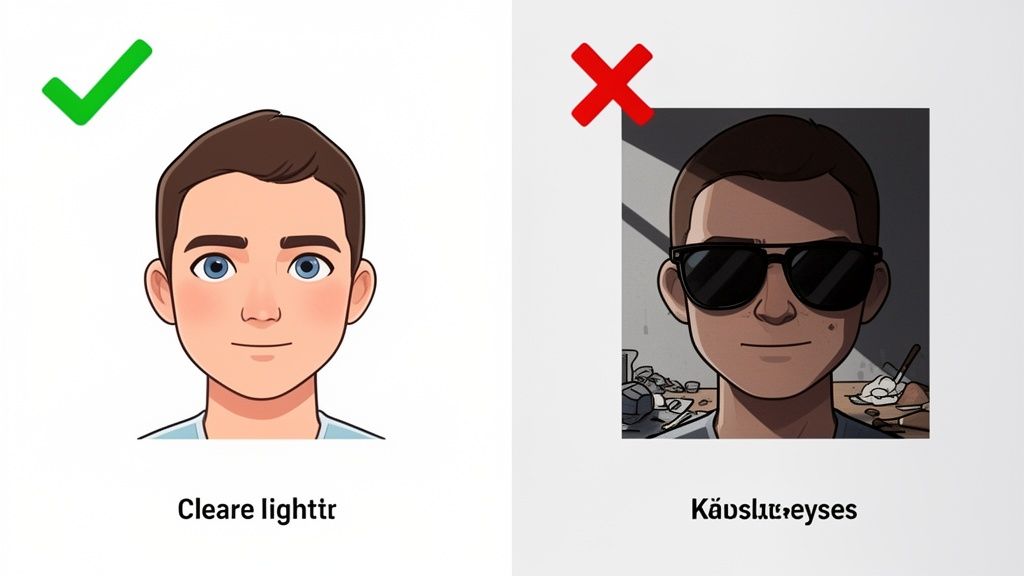
If you remember one thing, make it this: lighting is everything. You’re looking for soft, even light that hits your face directly, erasing any harsh shadows. The easiest way to get this is to stand facing a window during the day. Natural light is your best friend here—it’s diffused, flattering, and shows off your features perfectly.
Stay away from harsh overhead lights or direct sun. That kind of lighting creates deep, unflattering shadows under your eyes and nose that can really confuse the AI, often leading to strange-looking spots or an inaccurate portrait in the final render.
For a great visual guide on what works, take a look at these examples of good headshots that are perfect for AI tools.
Your Angle and Expression Make a Difference
The way you frame the shot matters more than you’d think. A photo taken straight-on, or with a slight angle where you're looking right at the camera, almost always works best. This gives the AI a clear, unobstructed view of your entire facial structure—both eyes, nose, mouth, the works.
Super dramatic angles from way above or below might seem cool, but they tend to distort your features, making it tough for the AI to create a balanced image. As for your expression, something neutral or a simple, genuine smile translates beautifully into different art styles. Over-the-top, exaggerated faces? Not so much.
Key Takeaway: The goal is to give the AI as much clean, clear facial data as you possibly can. When it comes to the source photo, simple and direct always beats complex and artsy.
A Quick Guide to the Perfect Source Photo
To keep things simple, here’s a quick rundown of what to do and what to avoid. Stick to these guidelines, and you'll see a huge jump in the quality of your AI-generated profile picture.
The "Do's" - What Works Best
- Use high-resolution photos. A sharp, crisp image gives the AI more detail to work with, which means a better result.
- Keep the background clean. A plain wall or a simple, uncluttered backdrop keeps the focus entirely on you.
- Show your whole face. Make sure your hair isn’t covering your eyes and that the shot is framed from your chest up.
The "Don'ts" - What to Avoid
- Don't wear sunglasses or hats. These block crucial features like your eyes and hairline that the AI needs to see.
- Don't use group photos. Cropping your face out of a group picture almost always leaves you with a low-res, poor-quality image.
- Don't use filters or heavy edits. You want to start with a natural, unedited photo. Let the AI handle all the creative heavy lifting.
Finding an AI Style That Matches Your Gamer Persona
Alright, you've got the perfect photo picked out. Now for the fun part: diving into the sea of creative styles that will truly define your gaming identity. This isn't just about slapping on a cool filter. It's about making a deliberate choice that tells people who you are before you ever type "glhf" in the chat.
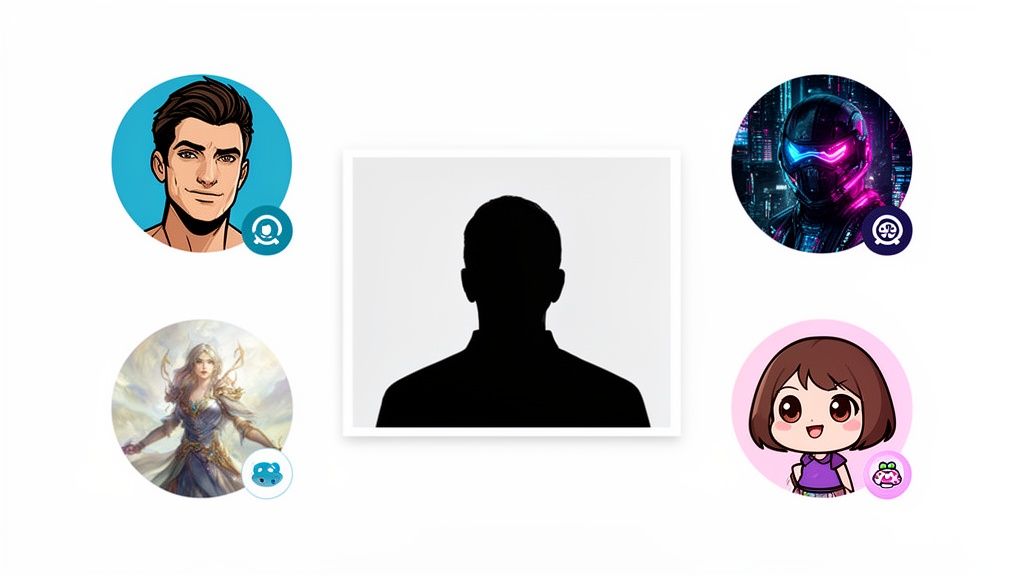
Think of your chosen aesthetic as your personal brand's handshake. A vibrant, cel-shaded anime look screams high energy, making it perfect for streamers playing fast-paced, action-heavy games. A gritty, neon-drenched cyberpunk style, on the other hand, might be a better fit for a competitive player known for their slick, technical plays in futuristic shooters. The style you pick really sets the tone.
It's More Than Just a Cool Picture
Take a second to think about the games you spend the most time in. If you live and breathe high-fantasy RPGs, an epic "Fantasy" style with adventurous vibes will instantly connect with your community. But if you’re more into cozy, community-driven games like Stardew Valley or Animal Crossing, a soft and friendly "Chibi" style makes you seem way more approachable and fun. Every style sends a signal.
Your best gaming PFP is an extension of who you are and the community you want to attract. The goal is to land on an aesthetic that feels authentic to you and lines up with the content you create. That kind of consistency is what makes a brand stick.
The world of gaming logos and avatars has absolutely exploded, which is great news for us. Free tools have made this whole process incredibly accessible. Platforms like Canva boast over 100 million design elements, while others like PosterMyWall offer gamers more than 2,160 gaming logo templates to get started. You don’t need to be a graphic designer to build a killer identity anymore.
Matching Your Gamer Persona to an AI Style
To help you nail down the right feel, it helps to think in terms of common gamer archetypes. Let's look at how different AI-generated styles line up with the kind of gamer you are, making it easier to choose the perfect look for your profile.
| AI Style Example | Best For Gamers Who… | Communicates This Vibe |
|---|---|---|
| Anime / Cel-Shaded | Are high-energy streamers, entertainers, and love fast-paced action games. | Fun, Expressive, Bold, Engaging |
| Cyberpunk / Sci-Fi | Are competitive players, tech enthusiasts, and play tactical shooters or futuristic titles. | Sleek, Intense, Modern, Skillful |
| Chibi / Kawaii | Are community builders, play cozy/wholesome games, and foster a welcoming atmosphere. | Approachable, Cute, Friendly, Inclusive |
| Fantasy / Painterly | Are RPG lovers, story-driven content creators, and want an epic, adventurous feel. | Grand, Immersive, Mystical, Creative |
Ultimately, the best way to find your style is to experiment. Play around with a few that catch your eye and see which one feels the most like you.
Explore Your Options
Jumping into a good gaming profile picture maker and just trying different styles is a huge part of the creative process. Don't be afraid to generate a few versions. For a deeper dive into what's possible, you can even check out our guide on the https://animephoto.ai/blog/best-ai-portrait-generators to see a wider range of artistic engines.
It can also be helpful to look at related visual tech. Seeing how tools with AI-generated thumbnail features handle different aesthetics can give you fresh ideas for your own PFP. This little bit of research can help you find that perfect look to represent your unique gamer persona.
Turning Your Avatar Into a Recognizable Brand
A great new avatar is a fantastic starting point, but it's just that—a start. To build a brand people remember, you have to think bigger. Your gaming profile picture needs to be the cornerstone of your entire online identity, not just a cool icon you swap out every few months. This is how you make your PFP work for you, building instant recognition wherever you show up.
The whole point is to create a visual identity that follows you everywhere. When someone sees your specific colors and avatar style on Twitch, then spots it again on Discord or X (formerly Twitter), their brain clicks. That’s the connection you want. This consistency makes you look professional and intentional, which builds trust with your audience.
Building Your Brand Kit Around Your PFP
Treat your new avatar as the blueprint for your entire brand. The colors, the vibe, the style—it's all right there. You can pull from it to build out a full brand kit that keeps everything looking sharp and consistent.
- Nail Down a Color Palette: Grab a color picker tool (there are tons of free ones online) and lift two or three main colors directly from your avatar. These become your signature colors for everything—stream overlays, social media banners, YouTube thumbnails, you name it.
- Pick a Go-To Font: Find a font that matches the feel of your avatar. A clean, futuristic font works perfectly with a cyberpunk PFP, while a soft, rounded font is a great match for a chibi style. Use this font consistently for your gamertag on all your graphics.
The big idea is simple: if it's representing you online, it should look like it all came from the same place. This is what separates a random profile from a powerful personal brand.
This is a huge part of building an audience today. A strong visual identity helps you stand out in a sea of other creators. It’s no longer just about having a cool picture; it’s a strategic move to build a loyal community. Design pros often recommend sticking to a palette of two to four colors because it makes you much easier to remember. For more great tips, check out this guide on building your visual brand on YouTube.
Creating Different Versions for Each Platform
Consistency is crucial, but so is adaptability. Your awesome circular Discord PFP might get awkwardly cropped in a square frame elsewhere. Creating a few simple variations ensures your brand looks polished everywhere without losing its core identity.
Think about having a few go-to versions ready:
- The Main PFP: Your primary avatar, perfectly cropped and centered. This is your default.
- The Banner Version: The same PFP, but with your gamertag overlaid in your brand font. Perfect for banners or intro screens.
- The Tiny Icon: A simplified version that zooms in on a key feature of your PFP, so it’s still recognizable even when it’s tiny in a crowded chat.
When you do this, your visual identity becomes both unified and flexible. You’re not just making a new avatar; you're laying the foundation for a brand that your community can connect with, no matter where they find you.
Getting Your Gaming PFP Sized for Every Platform
So, you’ve nailed the perfect avatar. That’s a huge win, but we're not quite at the finish line yet. The final, and arguably most important, step is making sure that masterpiece looks just as good on every platform you use.
Ever wonder why a PFP that looked razor-sharp in your photo editor suddenly becomes a blurry, pixelated mess on Discord or Steam? It’s all about the platform’s specific rules for image size and file type. If you upload something that doesn’t fit their requirements, they’ll automatically crush or stretch it, and that’s when quality takes a nosedive.
Sizing and Exporting for a Flawless Finish
The trick is to treat each platform as a unique destination. Don't just upload the same master file everywhere. Instead, go back to your original high-resolution image and create a separate, perfectly sized version for each profile.
For anyone creating video content, getting this right on YouTube is non-negotiable. A crisp, clear PFP makes your channel feel more professional and helps viewers spot your videos in a sea of thumbnails. If you're big on community-building, we've also got a detailed guide on picking the https://animephoto.ai/blog/best-discord-profile-pictures that offers some great platform-specific tips.
Think of your PFP as the cornerstone of your online brand. It works together with your gamertag and your chosen color scheme to create a recognizable identity.
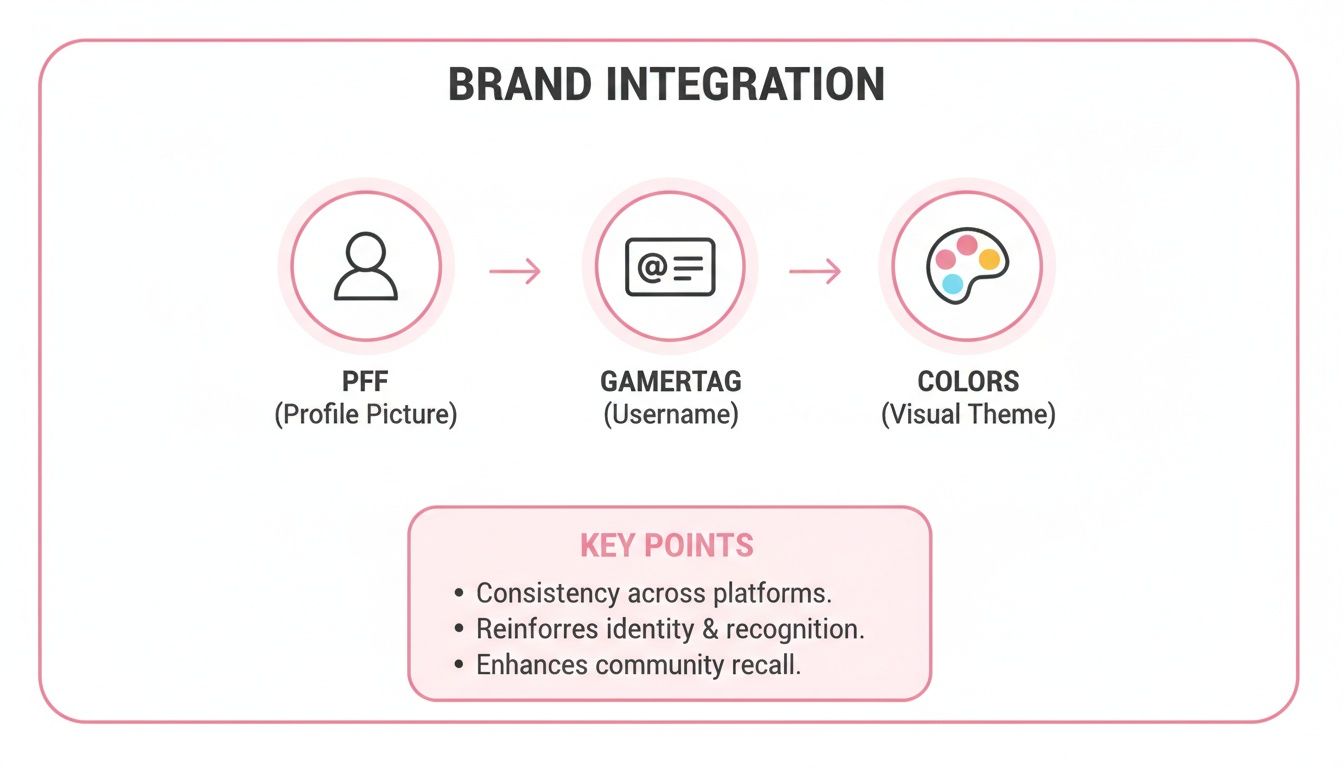
As this shows, it's about consistency. Your PFP, your name, and your colors all need to tell the same story.
When you're ready to export these different versions, you'll mainly be deciding between PNG and JPG. The choice is simpler than it sounds:
- Go with PNG if your avatar has a transparent background. It’s also the best choice for the clean, sharp lines you find in most anime and cartoon styles. It keeps everything looking crisp.
- Choose JPG for images with lots of detail or photo-realistic elements. This format keeps file sizes down, but watch the compression settings—if you push it too far, you’ll start seeing a drop in quality.
Pro Tip: Never, ever try to scale up a small image. You can’t add pixels that aren’t there, and you'll just end up with a blurry mess. Always start with your largest, highest-quality file and scale it down for each platform.
Gaming Platform Profile Picture Size Guide
Keeping track of the ideal specs for every single site is a pain. To save you the headache, I’ve put together a quick-reference table with the recommended dimensions for the most popular gaming and social platforms.
| Platform | Recommended Dimensions (Pixels) | Supported File Types |
|---|---|---|
| Twitch | 800 x 800 | JPG, PNG, GIF |
| Discord | 128 x 128 (displays at this size) | JPG, PNG, GIF |
| YouTube | 800 x 800 | JPG, PNG, GIF, BMP |
| Steam | 184 x 184 | JPG, PNG, GIF |
| Xbox | 1080 x 1080 | JPG, PNG |
| PlayStation | 440 x 440 | JPG, PNG |
Save your files to these exact dimensions, and you can rest easy knowing your PFP will look consistently awesome, no matter where your followers and friends see it.
Your Top Questions Answered
Jumping into a new PFP maker always sparks a few questions. How do you pick the right photo? How do you make sure the final image looks incredible everywhere you post it? It's totally normal to want to get it right.
I’ve pulled together the most common questions I see from gamers and creators. The goal here is to give you clear, straight-up answers so you can confidently create an avatar that looks amazing and does its job for your brand.
What’s the Best Kind of Photo to Use for an AI PFP Maker?
Think of it like this: garbage in, garbage out. The quality of your final avatar is 100% dependent on the quality of the photo you start with.
The best source images have clear, even lighting. You want to avoid any harsh shadows that can throw the AI for a loop. Make sure your face is fully visible, looking right at the camera, and not covered up by sunglasses or a hat that hides your features.
A simple background is also your best friend. A plain wall helps the AI focus only on you, which is exactly what you want. And always, always start with a high-resolution photo. It gives the AI more data to work with, resulting in a much more detailed and accurate final image.
How Can I Make My Gaming PFP Feel Unique to My Brand?
This is where you go from just having a cool picture to building a real brand identity. It’s all about making smart, deliberate choices. First, pick an AI style that actually fits the vibe of your channel and your personality. A high-energy FPS player might go for a sharp, cyberpunk aesthetic, while a chill, cozy gamer might want something softer, like a chibi style.
Once you have your base image, it's time to customize.
- Add Your Gamertag: Pop the image into a free tool like Canva and add your name. Make sure you use the same font you use elsewhere.
- Lock in Your Colors: Pull two or three key colors from your new avatar. These are now your official brand colors.
- Be Consistent: Use those colors and that font everywhere—on your stream overlays, your social media banners, and your video thumbnails. This is how you become instantly recognizable.
The big idea is that your PFP stops being just a picture and becomes a core brand asset. That visual consistency is what helps your audience spot you in a crowded feed in a fraction of a second.
Can We Create Matching PFPs for Our Team or Duo Partner?
Absolutely! Making cohesive profile pictures for your squad or duo is a killer way to build a unified team look. The process is actually pretty simple if you focus on creating a consistent starting point.
For the best results, have everyone on the team take their photos in similar lighting and from roughly the same camera angle. Then, the most important part: when you run them through the PFP maker, make sure you apply the exact same AI style to every single photo. This one step ensures that even though each person’s avatar is unique, they all share that one visual thread that ties you all together as a group.
Will My New Profile Picture Work on Every Platform?
Yes, but there's a small catch: you’ll probably need to resize it. Platforms like Twitch, Discord, and YouTube all have their own specific dimensions and file size limits for profile pictures. Just uploading the same file everywhere will often lead to weird cropping or a blurry, pixelated mess.
To avoid that headache, always save your main PFP at the highest resolution possible. Think of this as your "master file." From there, create smaller, optimized versions specifically for each platform you're on. It's an extra step that takes maybe five minutes, but it guarantees your PFP looks sharp, professional, and perfectly framed no matter where your community sees it.
Ready to create an unforgettable anime avatar? At AnimePhoto.ai, we make it easy to transform your photos into stunning, high-quality profile pictures in just a few clicks. Find your perfect style and start building your brand today at https://animephoto.ai.

See yourself in anime style in under a minute
Pick a style, upload a photo, and get a high-quality anime portrait ready for profiles, prints and gifts.
Create your anime photo

